
By CTMS Cybersecurity & Managed IT Team
The first problem is not always the breach.
Sometimes it is the meeting that happens after the breach is discovered.
A managing partner, firm administrator, insurance contact, outside counsel, and IT provider are all trying to answer the same questions at once.
What did they access?
Was client data involved?
Can we trust email?
Are backups clean?
Who had permission to those files?
Do we have logs?
Does cyber insurance respond?
When does the notification clock start?
For an Ohio law firm, that last question can become very real very fast. Ohio breach notification law generally requires notice to affected individuals in the quickest way possible, but not later than 45 days after discovery of a qualifying breach, subject to the law’s conditions and exceptions.
That is not when a firm wants to discover that Microsoft 365 access was never fully reviewed, vendor accounts were still active, backup restores had not been tested, endpoint alerts were not being watched, or nobody knew which system held the exposed data.
That is the real lesson behind modern law firm ransomware attacks.
The incident is not only about whether files were encrypted.
It is about whether the firm can prove what happened, what was protected, what was exposed, who had access, and whether the environment was being managed before the attack.
Reuters reported on June 9, 2026 that Fox Rothschild was sued in a proposed class action after an alleged May 2026 data breach involving sensitive personal information, including names and Social Security numbers. Bloomberg Law also reported the lawsuit in connection with an alleged SilentRansomGroup cyberattack.
Those are allegations, not legal conclusions.
But they are a clear signal for law firms.
Ransomware is no longer just an IT disruption. For law firms, it can become a client data issue, an ethics issue, an insurance issue, a business continuity issue, a vendor issue, and a proof issue.
For Ohio firms, the question is not simply, “Do we have cybersecurity tools?”
The better question is:
Can we prove that access, email, devices, backups, vendors, response, and security controls are actually being managed before something happens?
What the Fox Rothschild Lawsuit Actually Adds to the Conversation
The Fox Rothschild lawsuit should not be treated as a news recap or a chance to point at another firm.
The useful lesson is more specific.
According to Reuters, the proposed class action alleges that sensitive personal information, including names and Social Security numbers, was exposed in a May 2026 breach. Bloomberg Law reported the suit in connection with an alleged SilentRansomGroup cyberattack.
Those details matter because they move the conversation away from “ransomware locked our files” and toward the questions law firm leaders actually have to answer after an incident:
What sensitive data was involved?
Who had access to it?
How was it protected?
What evidence exists?
How quickly can the firm determine who may need to be notified?
That is the pressure point.
A law firm can restore systems and still have a major problem if it cannot quickly determine whether client files, employee data, financial records, Social Security numbers, privileged communications, or vendor-accessible systems were involved.
For Ohio firms, that matters because the breach response clock is not theoretical.
If the firm has no clean access records, no reliable logs, no Microsoft 365 permission review, no vendor access map, no tested backup record, and no documented response process, the firm is trying to answer legal, insurance, client, and operational questions while also trying to understand its own environment.
That is the real lesson.
The article is not just a reminder that law firms get attacked.
It is a reminder that after a law firm breach, the firm may be judged not only by what happened, but by whether it can show what was reasonably protected, what was exposed, and what controls were actually operating before the incident.
Why Law Firm Ransomware Attacks Are Different
Law firms hold the kind of information attackers can use for leverage.
Client files. Social Security numbers. Financial documents. Litigation strategy. Settlement details. Employment records. Medical records. Estate documents. Tax records. Business records. Privileged communications.
That data does not have to be encrypted to create a serious incident.
If it is accessed, copied, exposed, or threatened, the firm may still need to deal with forensic review, client communication, insurance reporting, breach notification analysis, vendor coordination, and possible litigation.
That is what separates law firm ransomware from a generic workstation infection.
The firm is not only asking whether systems can come back online.
It may also need to answer:
Which clients were affected?
Which accounts were used?
Which files were accessed?
Were privileged materials involved?
Were Social Security numbers or financial records exposed?
Were vendors part of the chain?
Were logs available?
Were backups clean?
Were reasonable safeguards in place before the incident?
That is a much harder conversation than “Can we decrypt the files?”
For Ohio firms, ransomware readiness belongs in the same conversation as operations, risk management, cyber insurance, confidentiality, and continuity planning. CTMS has already outlined what strong IT support for law firms should actually include when support has to go beyond basic ticket response.
Direct Answer: What Should Ohio Law Firms Learn From Recent Ransomware Attacks?
Ohio law firms should learn that ransomware is no longer only an encryption event. Modern attacks can involve credential theft, email compromise, data exfiltration, Microsoft 365 access, vendor impersonation, remote access tools, backup disruption, and extortion threats even when files are never encrypted.
The practical lesson is simple:
A law firm needs to know who has access, how email is protected, whether devices are managed, whether Microsoft 365 permissions are clean, whether backups can actually restore, which vendors touch sensitive systems, who leads the response, and what proof exists that controls are working.
That is the difference between having tools and having a defensible security posture.
The Ransomware Pattern Has Changed
Many law firm leaders still imagine ransomware as a malicious attachment that locks every file and displays a ransom note.
That can still happen.
But it is not the only pattern.
The FBI has warned that Silent Ransom Group, also known as Luna Moth, Chatty Spider, and UNC3753, has targeted law firms using information technology-themed social engineering tactics.
That matters because the attack may not look like malware at first.
It may look like:
A fake subscription notice.
A phone call with someone claiming to be support.
A request to install a remote access tool.
A Microsoft 365 login approval.
A staff member being told there is a workstation issue.
A person claiming to be IT.
A legitimate tool being used for illegitimate access.
Data copied before the firm understands what happened.
No dramatic explosion.
No obvious malware alert.
No instant lock screen.
Just access.
That is why basic antivirus and user awareness alone are not enough. The firm needs identity controls, endpoint monitoring, email security, verification procedures, Microsoft 365 governance, vendor access review, and documented response steps.
Why Encrypted Files Are the Wrong Mental Model
Encrypted files are painful.
But data exposure is often worse.
If attackers copy sensitive data before encryption, the firm may still face a serious event even if every system is restored.
That is where some firms get caught off guard. They prepare for recovery, but not for exposure. They think in terms of servers and files, while the actual pressure comes from client data, employee records, privileged communications, and proof.
Recovery asks:
Can we get systems back?
Exposure asks:
What did they see?
What did they take?
Who do we have to notify?
What did we represent to our insurance carrier?
Can we prove our controls were in place?
That second set of questions is where law firm ransomware becomes a leadership issue.
A firm can survive downtime and still struggle with the aftermath if it cannot explain the data path, the access path, the vendor path, and the control evidence.
The First 72 Hours Are Where Weak IT Operations Show Up
The first 72 hours after discovery are rarely clean.
The firm may be trying to preserve evidence, isolate systems, determine whether email can be trusted, contact insurance, involve legal counsel, identify affected data, restore operations, and keep attorneys working without making the incident worse.
This is where routine IT gaps stop looking routine.
An old account becomes an exposure question.
A missing log becomes a forensic problem.
An untested backup becomes a continuity problem.
An unmanaged vendor account becomes an investigation problem.
A loose Microsoft 365 permission structure becomes a data-scope problem.
An unclear cyber insurance control becomes a coverage problem.
A help desk ticket becomes part of the incident timeline.
That is why ransomware protection for law firms has to be inspected before an incident. The first 72 hours are not the time to discover how the environment is actually built.
The CTMS Framework for Law Firm Ransomware Readiness
A law firm does not need a complicated theory to begin inspecting its environment.
It needs a practical framework:
Access. Email. Devices. Backups. Vendors. Response. Proof.
Those seven areas show where ransomware usually finds room to move and where firms often discover gaps too late.
The goal is not to create a checklist for appearance.
The goal is to find the weak points before an attacker, insurer, client, or plaintiff’s attorney does.
Access: The Breach Often Starts With Identity
Most ransomware events do not start with a mysterious technical failure.
They start with access.
A compromised password.
A stale account.
A shared login.
A former employee account that was never fully removed.
A vendor account left active.
An attorney with excessive permissions.
An administrator account used for daily work.
A mailbox without properly enforced multi-factor authentication.
Once access is compromised, the real question is blast radius.
How much can that one account reach?
In a law firm, the answer may include email, SharePoint, OneDrive, document management systems, billing platforms, case files, vendor portals, file shares, and client communications.
This is the gap that matters: many firms do not find out how much one account can reach until they are forced to reconstruct access during an incident.
That is too late.
The firm should know who has access to client files, who holds administrator rights, whether privileged accounts are separated from daily-use accounts, whether former employees are fully removed, whether MFA is enforced consistently, and whether vendor accounts are reviewed on a schedule.
If those answers are unclear, the firm does not know its real ransomware exposure.
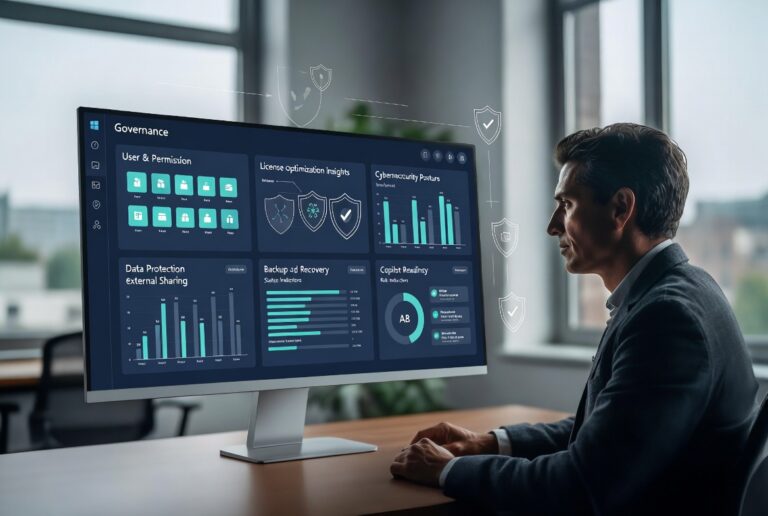
Microsoft 365 is central here because many firms use it for email, identity, file storage, collaboration, and external sharing. Weak permissions can quietly turn one compromised account into a much larger incident. That is why Microsoft 365 governance should be treated as cybersecurity infrastructure, not a software administration task.
Email: The Entry Point Law Firms Cannot Ignore
Law firms run on email.
Attorneys receive attachments. Staff review invoices. Administrators coordinate vendors. Paralegals exchange documents. Partners move quickly because deadlines matter.
Attackers know this.
Email compromise can lead to credential theft, invoice fraud, unauthorized forwarding rules, remote access abuse, data theft, and follow-on attacks that look more convincing because they come from a real mailbox.
The practical failure is not always that a bad email got through.
The failure is often that nobody knows what happened after it got through.
Was a login approved?
Was a forwarding rule created?
Was a mailbox searched?
Was a payment instruction changed?
Was a remote tool installed?
Was a vendor copied into the thread?
Was the attacker able to watch communication before acting?
For law firms, email security should include multi-factor authentication, suspicious login monitoring, forwarding rule review, attachment and link protection, DMARC, DKIM and SPF configuration, payment change verification, and a clear process for reporting suspicious messages.
There is also a staff procedure question:
How does legitimate IT support contact employees?
If someone calls and says they are from IT, how should the employee verify that?
If someone asks to install a remote tool, approve a login, or wait for an in-person support visit, what is the stop-and-check procedure?
The goal is not to turn attorneys and staff into cybersecurity analysts.
The goal is to give them permission to pause.
In ransomware prevention, a 30-second verification step can matter more than another annual training video.
Devices: Installed Software Is Not the Same as Managed Protection
Every device in the firm is an access point.
Laptops. Desktops. Home office machines. Mobile devices. Conference room computers. Remote workstations. Sometimes personal devices used under pressure because someone needs a file quickly.
The issue is not only whether those devices have software installed.
The issue is whether they are managed.
The exposure usually shows up in simple places:
A laptop not checking in.
A remote access tool nobody approved.
A local administrator account that should not exist.
A home office device touching firm data.
Endpoint alerts collected but not reviewed.
Patches delayed because nobody owns the exception.
A retired device still visible in management tools.
This is where “we have endpoint protection” can create a false sense of security.
Someone still has to monitor alerts, review exceptions, patch systems, investigate suspicious behavior, remove stale devices, manage remote access tools, and document the work.
Otherwise, the firm owns software, but not the outcome.
For firms that need stronger day-to-day operational ownership, managed IT services can connect device management, monitoring, help desk support, and security routines into one accountable structure.
Microsoft 365: The Default Setup Is Not a Law Firm Security Strategy
Many law firms now run heavily through Microsoft 365.
Email, calendars, Teams, OneDrive, SharePoint, identity, file sharing, external collaboration, mobile access, and document workflows may all run through the same environment.
That makes Microsoft 365 one of the most important security systems in the firm.
It also makes misconfiguration expensive.
The risk is not Microsoft 365 itself.
The risk is unmanaged Microsoft 365.
Common problems include over-permissioned SharePoint sites, external sharing that is too open, stale users, weak administrator controls, shared mailboxes with limited oversight, missing conditional access policies, limited audit log review, unreviewed guest access, and security alerts that nobody owns.
OneDrive sync is another common misunderstanding. Sync is useful for productivity, but it should not be confused with a ransomware-resistant backup strategy.
A compromised Microsoft 365 account can expose more than email. It can expose files, permissions, internal messages, client communications, shared links, and vendor connections.
For law firms, Microsoft 365 has to be reviewed like a security environment.
Not just managed as a subscription.
Backups: The Real Question Is Whether They Restore
Many firms believe they have backups.
The harder question is whether those backups can survive the incident and restore the systems the firm actually needs.
A backup strategy should answer:
What is backed up?
How often?
Where is it stored?
Is it separated from production?
Can an attacker delete or encrypt it?
Is Microsoft 365 included?
Have restores been tested?
How long would recovery take?
Which systems come back first?
Who makes that decision?
A backup that has never been tested is not a recovery plan.
It is an assumption.
For law firms, that assumption can become expensive quickly. Court deadlines, client matters, billing, document access, email, and staff productivity all depend on systems returning in the right order.
This is why backup and continuity planning should be part of ransomware protection for law firms, not a side project reviewed once and forgotten.
Vendors: The Weak Point May Not Be Inside the Firm
Law firms rely on a long chain of systems and providers.
Practice management software. Document management platforms. E-discovery vendors. Payment processors. Phone providers. Copier vendors. Scanning tools. Cloud applications. Outsourced IT. Cybersecurity tools. File-sharing systems.
Each relationship creates an access question.
What can the vendor reach?
Is that access still needed?
Is MFA enforced?
Are vendor accounts removed when the work is done?
Are integrations reviewed?
Does the contract define incident notification expectations?
Who calls the vendor during an incident?
Vendor risk is not only about whether a vendor is reputable.
It is about whether vendor access is controlled.
The dangerous pattern is not always a bad vendor. It is old access, unclear ownership, and no review cadence.
A vendor account may have been created for a project and never removed. A software integration may still be active. An external SharePoint folder may still be open. A support login may still exist after the original need disappeared.
During an incident, unclear vendor ownership creates delay.
That is the last thing a law firm needs when the notification clock is running, insurance is asking for facts, and leadership is trying to understand whether client data was involved.
Response: The First 24 Hours Should Not Be Built During the Incident
A ransomware or data extortion event creates immediate pressure.
Should systems be shut down?
Can attorneys keep working?
Can the firm trust email?
Who contacts cyber insurance?
Who contacts outside counsel?
Who preserves logs?
Who talks to staff?
Who talks to clients if needed?
Which systems come back first?
What happens if the attacker used a vendor account?
What happens if Microsoft 365 is compromised?
These questions should not be answered for the first time during the event.
A law firm incident response plan should define who leads the internal response, who contacts insurance and counsel, who coordinates with IT, who preserves evidence, who communicates with staff, which systems are isolated, which systems are restored first, and what communication channel is used if email cannot be trusted.
Some of those are legal decisions.
Some are technical decisions.
Some are insurance decisions.
Some are operational decisions.
But all of them require coordination.
That is why help desk support by itself is not enough during a security event. The firm needs support, but it also needs escalation discipline, security ownership, and continuity planning.
Proof: Security That Cannot Be Shown Is Harder to Defend
After an incident, “we thought we had that covered” is not enough.
The firm may need proof.
Proof that MFA was enforced.
Proof that users were reviewed.
Proof that endpoint protection was deployed.
Proof that backups were tested.
Proof that access was removed.
Proof that Microsoft 365 was configured responsibly.
Proof that vendors were managed.
Proof that an incident response plan existed.
Proof that security was not just assumed.
This matters for leadership. It may matter for cyber insurance. It may matter for client communication. It may matter in litigation or professional responsibility review.
Proof does not mean creating paperwork for the sake of paperwork.
It means maintaining a defensible operating record.
Many organizations have tools. Fewer have clean evidence that those tools were configured, monitored, tested, and reviewed.
That is the gap law firms should close before an incident forces the issue.
The Ohio 45-Day Clock Changes the Pressure
For Ohio firms, breach response is not open-ended.
Ohio breach notification law generally requires notice to affected individuals in the quickest way possible, but not later than 45 days after discovery of a qualifying breach, subject to the law’s conditions and exceptions.
That window matters because the firm may need to investigate the incident, preserve logs, engage forensic support, coordinate with insurance, determine what data was involved, identify affected individuals, evaluate legal obligations, and prepare notifications.
That work takes time even when the environment is well documented.
It takes longer when nobody knows where the logs are, which vendors had access, whether backups are clean, or who owns each decision.
This is not legal advice. Firms should consult qualified legal counsel about specific notification obligations.
But operationally, the point is clear:
A firm cannot wait until the breach to build the response system.
Cyber Insurance Is Not the Same as Cyber Readiness
Cyber insurance is important.
It does not replace cybersecurity.
Many carriers now expect stronger evidence around multi-factor authentication, endpoint protection, backup testing, incident response planning, email security, access control, and vendor management.
The question is not only whether the firm has a policy.
The question is whether the firm can show that required controls were actually in place.
That may include screenshots, reports, policies, logs, backup test records, MFA evidence, endpoint deployment reports, and incident response documentation.
A law firm should know what it represented on its cyber insurance application and whether those controls are actually operating.
Insurance should be part of the security conversation.
Not a separate purchase handled once a year and assumed to be enough.
The Assumptions That Break During a Law Firm Breach
Most law firms do not fail because leadership ignores cybersecurity.
They fail because too many assumptions go untested.
The first assumption is that “IT has it handled.”
That may be true for support tickets. It may not be true for breach response, cyber insurance evidence, Microsoft 365 governance, vendor access review, forensic preservation, or client data exposure analysis.
The second assumption is that “Microsoft 365 is protected by default.”
Microsoft 365 is a strong platform, but it still needs governance. Permissions, guest access, external sharing, administrator roles, conditional access, shared mailboxes, OneDrive sync, audit logs, and retention settings all affect how much damage one compromised account can cause.
The third assumption is that “backups solve ransomware.”
Backups help with recovery. They do not answer whether data was copied. They do not determine who must be notified. They do not prove MFA was enforced. They do not explain which vendors had access. They do not satisfy cyber insurance documentation by themselves.
The fourth assumption is that “cyber insurance means we are covered.”
A policy is not the same as evidence. If a carrier asks for proof that MFA, endpoint protection, backup testing, access controls, or incident response procedures were in place, the firm needs more than confidence. It needs records.
The fifth assumption is that “we would know quickly what was exposed.”
Many firms would not. Not because people are careless, but because data is spread across email, SharePoint, OneDrive, practice management systems, file shares, vendor platforms, scanned documents, billing records, and old folders nobody reviews until there is a problem.
That is why ransomware readiness is not only a security tool question.
It is an operating visibility question.
What Ohio Law Firms Should Review Now
The most useful ransomware review starts with the areas that become painful during the first few days after discovery.
Start with access.
Can the firm prove who has access to sensitive systems and client data? Are former employees fully removed? Are vendor accounts still active? Are administrator accounts separated from daily-use accounts? Is MFA enforced consistently?
Then email.
Are suspicious logins monitored? Are forwarding rules reviewed? Are DMARC, DKIM, and SPF configured? Is there a verification process when someone claims to be IT support? Are payment instruction changes handled through a controlled process?
Then Microsoft 365.
Are SharePoint and OneDrive permissions clean? Is external sharing controlled? Are guest users reviewed? Are shared mailboxes governed? Are audit logs available? Are security alerts assigned to someone who actually reviews them?
Then devices.
Are endpoints encrypted, patched, monitored, and protected with modern detection? Are remote access tools controlled? Are personal or unmanaged devices touching firm data? Are alerts reviewed or just collected?
Then backups.
Can the firm restore the systems it actually needs? Has that been tested? Are backups isolated from the environment attackers could reach? Is Microsoft 365 included in the recovery plan?
Then vendors.
Which third parties have access? What can they reach? How are they authenticated? When were they last reviewed? Who contacts them during an incident?
Then response.
Who leads the first 24 hours? Who calls insurance? Who calls counsel? Who preserves logs? Who communicates with staff? What happens if email cannot be trusted?
Then proof.
Can the firm show records, reports, screenshots, logs, restore tests, access reviews, and policy evidence that support what leadership believes is true?
That is the difference between a law firm having IT support and a law firm having an environment it can defend under pressure.
How CTMS Helps Law Firms Reduce the Unknowns
CTMS helps Ohio organizations strengthen the systems ransomware attacks test first: identity, email, endpoints, Microsoft 365, backups, vendor access, support workflows, cybersecurity controls, and incident response readiness.
For law firms, the work is not just “install security software.”
It is reducing the number of unknowns inside the environment.
Who has access.
Which systems matter most.
Which backups restore.
Which vendors are connected.
Which Microsoft 365 settings create unnecessary exposure.
Which support tickets signal a larger pattern.
Which controls can be proven.
That is where daily IT support and cybersecurity have to connect.
A recurring access problem, repeated email compromise attempt, unmanaged device, unclear vendor handoff, or untested backup may look like a normal support issue. In a law firm, it may also be an early warning sign.
CTMS provides cybersecurity services and managed IT services for organizations that need practical protection, operational support, and clearer ownership.
For firms evaluating industry-specific IT support, CTMS also supports legal IT environments and broader ransomware protection for Ohio businesses.
This article was written by Dan Stark, a content strategist and SEO writer who helps CTMS turn real-world IT, cybersecurity, Microsoft 365, and business technology issues into practical resources for Ohio businesses.
FAQ: Law Firm Ransomware Attacks
Do law firm ransomware attacks always encrypt files?
No. Some modern ransomware and extortion attacks focus on data theft rather than encryption. A law firm can face serious consequences if sensitive client, employee, financial, or privileged information is accessed or copied, even if systems are never encrypted.
What should an Ohio law firm review first?
Start with access, email, devices, backups, vendors, response, and proof. Those seven areas show whether the firm has a defensible security posture or only a collection of disconnected tools.
Is Microsoft 365 enough to protect a law firm from ransomware?
No. Microsoft 365 still requires proper governance, access control, MFA, conditional access, external sharing review, audit log review, and backup planning. The platform is powerful, but the default setup should not be treated as a complete security strategy.
Why does cyber insurance documentation matter?
Cyber insurance carriers may ask for evidence that required controls were actually in place. That can include MFA records, endpoint protection reports, backup test records, policies, logs, and incident response documentation.
The Next Step
The Fox Rothschild lawsuit is not a reason to panic.
It is a reason to inspect.
For Ohio law firms, the practical question is whether the firm can answer the questions that come immediately after a suspected breach:
What was accessed?
What data was involved?
Who had permission?
Were vendors connected?
Can backups restore?
Can we trust email?
Can we prove our controls were working?
Who owns the first 24 hours?
If those answers are unclear, the next step is not another generic cybersecurity checklist.
It is a practical review of the firm’s access, email, Microsoft 365, devices, backups, vendors, response plan, and proof.
If your firm wants a clearer view of where its IT and cybersecurity posture stands, contact CTMS to start a practical review of your law firm’s ransomware readiness, Microsoft 365 security, backup recovery, and support environment.