Managed IT Services Cleveland 2026: The Future of IT Support and Business Strategy

Managed IT Services Cleveland 2026 – Contact the Pros Now

Predictive AI Monitoring & Automation for Managed IT Services Cleveland 2026

it 26 pic 2

Image Source: Shadhin Lab LLC

Predictive AI monitoring is revolutionizing managed IT services by replacing reactive problem-solving with anticipatory intelligence. Cleveland businesses won’t wait for systems to fail by 2026. AI-powered platforms will spot potential disruptions before they affect operations. This radical alteration shows how forward-thinking organizations are approaching their IT infrastructure and support strategies differently.

Predictive AI Monitoring & Automation key features for Managed IT Services Cleveland 2026

Advanced managed services combine artificial intelligence with automation capabilities to change traditional monitoring methods. Modern AI-powered monitoring systems employ machine learning algorithms to set baseline performance metrics for networks, applications, and infrastructure. These systems analyze real-time data streams to detect anomalies before they become critical problems.

Key capabilities changing Cleveland’s managed services include:

  • Real-time data analysis: AI systems process massive operational data volumes and spot patterns human analysts might miss while providing instant insights
  • Automated remediation workflows: Pre-programmed response sequences trigger automatically when specific conditions appear, which reduces resolution time
  • Intelligent alerting: Context-aware notifications cut alert fatigue by filtering noise and highlighting real threats
  • Continuous learning: Systems become more accurate as they analyze outcomes and incorporate feedback

Agentic AI brings another game-changing advancement to this space. Unlike traditional monitoring tools, agentic AI works as autonomous “virtual coworkers” that can plan and execute complex tasks independently. These AI agents can analyze IT environments, make decisions based on knowledge, and take action without constant human oversight.

Predictive AI Monitoring & Automation business impact

AI-powered predictive monitoring creates measurable financial and operational advantages beyond technical improvements. Organizations that use these technologies report substantial improvements in key performance indicators that boost their bottom line.

Industry research shows AI-driven monitoring and automation systems cut stockouts by 72% and reduce excess inventory by 31%. Forecast accuracy at the SKU/location/day level jumps from 67% to 91%, while markdown losses drop by about $2.3 million yearly.

Cleveland businesses see these concrete benefits:

Dramatic downtime reduction: AI-powered prediction spots potential failures early, which enables preventive maintenance and reduces unplanned outages. Organizations typically see a 67% drop in system downtime within 90 days.

Operational efficiency gains: Businesses report higher productivity by automating routine maintenance and focusing staff on strategic work. AI-driven systems monitor critical application health, scale resources during peak times, and streamline workflows.

Better decision-making: Modern AI platforms turn reactive IT management into a proactive strategic function. Advanced simulations help businesses model various market scenarios and competitor moves to make smarter strategic choices.

Predictive AI Monitoring & Automation local relevance in Cleveland

Cleveland stands out as a regional hub for AI implementation, especially in monitoring and automation. The city combines research capabilities with growing AI-focused businesses and talent pipelines to create an environment where predictive technologies thrive.

The Cleveland Clinic–IBM Discovery Accelerator partnership forms the life-blood of this ecosystem. It brings hybrid cloud, high-performance computing, AI, and on-premises quantum hardware to the area. This work has created over 50 research projects while building educational paths between universities, government agencies, industry partners, and startups.

Local businesses benefit from this expertise through:

  1. Specialized AI talent pools trained in advanced monitoring techniques
  2. Regional knowledge-sharing networks focused on automation
  3. Research facilities developing advanced prediction models nearby

Cleveland retailers and service providers already see measurable benefits from AI monitoring solutions. AI-driven demand forecasting helps local businesses cut stockouts, reduce excess inventory, and save millions in markdown costs. This practical use proves the value—AI changes inventory management from reactive responses to anticipatory ordering.

Predictive AI Monitoring & Automation CTMS IT Advantage

Clinical Trial Management Systems (CTMS) show how predictive monitoring can boost operational efficiency across industries. Modern, cloud-based CTMS applications combine clinical information and processes for better efficiency and smooth trial information exchange. Organizations can manage complete end-to-end processes while seeing all activities from planning to execution.

CTMS monitoring offers several advantages that apply to managed IT services:

Real-time visibility and intelligence: CTMS platforms provide role-based dashboards with instant insights. Users can act at decision points without switching between multiple systems. Advanced IT monitoring platforms similarly offer consolidated views across infrastructure, applications, and security.

Proactive issue identification: CTMS helps teams spot and alleviate potential bottlenecks. Predictive IT monitoring similarly catches system problems, security risks, and performance issues early.

Continuous optimization: Modern monitoring platforms use AI to learn from past data. This improves prediction accuracy and reveals hidden optimization opportunities.

This proactive approach addresses potential issues before they affect operations. It marks a fundamental change from traditional break-fix models to strategic, anticipatory IT management.

Ready to learn about the power of [predictive AI monitoring?] Schedule Your Free 20-Minute IT Review to find how CTMS IT can revolutionize your infrastructure management from reactive to proactive for Managed IT Services Cleveland 2026.

Cleveland businesses can reduce operational disruptions and improve resource use with predictive AI monitoring and automation. Organizations that partner with forward-thinking managed service providers will gain competitive advantages through better reliability, efficiency, and strategic agility as AI capabilities advance through 2026.

Zero Trust Security & Compliance Integration

cleve 26 2

Image Source: LeewayHertz

Cleveland businesses are moving faster to adopt the Zero Trust security model as traditional network boundaries fade away in today’s hybrid work environments. This marks a basic change that sees all users, devices, and network traffic as possible threats. The old security methods assumed everything inside the network was safe. Zero Trust works on a simple yet powerful idea: “never trust, always verify”. This framework has become vital for companies facing sophisticated cyber threats and complex compliance needs.

Zero Trust Security & Compliance Integration key features

The Zero Trust security model changes how companies handle access control and data protection. It focuses on checking multiple factors before giving access to resources instead of just looking at network location.

A good Zero Trust system needs these key parts:

  • Strict identity verification: Every user and device must pass authentication checks, whatever their location
  • Least privilege access: Users get only the minimum permissions they need to do their jobs
  • Microsegmentation: Networks split into secure zones to stop threats from spreading if breaches happen
  • Continuous monitoring: Activity tracking happens in real-time to catch threats early
  • Data-centric protection: Sensitive information stays safe through encryption and privacy tech wherever it lives

Modern Zero Trust systems also use machine learning to learn how users and devices normally behave. These systems check not just login details but also things like when someone logs in, where from, how secure their device is, and their usual work patterns.

The system’s policy engines use real-time risk checks to control access rules. Users face multiple checkpoints throughout their session, so security stays strong even after they log in.

Zero Trust Security & Compliance Integration business impact

Zero Trust brings big benefits beyond better security. It builds brand trust despite its name. Companies earn customer, employee, and partner trust because they stop one of the biggest trust killers: security breaches.

The business benefits show up in several ways:

Reduced breach impact: Microsegmentation and limited access rights stop attackers from moving around, which cuts down damage. Companies using Zero Trust say breaches do less harm because they stay contained.

Better user experience: Zero Trust can make work easier even with extra security layers. Users deal with fewer passwords thanks to single sign-on, while security stays strong through ongoing checks.

Cost savings: Companies save about USD 1.76 million per data breach with Zero Trust. Their long-term security costs drop by 31% through cheaper licenses and better hosting setups.

Better compliance: Zero Trust helps meet industry rules through real-time tracking and detailed audit trails. It lines up with rules like NIST 800-207 and cuts compliance risks from excess software rights.

Zero Trust helps companies grow. Customers who trust a business are 38% more likely to share their personal data. Over half will try new products. This trust lets companies test new offerings and create fresh experiences.

Zero Trust Security & Compliance Integration local relevance in Cleveland

Cleveland’s business environment makes Zero Trust especially important. Federal agencies with Cleveland offices must adopt Zero Trust practices by FY 2024 under OMB Memo M-22-09.

The city’s key industries—healthcare, manufacturing, and financial services—face strict regulations. Healthcare organizations in Cleveland’s medical community use Zero Trust to protect medical devices and patient data while offering secure telehealth services.

Is your Cleveland business ready to handle new security threats and compliance rules? Schedule Your Free 20-Minute IT Review with CTMS IT to check your readiness and see how Zero Trust can boost your security.

About 81% of organizations plan to start using zero trust strategies within a year. Cleveland businesses can work with expert service providers to get this knowledge without building their own security teams.

Zero Trust Security & Compliance Integration CTMS IT Advantage

CTMS IT helps Cleveland businesses set up Zero Trust systems through a step-by-step approach. Instead of changing everything at once—which often causes problems—we find specific areas where Zero Trust can help right away.

We start by creating a Zero Trust steering committee with business leaders. This makes sure security helps rather than blocks business goals.

The CTMS IT method includes: for (Managed IT Services Cleveland 2026)

  1. Teaching teams across departments about Zero Trust basics
  2. Mapping how people really work instead of just looking at job titles
  3. Setting clear rules for when automation stops and people take over
  4. Careful management of access rights as people join and leave

Cleveland businesses see real results from this approach. Companies stay compliant while moving fast to grab market opportunities. Our clients usually cut compliance costs by 60% through automation compared to manual checks.

CTMS IT helps Cleveland businesses tackle common Zero Trust challenges like old tools, insider threats, and employee pushback. We focus on building a Zero Trust culture through understanding rather than force. Our team explains why security matters and finds champions in each department to help spread the message.

Co-Managed IT Services for Hybrid Teams

cleve 3 1

Image Source: Appinventiv

The way organizations manage their IT has changed dramatically with the rise of hybrid workplaces. Cleveland businesses will increasingly adopt co-managed IT services by 2026. This model creates a partnership where internal IT teams work with specialized managed service providers (MSPs). Companies can keep their internal expertise while getting access to specialized skills. The result is a powerful combination that handles modern business complexities effectively.

Co-Managed IT Services for Hybrid Teams key features

Co-managed IT has evolved beyond traditional outsourcing models. The service creates a customizable partnership between your internal staff and external specialists, unlike fully managed services where MSPs handle everything. Here are its distinctive capabilities:

  • Flexible resource allocation: Organizations can choose what their technicians oversee and what the MSP handles, which naturally extends the existing IT team
  • Complementary skill integration: Internal teams keep their company knowledge while MSPs bring specialized expertise in cloud migration, cybersecurity, and strategic planning
  • Seamless division of responsibilities: In-house teams can manage daily operations while MSPs handle complex tasks requiring specialized expertise
  • Strategic leadership options: Organizations can keep IT leadership internal while MSPs execute strategies, or they can use virtual CIO services for high-level guidance

Co-managed services become “a seamless extension of your business” rather than replacing internal expertise. This partnership model proves valuable as technology environments become more complex.

Co-Managed IT Services for Hybrid Teams Business Impact

Co-managed IT brings value beyond technical improvements with measurable financial and operational benefits. Companies using this model see substantial advantages:

Operational efficiency gains: Internal staff can focus on core business goals when MSPs handle repetitive or complex IT tasks. Both teams become more productive through this division of work.

Cost optimization: Companies save money through co-managed services in several ways. They avoid hiring full-time specialists while getting access to enterprise-grade tools that would cost too much to license alone. This approach helps maintain flexibility and reduce IT spending.

Enhanced resilience: Having two teams share responsibilities makes businesses stronger. Staff turnover, absences, or technical issues have less impact. Knowledge spreads throughout the organization instead of staying with just a few people.

Strategic flexibility: Co-managed arrangements let businesses adjust their resource allocation as needs change. Companies can scale their support during growth periods, special projects, or system changes without lengthy hiring processes.

Co-managed IT helps businesses turn their technology from a cost center into a growth engine that powers strategic initiatives.

Co-Managed IT Services for Hybrid Teams local relevance in Cleveland

Cleveland’s mix of healthcare, manufacturing, and financial services creates unique technology challenges. Co-managed IT fits these needs perfectly. Local organizations need to maximize efficiency while meeting compliance requirements and handling cybersecurity threats.

The shift to hybrid work environments in Cleveland has made flexible IT support essential. Local businesses must protect data across distributed networks while keeping productivity high. Co-managed services provide an ideal framework without requiring huge investments in new internal resources.

Is your Cleveland business struggling to balance IT needs with internal resources? Schedule Your Free 20-Minute IT Review to find how CTMS can improve your technology infrastructure through a customized co-managed approach.

Mid-sized businesses in Cleveland benefit most from co-managed arrangements. These organizations often have some IT capabilities but need more expertise in areas like advanced cybersecurity, cloud optimization, or regulatory compliance. They can get enterprise-grade expertise at reasonable costs through partnerships with managed service providers.

Co-Managed IT Services for Hybrid Teams CTMS IT advantage

CTMS gives Cleveland businesses a unique edge in co-managed IT services through its detailed, customized approach. We start by understanding your technology ecosystem and business goals before creating a tailored partnership.

The CTMS advantage includes:

Tailored technology solutions: We put our expertise to work strengthening your business technology strategies with solutions that fit your specific needs, not one-size-fits-all packages.

Seamless team integration: We blend with your staff and handle IT tasks that would distract your team from core business goals. This partnership ensures knowledge sharing and continuous improvement.

Cost-effective infrastructure management: You won’t see hidden fees or unexpected equipment costs with our technicians. CTMS helps you spend less on technology and staff while accessing enterprise-grade solutions.

Local expertise with global capabilities: We combine our deep knowledge of Cleveland’s business landscape with state-of-the-art technologies to keep your organization competitive in the digital marketplace.

CTMS provides the right mix of local support and advanced expertise for Cleveland organizations managing hybrid work environments. Our co-managed approach helps your business adapt to changing technology needs and builds a foundation for sustainable growth and innovation.

Cloud Optimization & Multi-Cloud Governance

cleve 4

Image Source: Warwick Communications

Cloud environments will evolve from simple storage solutions into complex ecosystems with multiple providers by 2026. This evolution creates opportunities and challenges for Cleveland businesses. Companies waste resources when they don’t optimize these intricate environments properly. Global cloud spending will exceed $1 trillion by 2028. Organizations must optimize their cloud systems to maximize technology investments while keeping performance and security intact.

Cloud Optimization & Multi-Cloud Governance key features

Cloud optimization today goes beyond simple cost-cutting measures and covers resource management in multiple cloud environments. These capabilities are changing Cleveland’s managed services landscape:

  • Resource rightsizing: The system continuously lines up compute instances and storage with actual workload needs to eliminate overprovisioning
  • Automated monitoring and analytics: AI-driven tools that spot usage patterns and suggest optimization opportunities
  • Multi-cloud orchestration: Unified management platforms that give you visibility and control across AWS, Azure, Google Cloud, and private infrastructure
  • Lifecycle management: Automated policies for data retention, snapshots, and instance scheduling based on business needs

Large enterprises have rapidly adopted multi-cloud strategies, with 92% now operating in multi-cloud environments. This change calls for sophisticated governance frameworks that standardize deployment models, implement automation, and employ cloud-agnostic tools to maintain consistency across platforms.

Cloud Optimization & Multi-Cloud Governance business impact

Companies that implement resilient cloud optimization strategies see tangible business results beyond cost savings. Well-managed cloud environments provide:

Better financial visibility: Consolidated dashboards offer immediate insights into spending patterns. Teams can avoid budget surprises and distribute costs appropriately across departments.

Operational efficiency: Right-sized resources and automated scaling ensure optimal application performance without extra costs. Some organizations cut cloud costs by 20-40% through strategic optimization.

Better compliance posture: Unified governance tools enforce consistent security and compliance policies in all cloud environments. This reduces risks from shadow IT and fragmented controls.

Is your organization maximizing the value of its cloud investments? Schedule Your Free 20-Minute IT Review to find how CTMS can optimize your multi-cloud environment for performance and cost efficiency.

Cloud Optimization & Multi-Cloud Governance local relevance in Cleveland

Cleveland businesses must balance innovation with cost control in cloud management. Local enterprises typically spend 23% of their IT budget on cloud management. This figure grows yearly as more workloads move to cloud environments.

The city’s industrial diversity creates complex cloud requirements that need specialized optimization strategies. Manufacturing firms need edge computing to process data closer to production facilities. Healthcare organizations require solutions that maintain compliance while enabling advanced analytics.

Cloud Optimization & Multi-Cloud Governance CTMS IT advantage

CTMS IT stands out through its structured approach to cloud optimization and multi-cloud governance. We implement a complete methodology that addresses Cleveland’s specific business challenges, unlike providers offering generic cloud management:

  1. Deep discovery process: We examine your current cloud footprint across all providers. Our team finds optimization opportunities based on actual usage patterns, not theoretical models.
  2. Custom FinOps framework: Our tailored financial operations approach lines up cloud spending with business outcomes. This makes costs predictable and eliminates waste.
  3. Unified visibility: Our consolidated dashboards provide immediate insights into performance, security, and costs across all cloud environments.
  4. Automated governance: Our policy engines enforce consistent security and compliance controls in all cloud environments. This reduces risk while enabling innovation.

CTMS helps Cleveland businesses turn their cloud environments from potential cost centers into strategic assets that stimulate growth and competitive advantage.

24/7 Local Support & SLA-Driven Outcomes

cleve 5

Image Source: Systems X

Modern businesses can’t afford system outages at any time. Companies now consider local, round-the-clock IT support essential rather than optional. Service evaluation now relies on SLA-driven outcomes instead of traditional metrics. Cleveland businesses will make proximity their top priority when choosing managed IT providers by 2026—even with cheaper options available elsewhere.

24/7 Local Support & SLA-Driven Outcomes key features

Modern IT support goes beyond simple break-fix models. The technology infrastructure maintenance now comes with several key capabilities:

  • Direct-to-technician access: Top providers connect their clients with skilled technicians in under 30 seconds. This eliminates frustrating hold times and complex escalation processes
  • Multi-channel support options: Services come with phone, email, chat, and on-site help. Businesses can choose their preferred way to get assistance
  • Outcome-based SLAs: Progressive providers now guarantee business outcomes that match customer goals instead of measuring traditional IT metrics
  • Experience-level agreements (XLAs): These new frameworks prioritize employee satisfaction over technical metrics. About 87% of IT leaders say XLAs help them understand where support needs improvement

The industry has moved from reactive measurement to proactive business enablement. Modern SLAs focus on customer’s desired outcomes rather than arbitrary technical metrics. This prevents what experts call the “watermelon effect”—where metrics look green outside but customer experience stays red inside.

24/7 Local Support & SLA-Driven Outcomes business impact

24/7 local support creates value beyond technical assistance. It brings measurable improvements to operational effectiveness:

Better productivity: Reassigning IT tickets reduces end-user happiness by eight points. Employees lose two extra hours of work time on average. Local providers who fix issues quickly and correctly the first time help improve bottom-line results.

Budget efficiency: Local IT support often saves money, contrary to popular belief. About 91% of organizations that outsource help desk functions report costs are either lower (63%) or unchanged (28%) compared to in-house operations.

Business continuity: Local providers respond quickly to emergencies. Optimized support workflows reduce average incident resolution times from hours to just 18.5 minutes. Quick response helps minimize downtime during critical system failures.

24/7 Local Support & SLA-Driven Outcomes local relevance in Cleveland

Cleveland’s diverse economic landscape makes local IT support valuable. Healthcare, manufacturing, and professional services sectors need providers who understand specific compliance requirements and operational needs.

Is your Cleveland business receiving the responsive support it deserves? Schedule Your Free 20-Minute IT Review to find how CTMS IT can transform your support experience with locally-based, outcome-driven services.

24/7 Local Support & SLA-Driven Outcomes CTMS IT advantage

CTMS IT gives Cleveland businesses an edge through its detailed, outcome-driven approach to local support. Our SLAs focus on business outcomes that matter most to clients rather than just response times.

Our service level management follows both ITIL 4 principles and practical business needs. Each IT service gets its own SLA instead of using general agreements. This ensures precise service delivery rather than one-size-fits-all solutions.

CTMS takes a proactive approach unlike providers who just react to issues. Support becomes part of your strategic planning process. Our local presence enables quick remote and on-site support within minutes instead of days. Your business stays running even during difficult situations.

Comparison Table

Service AreaKey FeaturesBusiness EffectCleveland RelevanceImplementation Benefits
Predictive AI Monitoring & Automation– Immediate data analysis\n- Efficient remediation workflows\n- Smart alerting\n- Continuous learning– 72% reduction in stockouts\n- 67% reduction in system downtime\n- 31% decrease in excess inventory\n- Forecast accuracy jumped from 67% to 91%– Access to AI talent pools\n- Local knowledge-sharing networks\n- Close to research facilities– Clear visibility and intelligence\n- Early problem detection\n- Ongoing optimization
Zero Trust Security & Compliance– Strict identity checks\n- Minimal access rights\n- Microsegmentation\n- Ongoing monitoring\n- Data-focused protection– $1.76M saved per data breach\n- 31% lower long-term security costs\n- Better brand trust– Federal agency compliance rules\n- Healthcare sector security needs\n- Manufacturing security requirements– 60% lower compliance costs\n- Better regulatory fit\n- Better data protection
Co-Managed IT Services– Flexible resource use\n- Matching skill sets\n- Clear task division\n- Leadership options– Better operations\n- Lower IT costs\n- Stronger organization\n- Flexible strategy– Help for hybrid work setups\n- Special compliance knowledge\n- Enterprise-grade solutions– Smooth team mixing\n- Economical infrastructure\n- Local know-how with global reach
Cloud Optimization & Multi-Cloud– Resource sizing\n- Smart monitoring\n- Multi-cloud control\n- Lifecycle management– 20-40% lower cloud costs\n- Better cost tracking\n- Better compliance standing– 23% of IT budget goes to cloud\n- Industry-specific needs\n- Complex compliance rules– Single view dashboard\n- Self-running governance\n- Custom FinOps system
24/7 Local Support– Direct tech access\n- Multiple support channels\n- Results-based SLAs\n- Experience guarantees– 8-point rise in satisfaction\n- 91% report costs stayed same or dropped\n- 18.5-minute fix time on average– Industry compliance help\n- Quick on-site response\n- Local business insight– Ahead-of-time support\n- Quick problem solving\n- Goals that match yours

Conclusion

Cleveland businesses face a technological crossroads as they approach 2026. Their competitive advantage will substantially depend on strategic IT decisions. Five key trends shape this landscape: predictive AI monitoring, Zero Trust security frameworks, co-managed IT partnerships, cloud optimization strategies, and 24/7 local support. These elements revolutionize how organizations build their technology infrastructure.

Cleveland’s business ecosystem needs specialized solutions. These solutions must tackle local challenges while tapping into global capabilities. Each trend brings its own benefits. Together, they create powerful foundations for operational excellence and growth. The data tells a compelling story: system downtime dropped by 67%, data breach costs decreased by $1.76 million, and cloud expenses fell by 20-40%. These are real outcomes, not theoretical projections.

Smart organizations now see technology decisions as boardroom priorities, not just IT department concerns. They have moved from fixing problems to developing strategies. This new approach changes how businesses invest in technology. Success depends on finding a partner who knows both Cleveland’s business landscape and emerging technologies.

CTMS IT delivers an integrated approach that lines up technological solutions with business goals. We created frameworks for AI implementation, security integration, and multi-cloud governance that solve Cleveland businesses’ daily challenges. Our local presence guarantees quick response times when every minute counts. Our strategic guidance helps transform technology from an expense into a growth catalyst.

Organizations that see IT as a strategic advantage will lead the future. Businesses must review their technology against current trends to find ways to improve. Make your IT a strategic asset with CTMS IT. Optimized infrastructure, better security, and predictable costs will help your Cleveland business thrive beyond 2026.

Key Takeaways

Cleveland businesses are transforming their IT strategies through five critical trends that deliver measurable results and competitive advantages by 2026.

• Predictive AI monitoring reduces system downtime by 67% while improving forecast accuracy from 67% to 91%, enabling proactive infrastructure management over reactive firefighting.

• Zero Trust security saves $1.76 million per data breach on average and reduces long-term security costs by 31% through continuous verification and microsegmentation.

• Co-managed IT services optimize resource allocation by combining internal expertise with specialized external skills, reducing costs while maintaining strategic flexibility.

• Multi-cloud optimization cuts cloud expenses by 20-40% through automated resource rightsizing and unified governance across multiple cloud platforms.

• 24/7 local support with outcome-based SLAs resolves incidents in 18.5 minutes on average, directly improving productivity and business continuity.

The convergence of these technologies creates a powerful foundation where IT transforms from a cost center into a strategic growth driver. Cleveland businesses partnering with knowledgeable managed service providers gain access to enterprise-grade capabilities without enterprise-level costs, positioning them for sustained competitive advantage in an increasingly digital marketplace.

FAQs

Q1. What are the key IT trends shaping Cleveland businesses in 2026? The major IT trends for Cleveland businesses in 2026 include predictive AI monitoring, Zero Trust security frameworks, co-managed IT services, cloud optimization strategies, and 24/7 local support with SLA-driven outcomes. These trends are transforming how organizations approach their technology infrastructure and strategy.

Q2. How can predictive AI monitoring benefit Cleveland companies? Predictive AI monitoring can reduce system downtime by 67% and improve forecast accuracy from 67% to 91% for Cleveland businesses. It enables proactive infrastructure management, identifies potential issues before they impact operations, and helps optimize resource utilization.

Q3. What is the impact of implementing Zero Trust security? Implementing Zero Trust security can save organizations an average of $1.76 million per data breach and reduce long-term security costs by 31%. It provides enhanced protection through continuous verification, microsegmentation, and data-centric security measures.

Q4. How does cloud optimization affect business costs? Cloud optimization strategies can cut cloud expenses by 20-40% for businesses. This is achieved through automated resource rightsizing, multi-cloud orchestration, and unified governance across multiple cloud platforms, leading to improved financial visibility and operational efficiency.

Q5. What advantages does 24/7 local IT support offer? 24/7 local IT support with outcome-based SLAs can resolve incidents in an average of 18.5 minutes, significantly improving productivity and business continuity. It provides rapid on-site response when needed, multi-channel support options, and a deep understanding of local business needs and compliance requirements.

Q6. How will managed IT services Cleveland 2026 evolve to meet new business challenges? By 2026, managed IT services Cleveland providers will move beyond traditional support to become strategic technology partners. Businesses will expect predictive AI monitoring, Zero Trust security frameworks, and advanced cloud governance built into every service.
This evolution means Cleveland companies can rely on managed IT services not only to maintain uptime and cybersecurity, but also to align technology investments directly with growth objectives. CTMS IT leads this shift by helping organizations anticipate disruptions, reduce downtime, and make data-driven business decisions through intelligent automation and 24/7 support.

Q7. Why should businesses invest in managed IT services Cleveland 2026 instead of traditional IT support?Traditional IT support reacts after issues occur, while managed IT services Cleveland 2026 are designed to predict and prevent them. This proactive approach uses AI-driven analytics, automated remediation, and constant performance monitoring to maintain seamless operations.
Cleveland businesses choosing forward-focused managed IT services benefit from predictable monthly costs, improved security compliance, and access to enterprise-grade expertise without the high overhead. Partnering with a trusted local provider like CTMS IT ensures your technology evolves with your business—not against it.

Unlocking Success: Managed IT Services Cost in 2025/26

Managed IT Services Cost

Understanding the Managed IT Services Cost in 2025 is crucial for businesses to budget effectively. The Managed IT Services Cost in 2025 can vary widely based on different factors, so it’s important to explore all available options.

Ohio Managed IT Pricing Snapshot (2025 / 2026)

Ohio businesses in 2025 can choose from several managed IT services pricing options that match their needs and infrastructure. The market now offers stable tiered pricing models to suit different support needs.

Fully Managed: $125–$225/user/month (has helpdesk, patching, EDR/MDR, M365, backups, vCIO)

To fully grasp the Managed IT Services Cost in 2025, businesses should consider their specific needs and potential return on investment.

The Managed IT Services Cost in 2025 will be significantly influenced by the number of users and the type of services chosen.

Understanding Managed IT Services Cost in 2025/26

Companies looking for complete IT management without internal involvement can benefit from fully managed services that provide end-to-end solutions. Ohio businesses pay between $125 and $225 per user per month for these mid-to-high tier managed services. Small businesses with 20 employees spend about $2,000 to $3,000 monthly, while mid-sized companies with 50 employees pay $5,000 to $7,000.

A fully managed package gives you:

  • Round-the-clock network monitoring and security management
  • Business hours help desk support
  • Automated patching and updates
  • Endpoint Detection and Response (EDR)/Managed Detection and Response (MDR)
  • Microsoft 365 management and licensing
  • Data backup and disaster recovery
  • Virtual CIO (vCIO) services to plan ahead

These complete packages remove the need to hire internal IT staff and give you predictable monthly costs. Companies with multiple devices per user find this model more budget-friendly than paying per device.

Co-Managed: $85–$150/user/month (MSP handles security/helpdesk; internal IT manages LOB apps)

Companies that already have IT staff can benefit from co-managed services. These hybrid solutions cost Ohio businesses between $85 and $150 per user per month. This setup creates a partnership between your team and external providers.

A standard co-managed setup gives you:

  • MSP control over security operations, network infrastructure, and help desk
  • Your IT staff focuses on line-of-business (LOB) applications and key projects
  • Team effort on system maintenance and updates
  • Clear paths to handle complex issues

This setup works great for organizations that use specialized applications and need in-house expertise. Cincinnati businesses pay a bit less at about $125 per user per month. Mid-sized companies often choose this option to get the most from their IT resources.

Common Adders: 24/7 support (+$25–$60), compliance (+$15–$45), multi-site (+10–20%)

Understanding the Managed IT Services Cost in 2025 can help organizations make informed decisions regarding IT support and management.

Base prices often don’t include several important components that affect final costs by a lot:

Extended Support Hours: Round-the-clock support instead of standard business hours adds $25 to $60 per user per month. The exact cost depends on response time promises and service agreements.

Organizations must analyze the factors that will drive their Managed IT Services Cost in 2025 to optimize their IT budget effectively.

Compliance Management: Regulated industries face extra costs. Healthcare providers needing HIPAA compliance, financial firms under GLBA rules, or businesses following NIST framework pay $15 to $45 more per user. This covers documentation, special security controls, and audit support.

Multi-Location Support: Running multiple physical locations costs 10-20% more than base pricing. This covers the extra work of managing spread-out networks, more hardware needs, and complex security setups.

Ask providers for detailed breakdowns of these extras to plan your budget and get the right coverage for your business.

Breakdown of Managed IT Pricing Models

Managed IT services cost in Ohio shown with a piggy bank and coins

The various factors that contribute to the Managed IT Services Cost in 2025 include the level of support needed and the complexity of the IT infrastructure.

For example, a comprehensive understanding of the Managed IT Services Cost in 2025 will highlight the importance of compliance and security measures.

Image Source: Venngage

Let’s look at pricing models – they matter a lot when you evaluate managed IT service providers. Each model brings its own benefits based on your company’s setup, how you use devices, and what your budget looks like. Here’s a breakdown of four main pricing approaches to help you pick the right one.

Per-User Pricing: Best for multi-device users

Per-user pricing has become really popular, especially with companies that have remote or hybrid teams. Recent numbers show 52% of remote-capable employees now work in hybrid models. This model charges you a set monthly fee for each user no matter how many devices they need.

Different pricing structures will affect the Managed IT Services Cost in 2025, making it essential to evaluate various service providers.

Key benefits:

Businesses should forecast their needs against the Managed IT Services Cost in 2025 to ensure they get the best value for their investment.

  • Makes budget planning easier with fixed monthly costs
  • Works great for employees who need multiple devices (laptops, tablets, phones)
  • Grows smoothly as your team expands
  • Usually costs between $75 to $200 per user monthly

Per-user pricing really shines in cloud-first organizations and service companies where everyone needs similar IT support. This approach makes sense today since most employees need 2-3 devices to do their jobs.

Per-Device Pricing: Ideal for hardware-heavy environments

Per-device pricing looks at the number of hardware endpoints that need management, not who uses them. This approach makes sense for companies with shared workstations or specialized equipment.

Best scenarios for per-device pricing:

  • Manufacturing plants where workers share computers
  • Medical clinics with specialized equipment
  • Retail stores with point-of-sale systems
  • Companies that see seasonal workforce changes

Monthly costs run from $35 to $250 per device, based on the type and complexity of management needed. Your technology footprint directly ties to your IT costs in this model.

Tiered Pricing: Bundled services at fixed levels

Tiered pricing gives you service packages at different levels – usually Basic, Standard, and Premium. Each level builds on the previous one with more features and support.

A typical tier structure looks like:

  • Basic: Business-hours support, patching, monitoring ($75-$150 per device/month)
  • Standard: 24/7 help desk, endpoint security, backups ($150-$250 per device/month)
  • Premium: Everything above plus disaster recovery, compliance, on-site support ($250+ per device/month)

Companies with different needs across departments love this model. It also helps growing businesses step up their IT capabilities gradually. Tiered pricing shows clear value differences, so you can pick packages that match what your operations need.

À La Carte Pricing: Customizable but can add up fast

À la carte pricing lets you pick just the services you need. This works well if you have an in-house IT team and only need specific extra support.

The main drawback? Costs can climb quickly when you need multiple services. À la carte options usually cost more than bundled ones. Without careful planning, you might end up with scattered support and bigger bills down the road.

À la carte pricing works best when:

  • You need something specific and limited (like just security monitoring)
  • Your team handles most IT tasks
  • You only need specialized help in a few areas
  • You run a co-managed IT environment

Each pricing model has its strong points based on how your business runs, where you want to grow, and what you need day-to-day. The best solution often mixes different models to match both your technical needs and budget limits.

What Drives the Cost of Managed IT Services in Ohio

The core team at businesses in Ohio pays different amounts for managed IT services. The base pricing models and other variables can affect your total investment in technology support.

User Count and Device Mix

The number of users and devices is the biggest factor in calculating managed IT costs. MSPs charge $30 to $300 per device monthly or $75 to $200 per user monthly. These numbers are crucial for accurate budgeting.

Different devices need different levels of management, which leads to varied costs:

  • Desktops/Laptops: $75-$150 per device monthly
  • Servers: $150-$500 per device monthly
  • Mobile Devices: $50-$75 per device monthly
  • Network Equipment (Firewalls, Switches): $15-$75 per device monthly

Companies with multiple devices per user often save money with per-user pricing models. This approach works well when employees use various combinations of workstations, laptops, and mobile devices.

Compliance Requirements (HIPAA, GLBA, NIST)

Regulated industries face high additional costs for compliance management. These industries need specialized IT solutions that often come with premium pricing.

Compliance-related expenses include:

  • Documentation creation and maintenance
  • Regular security assessments and audits
  • Specialized security controls implementation
  • Staff training programs

Healthcare providers who need HIPAA compliance, financial institutions under GLBA regulations, or organizations that follow NIST framework should add $15 to $45 per user monthly for these specialized services.

Support Hours: Business vs 24/7

Most MSP pricing starts with standard business-hours support (8AM-5PM weekdays). Companies that need extended coverage pay extra.

Adding 24/7 support costs $25-$60 more per user monthly. This price changes based on:

  • Guaranteed response times
  • Escalation procedures
  • Remote vs. on-site after-hours service

Companies should think about the ROI: potential revenue loss from after-hours incidents versus the monthly premium. Time-sensitive operations or businesses serving customers across time zones often need 24/7 support despite the cost.

Number of Locations: Single vs Multi-site

Location spread affects managed service pricing. Multi-site businesses pay 10-20% more than single-location companies because they need:

  • More complex network infrastructure
  • Additional hardware deployment
  • More sophisticated security implementations
  • Extra time for management and monitoring

This higher cost reflects the resources needed to keep all locations running smoothly while handling site-specific challenges. Multi-site setups need better remote monitoring tools and extra network security layers.

Security Stack: EDR, MDR, Backups, MFA

Your security implementation’s depth and breadth affect the total managed IT services cost. The most detailed security packages can increase base pricing by 30-50%.

Essential security components include:

  • Endpoint Detection and Response (EDR)/Next-Generation Antivirus
  • Managed Detection and Response (MDR) with 24/7 monitoring
  • Data backup and disaster recovery systems
  • Multi-factor authentication (MFA)
  • Email security and anti-phishing protections
  • Network firewall and intrusion detection

Each component protects against specific threats while building complete protection. Organizations with stronger security needs pay more for both the technologies and expert management.

Companies must balance security investments against potential data breach costs, which are way beyond the reach and influence of preventative measures. As Ohio’s digital world changes, MSPs now recommend basic security measures as standard features rather than optional add-ons.

Sample Quotes and Benchmarks by Ohio Region

Ohio’s ground pricing shows significant differences in managed IT services costs between regions. These standards help you evaluate providers near you.

The Managed IT Services Cost in 2025 can also be affected by the geographical location of the company and the service provider.

Cleveland: $135/user/month avg for 35-seat org

Cleveland’s IT service market sits in the mid-range price segment. Mid-sized organizations pay an average of $135 per user monthly. This price reflects the city’s industrial business base and their need for strong infrastructure support.

A typical Cleveland managed IT package at this price point has:

  • 24/7 network monitoring and maintenance
  • Proactive remote support with “crazy fast ticket time”
  • Strategic IT planning with defined technology goals
  • Quick response times to operational issues

Companies like QualityIP serve the Cleveland area with high customer satisfaction ratings of 4.8/5. Local providers focus on keeping infrastructure reliable and reducing downtime—essential for the region’s manufacturing-heavy economy.

Columbus: $145/user/month avg with compliance add-ons

Businesses in Columbus pay a bit more for managed IT services. The average cost reaches $145 per user monthly with compliance features. Government contractors, healthcare organizations, and financial services firms in the capital city need compliance-focused IT management.

Astute Technology Management maintains a 99% customer satisfaction rate and ranks on the Channel Futures MSP 501 list. Their packages combine HIPAA, GLBA, and NIST framework implementation with standard managed services.

Cincinnati: $125/user/month avg with co-managed model

Organizations in Cincinnati prefer co-managed IT setups that cost around $125 per user monthly. This lower price point shows how popular hybrid IT management models have become. Internal teams cooperate with service providers on specialized functions.

RDI IT and First Column offer flexible co-managed support plans. These plans cover after-hours support, weekend monitoring, and specialized project help. Cincinnati MSPs advertise “reliable and secure IT support on a budget” with flat-rate pricing.Get Your Managed IT Price in 10 Minutes Answer a few quick questions—see a clear, line-item estimate for your Ohio team. • Transparent per-user ranges • Security stack included (EDR/MDR + backups) • Optional 24/7 coverage & compliance support Get My Price →

Quote Pack: 15, 35, and 75-user breakdowns with SLA excerpts

Small organizations with 15 users invest $1,875-$3,375 monthly. This includes standard business-hour support and simple security features. SLAs promise 4-hour response times for critical issues.

Mid-sized businesses with 35 users pay between $3,500-$5,500 monthly based on service levels. Their SLAs guarantee 99.9% uptime and 1-hour responses for business-affecting issues.

Large organizations with 75 users benefit from economies of scale. They receive 5-10% discounts on standard per-user rates. These agreements come with dedicated account managers and quarterly business reviews alongside technical support.

Is 24/7 Support Worth It for SMBs?

Small businesses need to weigh the cost of 24/7 IT support against possible downtime costs. The numbers tell a clear story. This decision comes down to comparing monthly fees with the cost of dealing with after-hours emergencies.

After-Hours Incident ROI Table

ScenarioCost Without 24/7 SupportCost With 24/7 Support
Server failure (4 hours)$38,400-$73,600$1,000-$3,000 + monthly fee
Ransomware attack$100,000+ recoveryEarly detection/prevention
Network outage (weekend)2+ days downtime2-4 hours resolution

Unplanned downtime hits small businesses hard, costing between $12,000-$23,000 per minute. Many companies report single incidents that cost over $100,000.

Downtime Cost vs 24/7 Adder

A monthly premium of $25-$60 per user looks tiny compared to losses from just one incident. ITIC research shows that security is the main cause of downtime for 84% of companies. This makes after-hours protection similar to an insurance policy against inevitable problems.

When 24/7 Makes Financial Sense

Round-the-clock support makes good business sense if you:

  • Serve customers in different time zones
  • Have staff working outside normal hours
  • Can’t afford long periods of downtime
  • Face potential incidents that cost more than yearly 24/7 fees

Businesses in e-commerce, healthcare, or financial services usually recover their 24/7 investment by preventing a single major incident.

See Sample Quotes With & Without 24/7 →

Get Your Managed IT Price in 10 Minutes Answer a few quick questions—see a clear, line-item estimate for your Ohio team. • Transparent per-user ranges • Security stack included (EDR/MDR + backups) • Optional 24/7 coverage & compliance support Get My Price →## Conclusion

The right managed IT service provider should match your Ohio business’s needs and budget. This piece explores how factors like user count, device mix, compliance needs, support hours, and security affect pricing.

Your business operations should guide these choices. A Cleveland manufacturing company might find per-device pricing at $135/user/month ideal. A Columbus financial services firm might need compliance-focused solutions at $145/user/month. Cincinnati businesses often get good value from co-managed setups at $125/user/month.

You’ll need to think over standard business-hours versus 24/7 support carefully. Experience shows that one after-hours problem can cost more than a year’s worth of premium support fees. Companies with time-sensitive operations should see 24/7 support as vital risk protection, not just another expense.

Your security choices affect both cost and protection levels. EDR, MDR, backups, and multi-factor authentication create defense layers that are worth the investment as cyber threats become more sophisticated.

Note that clear pricing models help you understand what you’re paying for. You might pick fully managed services ($125-$225/user/month), co-managed options ($85-$150/user/month), or specific add-ons for compliance and 24/7 support. Ask potential providers for detailed breakdowns of their costs.

Ohio businesses should get IT services that fit their needs without extra costs. Take time to review potential partners based on their pricing clarity, service agreements, and industry knowledge. Finding the right provider takes work, but it pays off through reliable tech performance, proper security, and predictable monthly costs.

Want to know what managed IT services should cost for your situation? Get a custom, detailed quote that fits your Ohio organization’s specific needs and see what you should really pay.

Key Takeaways

Ohio businesses can expect clear pricing tiers for managed IT services, with costs varying significantly based on service level and specific requirements.

• Fully managed IT services cost $125-$225/user/month in Ohio, including helpdesk, security, backups, and strategic planning for comprehensive coverage.

• Co-managed services offer 30-40% savings at $85-$150/user/month by splitting responsibilities between internal IT teams and external providers.

• 24/7 support adds $25-$60/user monthly but prevents costly downtime incidents that can exceed $100,000 for small businesses.

• Compliance requirements increase costs by $15-$45/user for HIPAA, GLBA, or NIST frameworks, making regulated industries pay premium rates.

• Multi-site operations incur 10-20% pricing premiums due to complex network infrastructure and distributed security requirements across locations.

The key to smart IT spending is matching your service level to actual business needs rather than choosing the cheapest option. A single after-hours incident can cost more than an entire year of premium support, making comprehensive coverage a wise investment for most Ohio businesses.

FAQs

Q1. What is the average cost of managed IT services in Ohio for 2025? Fully managed IT services in Ohio typically range from $125 to $225 per user per month. This includes comprehensive coverage such as helpdesk support, security management, data backups, and strategic IT planning.

Q2. How does co-managed IT pricing compare to fully managed services? Co-managed IT services in Ohio generally cost between $85 and $150 per user per month, offering a 30-40% savings compared to fully managed options. This model allows businesses to split responsibilities between their internal IT team and the external provider.

Q3. What factors influence the cost of managed IT services? Key factors affecting managed IT service costs include the number of users and devices, compliance requirements, support hours (business hours vs. 24/7), number of business locations, and the depth of the security stack implemented.

Q4. Is 24/7 IT support worth the additional cost for small businesses? While 24/7 support adds $25 to $60 per user monthly, it can be a wise investment for many small businesses. A single after-hours incident can cost over $100,000 in downtime and recovery expenses, far exceeding the annual premium for round-the-clock support.

Q5. How do compliance requirements impact managed IT service pricing? Compliance requirements for regulations like HIPAA, GLBA, or NIST frameworks typically increase costs by $15 to $45 per user monthly. This additional expense covers specialized security controls, documentation, and audit support necessary for regulated industries.

Quantifying the Managed IT Services Cost in 2025 is critical for businesses to align their IT strategy with financial objectives. Ultimately, the Managed IT Services Cost in 2025 will vary based on the specific needs and the chosen model of service delivery. By understanding the Managed IT Services Cost in 2025, businesses can make strategic decisions that will benefit their operations in the long term.

Managed IT Services Cleveland: Expert Solutions Your Business Actually Needs

cleveland 1

Managed IT Services Cleveland

Why Cleveland Businesses Need Managed IT Services

Cleveland businesses struggle with unique technology challenges that can substantially affect their growth and day-to-day operations. The digital world keeps changing, and local companies find it hard to keep up with faster-moving IT needs while running their core business.

Common IT challenges faced by local businesses

Technology plays a vital role in business success, yet many Cleveland organizations face big obstacles in this area. A complete survey of Cuyahoga County businesses shows that nearly three-quarters saw lower sales or revenue during the pandemic. Even more concerning, over 70% of businesses say costs stop them from using technology to grow their operations.

Cleveland businesses face many complex IT challenges:

  • Network service quality issues: Internet connectivity problems top the list of technology challenges for local businesses. Slow speeds, lost connections, and weak Wi-Fi networks come up often.
  • Cybersecurity vulnerabilities: Ransomware attacks jumped by 350% and business email compromise cases grew by 250%. This puts Cleveland businesses at serious risk.
  • Talent shortages: Just 37% of Ohio’s workforce has the post-secondary education needed for modern IT roles. This makes finding qualified staff difficult.
  • System downtime costs: Each minute of IT downtime costs businesses $5,600 on average. Small and medium businesses can’t handle such a big expense.

Cleveland’s economy shows a 2.9% unemployment and 2% business growth rate in the last year. This growth needs solid IT support to keep moving forward.

Why in-house IT isn’t always enough (and you need Managed IT Services Cleveland)

Many businesses try to handle these challenges with in-house IT departments. This approach often falls short for several key reasons.

Small internal IT teams often get swamped with daily user support and troubleshooting. This leaves little room to plan technology strategy or create new solutions. Such a reactive approach holds businesses back from using technology to get ahead.

In-house IT departments also get pricey. Beyond paying salaries, companies need to cover benefits, training, hardware, and software licenses. These costs hit small and mid-sized businesses with tight budgets especially hard.

The biggest risk comes from depending too much on key staff members. A business can face major disruptions when someone with critical knowledge leaves. This problem gets worse with today’s IT talent shortage – 54% of companies say they can’t find the in-house IT talent they need.

In-house teams usually lack expertise in specialized areas like cloud computing, cybersecurity, or compliance. These skills matter more as regulatory requirements keep growing.

Benefits of outsourcing IT in Cleveland

Cleveland businesses gain clear advantages by outsourcing their IT services. Managed IT services help companies save money. Working with a managed services provider lets organizations access top-tier IT expertise without the costs of full-time staff.

Quick response times make a big difference too. Quality managed IT providers in Cleveland typically respond within 15.6 minutes to support issues. They solve problems in about 18.5 minutes, getting businesses back to work fast.

Managed IT firms bring valuable specialized knowledge to the table. These teams work with different technologies across many industries. They stay current with new solutions and best practices. This expertise helps Cleveland businesses in healthcare, finance, and manufacturing follow important rules like HIPAA, PCI DSS, CMMC 2.0, and other frameworks.

Best of all, outsourcing IT lets Cleveland businesses focus on what they do best. Company leaders and staff can work on growing the business and helping customers instead of fixing technical problems.

Managed IT services also grow with your business. Companies can adjust their IT resources as needed without hiring or letting go of staff. This flexibility works well in Cleveland’s growing business environment.

What Makes a Great Managed IT Provider in Cleveland

“The Team at CTMS IT really knows their stuff! Super Fast! ” — Dan StarkPartner – AltaStreet

Picking the right technology partner plays a significant role in helping businesses succeed in today’s digital world. Cleveland’s best managed IT providers stand out with specific qualities that bring real value to their clients.

Local presence and fast response times

Despite our remote-first world, IT providers with a strong local Cleveland presence still make a big difference. System failures or security incidents need technicians who can reach your location quickly. Cleveland’s top IT providers respond to support issues in just 15.6 minutes and resolve them in 18.5 minutes on average.

Local IT companies are a great way to get insights about Cleveland’s business scene and infrastructure challenges. They know how to handle city-specific problems well – from dealing with local internet providers to fixing neighborhood connectivity issues.

A local presence brings clear benefits:

  • On-site support when remote fixes don’t work
  • Quick emergency response during outages
  • In-person strategy meetings
  • Better coordination with local vendors and partners

Cleveland-based IT firms also understand the local economy and what businesses need in manufacturing, healthcare, legal, and professional services.

Certifications and technology partnerships

Great managed IT services come from ongoing learning and solid relationships with tech manufacturers. Cleveland’s premier IT providers show their expertise through certifications and strategic collaborations with vendors.

Top providers partner with big names like Microsoft, Cisco, Dell, HP, and specialized cybersecurity companies. These connections help them offer enterprise-grade solutions at better prices. Their technical staff stays current with the latest technologies.

Respected Cleveland IT companies hold important certifications like:

  • Microsoft Certified Partner status
  • CompTIA certifications (Network+, Security+)
  • Cisco networking certifications (CCNA)
  • Microsoft solutions expertise (Office365, Exchange, Active Directory)
  • Cybersecurity certifications for CMMC compliance

These credentials prove real expertise in technologies that protect and improve business operations. Businesses should check if potential IT partners have current certifications that match their industry needs.

Client reviews and case studies

Nothing shows an IT provider’s quality better than what their clients say. Cleveland’s exceptional managed service providers share clear success stories and detailed case studies that show how they solve real business problems.

Client retention rates tell you a lot about service quality. Cleveland’s elite providers keep impressive stats, with some holding onto more than 97% of their clients. Client satisfaction scores reach 98.3% among top providers, showing reliable service delivery.

Case studies from Cleveland businesses prove how managed IT services create real value. Success stories often highlight:

  • 75% fewer IT disruptions within three months
  • 99.99% uptime for critical systems
  • Better compliance with industry rules
  • Big savings compared to in-house IT
  • Stronger security and fewer vulnerabilities

Companies should ask for Cleveland-specific references in their industry before choosing an IT partner. This feedback shows how providers handle relationships, fix problems, and keep their promises over time.

Without doubt, Cleveland’s best managed IT providers mix local know-how, proven technical skills, and a solid track record of client success. They build partnerships that push businesses forward instead of just fixing tech problems.

CTMS IT: A Trusted Managed IT Services Provider in Cleveland

CTMS IT has been Cleveland’s premier managed IT services provider for over 10 years. We offer businesses of all sizes complete technology solutions that match their specific needs. Our company stands apart from typical IT support providers by delivering enterprise-class services designed for small to medium-sized businesses at budget-friendly rates.

Our mission and local roots

CTMS IT’s mission is simple: we deliver enterprise-class information technology services designed specifically for small to medium-sized businesses while keeping costs under control. This philosophy guides our approach to everything from daily support to strategic planning.

Since 2008, CTMS has served Cleveland and Akron businesses and grown into a full-service IT firm with strong community ties. Our core team of 40 professionals knows the unique challenges Cleveland businesses face – from manufacturing companies in industrial areas to healthcare providers managing complex compliance requirements.

As a locally-owned business, we’ve grown with the Cleveland business community. We generate an annual revenue of $4.60 million while staying committed to tailored service. Our local presence means we’re not just your IT provider—we’re your neighbors who truly understand Cleveland’s business scene.

What sets us apart from other Cleveland IT companies

Three core principles make CTMS different from other IT companies in Cleveland Ohio:

Partnership approach: We become part of your business team. We strengthen your strategies and provide innovative tools to maximize profitability, mobility, and uptime. We go beyond problem-fixing – we understand your business goals and recommend IT strategies that match your vision.

Complete service offerings: We go beyond basic help desk support to deliver full solutions including:

  • 24/7 emergency support via phone and remote desktop
  • Disaster recovery and business continuity planning
  • Advanced cybersecurity with immediate threat monitoring
  • Cloud migration and hosting services
  • Virtual CIO resources for strategic planning

Industry-specific expertise: CTMS has developed specialized knowledge in key Cleveland industries:

  • Healthcare facilities (HIPAA compliance expertise)
  • Legal firms (document management systems)
  • Government agencies (security protocols)
  • Automotive dealerships (dealer management systems)
  • Manufacturing (industrial automation security)

Ready to Take Control of Your IT? Let’s Talk. Whether you’re facing cybersecurity concerns, compliance challenges, or just tired of slow IT support — CTMS IT is here to help. 15.6-minute response time 24/7 security monitoring & AI-powered threat detection! Local support in Akron, Columbus, Dayton & San Antonio

Client success stories

Client outcomes tell the true story of any managed IT provider. Cleveland businesses of all types have transformed their operations through CTMS partnerships:

Automotive sector transformations: CTMS has implemented complete solutions for major automotive groups including Pat O’Brien Chevrolet, Regional Superstores, and Montrose Auto Group. Our work included immediate data protection and improved dealer management system security that led to simplified operations and better efficiency.

Healthcare innovations: Cleveland’s healthcare organizations rely on CTMS’s expertise in secure, HIPAA-compliant IT infrastructure. Our cloud-based email migrations and electronic medical record system implementations have improved operational efficiency while maintaining strict compliance requirements.

Manufacturing efficiency: Local manufacturing clients have boosted production efficiency through our automation workflows and secure network implementations. Pease & Associates trusts CTMS with their critical IT infrastructure.

A client’s words capture the CTMS difference: “CTMS manages everything in our IT environment… Anyone in our company can contact them to reach a trustworthy technician who will provide professional support to bring any issue we may have to a resolution, 24/7.”

CTMS delivers more than just IT support to Cleveland businesses – we provide complete technology management that propels development, improves security, and eliminates typical IT headaches. Our team creates custom solutions to help your organization thrive in today’s digital world.

Core Managed IT Services We Offer

cleve 2

Image Source: Park Place Technologies

Modern businesses need reliable IT support to maintain operations and stay competitive. Our Cleveland-based managed IT services eliminate technology headaches. This allows you to concentrate on growing your business.

24/7 helpdesk and remote support

Your business stays operational with our round-the-clock help desk support. Most IT providers only work during business hours. Our Cleveland team assists you whenever you need help.

Our help desk services include:

  • Remote troubleshooting with secure desktop access to fix problems right away
  • Overnight support from trustworthy engineers who know your systems
  • Fast-acting support teams that solve issues in just 18.5 minutes on average
  • Tiered expertise levels to match specialists with your specific issues

Our help desk team spots potential problems before they affect your operations. This approach reduces business disruptions and saves time and money.

Cybersecurity and threat monitoring

Small and mid-sized businesses face more cyberattacks than large corporations. Cleveland businesses are increasingly vulnerable to ransomware, cyberattacks, and phishing schemes.

We protect your organization through these detailed cybersecurity services:

Proactive cyber threat monitoring guards your network against emerging threats. We use threat intelligence and machine learning to find weak spots and hidden security risks by collecting data about potential threats from various sources.

Advanced security frameworks combine managed firewalls, intrusion detection, malware protection, and vulnerability scanning. These create multiple protective layers.

Up-to-the-minute monitoring by dedicated security analysts spots and stops suspicious activity before damage occurs. Our vigilant team protects your systems 24/7/365.

Cloud services and data backup

Data loss can destroy businesses. Many organizations lack strong backup solutions. We safeguard your critical information through smart cloud services and data protection strategies.

Our technology backs up data every 15 minutes. This minimizes potential losses from system failures. We quickly recover files, folders, partitions, mailboxes, and databases.

Your business information stays safe in highly secure, encrypted offsite data centers. Hardware Independent Restore helps quick recovery to the same system, different hardware, or virtual environments.

Compliance and risk management

Businesses in every industry face increasing regulatory requirements. We help you handle these complex demands through our compliance and risk management services.

The right strategies alleviate, transfer, or prevent losses to keep operations running. Our team works with all organizational units to identify, document, improve, and oversee critical processes for regulatory compliance.

We specialize in key compliance frameworks like HIPAA for healthcare, CMMC for defense contractors, and PCI DSS for payment processing. This expertise helps prevent expensive penalties and data breaches.

IT infrastructure management

Strong IT infrastructure supports every successful business. Your technology will always support operations with our infrastructure management services.

We monitor event logs for critical errors and optimize memory, processor, and disk resources for peak performance. Regular firmware updates and patches keep each infrastructure component running efficiently and securely.

Our team manages servers, workstations, networks, backup systems, and wireless infrastructure. This detailed approach ensures all parts of your technology ecosystem work together naturally to maximize uptime and productivity.

Cleveland businesses get enterprise-class IT support through these core services. We help you make use of technology as a competitive advantage instead of dealing with constant IT challenges.

Tailored IT Solutions for Cleveland Industries

Cleveland industries face unique tech challenges that need specialized IT solutions. They require more than standard support – they need tailored approaches that match their compliance requirements, operational needs, and security concerns.

Healthcare

Healthcare providers in Cleveland work under strict regulations that need specialized IT support. HIPAA compliance is their main goal, which requires secure systems to handle protected health information. Their IT solutions must include detailed access control, user authentication protocols, and secure email systems.

Medical practices rely on properly configured Electronic Health Record (EHR) and Electronic Medical Record (EMR) systems. These systems are the foundations of quick operations. Top providers support platforms like Epic, eClinicalWorks, and Athenahealth fully and help them work smoothly with billing and scheduling tools.

Healthcare cybersecurity needs constant watchfulness because patient data breaches can severely damage finances and reputation. Evidence-based solutions include live monitoring by dedicated security analysts who spot suspicious activity before any damage happens.

Legal and professional services

Law firms and professional service organizations tackle unique technology challenges in document management, client confidentiality, and information security. Their sensitive client data makes them prime targets for cybercriminals.

Legal IT support in Cleveland focuses on case management efficiency, secure document storage, and reliable client communication systems. Leading providers set up resilient cybersecurity measures. These include encryption, access controls, and intrusion detection to protect client information.

Professional service firms don’t deal very well with balancing state-of-the-art technology and simple IT support needs. Their IT solutions must follow legal and ethical rules about client confidentiality. This lets lawyers concentrate on case management instead of tech issues.

Manufacturing and logistics

Manufacturing IT needs are nowhere near standard business support requirements. Industrial settings need live system monitoring, cybersecurity resilience, and smooth integration between IT and operational technology (OT).

Manufacturing IT solutions that work include:

  • IoT device integration for live production monitoring
  • SCADA systems for automated controls
  • AI-driven analytics for predictive maintenance
  • Sensor-based tracking for logistics and quality assurance

The manufacturing IT world keeps changing. The Cloud Manufacturing market will grow from $72.20 billion in 2024 to $211.70 billion by 2032. Cleveland manufacturers are moving to cloud solutions to boost collaboration, flexibility, and security across operations.

Cleveland manufacturers depend on specialized software that needs dedicated support, including AutoCAD, CIMCO, JobBOSS, Solid Works, and EPICOR. Quality IT providers make sure their technicians know these critical manufacturing applications well.

Non-profits and education

Non-profit organizations often work with tight budgets but still need strong IT systems to achieve their goals. Many don’t know about discounted (and even free) software and services available just for their sector.

Educational institutions balance security needs with open, collaborative learning environments. Both sectors need IT partners who understand their budget limits and how they operate.

Non-profit IT support works best when it maximizes available discounts, creates all-inclusive IT plans for limited budgets, and develops long-term tech strategies. Many Cleveland non-profits lack detailed technology roadmaps, which makes strategic IT planning services valuable.

Non-profits and educational institutions can use managed IT providers to set up hybrid work models, secure remote access, and cloud-based collaboration tools. These tools boost their capabilities despite limited resources.

Industry-specialized IT solutions help Cleveland businesses tackle their unique challenges effectively. This ensures technology supports their core missions rather than getting in the way.

How We Ensure Security and Compliance

cleve3

Image Source: Secureframe

Security threats never stop evolving. Cleveland businesses need strong protection. CTMS IT has built complete security and compliance strategies that protect your data and meet industry regulations. Our layered approach will give a solid shield against new threats.

Proactive threat detection

Good security needs constant watchfulness. Our advanced threat detection systems monitor your network to spot suspicious activities. We identify weak points before attackers can use them. Our Security Operations Center (SOC) team watches your systems around the clock. They send immediate alerts that let us respond to security issues fast.

We go beyond basic monitoring with state-of-the-art threat intelligence that studies attack patterns. This helps us be proactive by predicting new criminal tactics. Our systems use smart intrusion detection to flag unusual network behavior and next-generation firewall protection.

The numbers tell the story. Our clients face substantially fewer security incidents. We solve threats in just 18.5 minutes on average, which keeps your risk window small.

Data encryption and backup

Data protection is the life-blood of our security approach. We use strong encryption for stored and moving data to keep your sensitive information safe throughout its journey. This encryption acts as a vital shield against unauthorized access, especially when handling client secrets or intellectual property.

Our backup strategy is just as crucial. Our technology saves data every 15 minutes, which greatly cuts down possible data loss during system problems. We store these backups in secure, off-site locations away from your network to protect against ransomware attacks.

Our disaster recovery options are a great way to get back up quickly. You can restore to the same system, different hardware, or virtual environments. This flexibility keeps your business running whatever the situation. Everything stays backed up and stored safely off-site.

HIPAA, CMMC, and other compliance standards

Cleveland businesses face increasingly complex compliance requirements, especially in regulated industries. Our team knows the ins and outs of major compliance frameworks. These include HIPAA for healthcare, CMMC for defense contractors, and PCI DSS for payment processing.

We help arrange critical documentation, check your readiness, and guide your compliance strategy. Our experts work with your team to handle controls in your Plan of Action & Milestones (POA&Ms). We also help with yearly self-assessments.

Healthcare providers get the strict controls needed for protected health information under HIPAA rules. This includes proper encryption, access controls, and audit trails. Defense contractors benefit from our role as a CMMC C3PAO (Certified Third-Party Assessment Organization). This puts us in a unique position to prepare you for certification.

Flexible Pricing and Support Models

Cleveland businesses can make smarter technology investments by learning about IT service pricing options. Our service models adapt to your organization’s budget and specific needs.

Flat-rate vs. pay-as-you-go

Flat-rate IT services give you predictable monthly expenses with all-inclusive support at a fixed fee. This model comes with several benefits:

  • Budget certainty with consistent monthly payments whatever the number of issues
  • Proactive maintenance that stops problems before they affect operations
  • Unlimited support with no surprise fees for service calls
  • Faster response times because providers want to solve issues quickly

Pay-as-you-go (or “break-fix”) billing charges you only when you need help. It might seem economical at first, but costs more during system failures or security issues. Studies show that almost half the organizations using managed services cut their yearly IT costs by 25% or more with flat-rate models.

Co-managed vs. fully managed IT

Co-managed IT services build a partnership between your team and external experts. You keep control while getting specialized support with this flexible setup.

Your in-house staff handles day-to-day operations while we take care of network infrastructure, cloud services, and cybersecurity. This setup lets you get expert help, scale resources as needed, and use enterprise-level tools without high costs.

Fully managed IT handles all your technology needs. This option suits businesses without an IT team or those who want their technical resources to focus on strategic projects.

Custom packages for SMBs and enterprises

Cleveland businesses need different technology solutions based on their size and growth stage. Our service packages reflect these differences:

Small businesses get simple plans that cover essential support, cybersecurity, and cloud services at affordable rates. These packages include 24/7 helpdesk support, endpoint protection, and patch management.

Enterprise packages feature advanced security protocols, compliance management, and dedicated virtual CIO services. These organizations appreciate our flexible management options and can choose between co-managed or fully managed IT services based on their resources.

Our approach stands out because we design custom solutions around your business goals instead of pushing standard packages.

How to Choose the Right Managed IT Provider Near You

Choosing the right IT partner needs research and smart evaluation. Smart decisions today will help you avoid getting pricey mistakes tomorrow.

Questions to ask during evaluation

Start by asking about their response time guarantees—leading providers deliver support in 15.6 minutes or less. You should get clarity about their resolution speed, which averages 18.5 minutes. Their industry expertise matters, especially when you have healthcare, manufacturing, finance, or your specific sector needs.

Your data security deserves attention. Ask direct questions like “What controls do you have in place to protect my data?” and “Have you been SOC audited?”. On top of that, check their technology partnerships and certifications with major vendors like Microsoft, Cisco, and Dell.

Red flags to avoid

Look out for providers who don’t have clear Service Level Agreements (SLAs)—this shows they might dodge accountability. Emergency response times over 30 minutes should raise concerns. Hidden fees, unclear pricing, and reluctance to share client references are other warning signs.

Stay away from vendors who try to trap you in proprietary systems or rigid long-term contracts without escape routes.

Checklist for comparing providers

  • Local presence with physical office location
  • Complete cybersecurity roadmap and documented processes
  • Client testimonials from businesses like yours
  • Clear pricing without hidden fees
  • Industry-specific experience and compliance knowledge

👉 Schedule your FREE IT Consultation. No pushy sales talk — just real answers from Ohio-based experts who know your industry and goals.

Conclusion

Technical issues shouldn’t stop your Cleveland business from reaching its full potential. The right managed IT services partner can turn your technology from a constant worry into a competitive edge. Cleveland businesses face unique challenges. From cybersecurity threats to compliance requirements, these issues need specialized expertise that most in-house teams can’t provide.

CTMS IT is different. We’re a local provider who knows Cleveland’s business world inside out. Our team brings enterprise-level solutions tailored for small and medium-sized businesses at budget-friendly rates. On top of that, our 15.6-minute average response time will give you peace of mind that your critical systems stay up and running.

Your industry doesn’t matter – healthcare, manufacturing, legal services, or others. We adapt our solutions to fit your specific tech needs. Our flexible pricing lets you pick a plan that matches your organization’s structure and goals perfectly.

Technology should help your business grow, not slow it down. Cleveland businesses need IT support that brings together local presence, industry knowledge, and quick service. Our decade-long journey has built strong relationships across Northeast Ohio. We’ve delivered real results for our clients consistently.

Want to see what reliable IT support feels like? Let’s talk. Reach out today for a free consultation and find out how the right tech partner can reshape your business operations. Your success is our main goal – because thriving Cleveland businesses make our whole community stronger.

FAQs

Q1. What are the key benefits of managed IT services for Cleveland businesses? Managed IT services provide Cleveland businesses with cost-effective access to enterprise-level IT expertise, 24/7 support, enhanced cybersecurity, and the ability to focus on core business operations rather than technology issues. They also offer scalability, proactive maintenance, and specialized knowledge in areas like compliance and cloud computing.

Q2. How do managed IT services improve cybersecurity for local companies? Managed IT services enhance cybersecurity through continuous threat monitoring, implementation of advanced security frameworks, real-time threat detection, and rapid incident response. They also provide proactive measures like regular security audits, employee training, and implementation of the latest security technologies to protect against evolving cyber threats.

Q3. What industries in Cleveland can benefit most from managed IT services? While all industries can benefit, healthcare, legal and professional services, manufacturing, and non-profit organizations in Cleveland often see significant advantages from managed IT services. These sectors face unique regulatory compliance requirements, specialized software needs, and complex operational challenges that managed IT providers are well-equipped to address.

Q4. How do managed IT services handle data backup and disaster recovery? Managed IT services typically implement comprehensive data backup strategies, including near real-time backups (as frequent as every 15 minutes), secure off-site storage, and encryption for data at rest and in transit. They also provide disaster recovery solutions with capabilities for quick restoration to various environments, ensuring business continuity in case of system failures or catastrophic events.

Q5. What should Cleveland businesses look for when choosing a managed IT provider? When selecting a managed IT provider, Cleveland businesses should consider factors such as local presence, industry-specific expertise, response and resolution times, comprehensive service offerings, strong client testimonials, and transparent pricing models. It’s also important to evaluate their cybersecurity capabilities, compliance knowledge, and technology partnerships with major vendors.

7 Best Cloud Hosting Services for Small Business in 2025 (Expert Tested)

Modern office setup with a laptop connecting to a glowing digital cloud symbolizing cloud hosting services for small business.

Cloudways

cloudways hosting fb

Image Source: Cloudways

Cloudways is a managed cloud hosting platform that makes powerful cloud infrastructure easy to use. They’ve been around for more than 10 years and now host over 86,000 customers with 570,000 websites. They do things differently from regular hosting providers. You get to pick from several cloud infrastructure providers while they take care of all the technical stuff.

Cloud Hosting Services provide a modern solution for businesses looking to enhance their online presence.

Choosing the right Cloud Hosting Services can significantly impact your website’s performance.

Cloudways key features

The platform has a detailed set of features that make cloud hosting management simple:

  • Multi-cloud provider flexibility – Pick from five leading cloud providers: DigitalOcean, AWS, Google Cloud, Vultr, and Linode. You get access to more than 65 data centers around the world
  • ThunderStack – A speed-optimized technology stack that combines Nginx, Apache, Memcached, Redis, and Varnish cache to maximize performance
  • One-click scaling – You can adjust RAM, CPU, and storage resources without any downtime when traffic changes
  • Automated backups – Set up automatic backups at any frequency you want, from hourly to weekly
  • Staging environments – Set up unlimited staging areas to test changes before they go live
  • Team collaboration tools – You can add team members to multiple teams and give them different access levels

The platform has built-in security features like dedicated firewalls, free SSL certificates, and automated security patches that keep your sites safe.

Cloudways pros and cons

Pros:

  • Great performance – Tests show an A+ score and average worldwide response times of 116.1ms
  • Rock-solid uptime – 99.99% uptime in the last 12 months with perfect 100% uptime in Q1 2025
  • Pay-as-you-go pricing – You only pay for what you use, without long-term contracts
  • Server monitoring – You can track more than 15 different metrics live to optimize performance
  • Global data centers – Pick locations near your audience for faster loading
  • Free website migrations – Each account comes with one free expert migration

Cons:

  • No email hosting – You can only get email services as add-ons
  • Learning curve – New users might find the custom dashboard overwhelming
  • Short trial period – You get just 3 days to test things out, while competitors offer longer guarantees
  • Premium support costs extra – Advanced support starts at $25/month (down from $100/month)

Cloud Hosting Services allow for easy scaling of resources as demand fluctuates.

Many businesses benefit from the flexibility offered by Cloud Hosting Services.

Cloudways pricing

The platform uses clear, pay-as-you-go pricing that changes based on your cloud provider choice. Here’s what the basic plans cost:

  • DigitalOcean: $11/month (1GB RAM, 25GB storage, 1TB bandwidth)
  • Vultr: $14/month (1GB RAM, similar specs to DigitalOcean)
  • Linode: $14/month (1GB RAM, similar specs)
  • AWS: $38.56/month (more enterprise-focused)
  • Google Cloud: $37.33/month (enterprise-grade infrastructure)

Cloudways lets you scale resources up or down as needed. You pay only for what you use. Some providers like AWS and Google Cloud charge minimal fees for inactive servers.

Cloudways best for

These groups will find Cloudways especially useful:

  • Web development agencies – They’ll love the team features, staging environments, and tools to manage multiple client sites
  • Growing eCommerce businesses – The scalability and reliable uptime (99.99%) give online stores the stability they need
  • Small to medium businesses – They get great performance at reasonable prices without enterprise-level costs
  • Websites with variable traffic – The ability to adjust resources during busy and quiet times helps save money

The platform isn’t great for complete beginners who might find the technical interface challenging. Budget-conscious users with low traffic should look elsewhere for cheaper options.

Cloudways gives you powerful cloud hosting without the technical headaches. Their flexible pricing and strong performance make them perfect for growing businesses.

Hostinger

986feaf6 6337 43e0 a0a4 b522f6f9a59d

Image Source: Hostinger

My experience shows that Hostinger stands out as one of the most user-friendly cloud hosting providers today. The platform tops my recommendation list whenever clients ask about affordable yet reliable hosting options. Their intuitive control panel and simple migration process make it an excellent choice.

Many companies thrive by leveraging Cloud Hosting Services to support their growth.

Hostinger key features

Hostinger’s cloud hosting platform packs impressive capabilities at budget-friendly prices:

  • LiteSpeed web servers that outperform traditional Apache servers by a lot
  • Global data center network spanning multiple continents that optimizes performance
  • Custom hPanel interface built for beginners yet powerful enough for advanced users
  • Managed WordPress capabilities that let you run multiple website types on one hosting plan
  • AI-powered website builder comes free with every plan to create sites quickly
  • AI chatbot assistant named Kodee provides accurate technical support
  • Free domain registration comes with annual plans
  • Free SSL certificates for all websites

The Cloud Startup plan offers resources that growing businesses need. You can host up to 100 websites with plenty of NVMe storage and 10 free email accounts in your first year.

Hostinger pros and cons

Pros:

  • Remarkably fast loading times average around 470ms in testing
  • Budget-friendly pricing offers some of the lowest rates in the industry
  • Feature-rich plans come with backups, WordPress tools, and malware scanning
  • User-friendly interface provides a clean and intuitive dashboard
  • Free website migrations handled by their technical team
  • 30-day money-back guarantee lets you test risk-free

Cons:

  • Limited support options with no phone support – just live chat and email
  • Inconsistent uptime on shared and WordPress hosting plans
  • No dedicated server options for users who need advanced solutions
  • Limited email accounts on entry-level plans

Hostinger pricing

Hostinger’s cloud hosting plans fit different business needs:

  • Cloud Startup: USD 7.99/month – Perfect for small businesses just starting, supports up to 100 websites with 100GB NVMe storage
  • Cloud Professional: USD 15.99/month – Better resources for growing websites
  • Cloud Enterprise: USD 29.99/month – Top tier for businesses with high traffic

Every plan includes free domain registration, unlimited SSL certificates, daily backups, and 24/7 support. Their shared hosting starts at USD 2.99/month (Premium) and USD 3.99/month (Business), making cloud plans a valuable upgrade.

Longer subscription periods can save you money. The 48-month payment option reduces your monthly rate compared to monthly payments.

Hostinger best for

My testing and client experiences show Hostinger cloud hosting works great for:

  • Small to medium-sized businesses that want reliable performance without enterprise costs
  • Growing eCommerce websites that need flexible resources as they expand
  • Website owners upgrading from shared hosting who want better performance without complexity
  • Multiple website management with support for up to 100 websites on one plan

The Cloud Startup plan serves medium-sized businesses well. The platform stays user-friendly for beginners while offering enough power for professional websites.

Hostinger’s upper-tier plans deliver exceptional value if you need cloud hosting with near-perfect uptime and 24/7 monitoring for bigger projects. Their user-friendly approach and complete feature set make them stand out.

IONOS

inonos

Image Source: WPMarmite

IONOS provides resilient cloud hosting that focuses on flexible resources and clear pricing. This prominent European cloud infrastructure provider stands out with its unique approach to resource allocation and cost optimization. Their services are available to businesses of all sizes.

IONOS key features

IONOS cloud hosting has a complete infrastructure that maximizes performance and flexibility:

  • Scalable compute options with both vCPU and Dedicated Core instances that match hardware capabilities to specific workload requirements
  • Advanced CPU architecture with AMD EPYC (Milan) and Intel® Xeon® processors across multiple generations for optimal performance
  • Direct attached storage on NVMe as standard that eliminates network latency and speeds up data processing
  • Transparent usage-based billing lets you pay only for resources you use, which prevents extra costs from over-provisioning
  • Data center locations in Europe and the United States support localized high-performance computing needs
  • ISO 27001 certified data centers maintain the highest levels of security and dependability
  • VMware virtualization boosts reliability across all server instances

On top of that, IONOS guarantees platform availability of over 99.99%, which keeps your business applications running smoothly.

IONOS pros and cons

Pros:

  • Economical resource allocation through vCPU and dedicated core options gives excellent price-performance ratio
  • No minimum contract lets you scale up or down as needed
  • 24/7 expert support comes with all plans at no extra cost
  • Local RAID configuration for direct attached storage protects against NVMe failures and maintains data integrity
  • Platform availability of 99.99% delivers exceptional reliability
  • Two-factor authentication boosts security and stops unauthorized access
  • Firewall, SIEM, and IDS/IPS technologies shield cloud servers from potential attacks

Cons:

  • Limited geographic reach compared to bigger competitors might affect latency-sensitive deployments worldwide
  • Configuration and management can be complex without deep IT expertise
  • Advanced technologies like NVMe might need extra specialization

IONOS pricing

IONOS uses a transparent, minute-by-minute pricing model where you pay only for what you use:

Cloud Compute Engine options:

  • vCPU servers – Perfect for general VM workloads with balanced performance and cost
  • Dedicated Core servers – Give you dedicated physical cores with two hyper-threads each for performance-heavy applications

Cloud Cubes – Entry-level cloud servers billed by the minute:

  • First-year costs start at USD 1.00/month for Business hosting plans
  • You get predictable maximum pricing without overage fees

IONOS charges only for outgoing data transfer, unlike competitors who bill both incoming and outgoing traffic.

IONOS best for

IONOS cloud hosting works great for:

  • Small to medium-sized enterprises that just need flexible computing without big financial commitments
  • Performance-intensive applications that handle high traffic or heavy processing through dedicated core options
  • Development environments and websites with moderate traffic using economical vCPU instances
  • Businesses focused on data sovereignty can choose between data centers in Germany, Europe, or USA
  • Organizations moving from traditional hosting can get cloud flexibility without major cloud providers’ complexity
  • IT infrastructure outsourcing helps businesses run core services like intranet and email across multiple locations

IONOS cloud hosting also helps companies set up disaster recovery solutions and create development environments that scale with project needs.

DreamHost

dream

Image Source: DreamHost

DreamHost brings a unique approach to cloud hosting. Their computing and storage services help developers and businesses find flexible solutions. Since 1997, this experienced provider has grown to include cloud options that use open-source technology at competitive prices.

DreamHost key features

DreamHost’s cloud platform excels with these technical advantages:

  • OpenStack compatibility lets you create servers automatically through command-line tools and programming libraries in multiple languages
  • Fast server deployment gives you SSH access in under 30 seconds thanks to smart architecture built on SSD disks and accelerated networks
  • Full root access comes with no limits on operating system choice and supports Linux, BSD, and even Windows
  • SSD-based infrastructure runs 200% faster than traditional hard drives
  • Object storage solution (DreamObjects) uses Ceph technology for flexible, redundant storage
  • Flexible API access works with S3 compatibility so developers can integrate with existing applications
  • 100% uptime guarantee comes from multiple datacenter locations and redundant cooling systems

You get complete control of your platform while many technical barriers disappear. Cloud hosting becomes available to users of all technical skill levels.

DreamHost pros and cons

Pros:

  • Excellent cloud hosting offerings provide flexible resources for growing websites
  • Usage-based billing charges up to 600 hours (25 days) in a month, which prevents surprise costs
  • 100GB of block storage comes with all accounts whatever plan level
  • Free bandwidth during promotions helps reduce hosting expenses
  • Extensive domain management tools make it easy to manage multiple websites
  • Strong commitment to privacy includes free WHOIS privacy protection as standard
  • Developer-friendly features include Subversion for source code management

Cons:

  • No telephone support unless you pay premium fees (one-time callback costs $9.95 or three callbacks for $14.95/month)
  • Custom control panel replaces industry-standard cPanel, which needs some getting used to
  • Limited Windows-based server options since Linux environments are the main focus
  • Paid malware protection costs an extra $3.00/month for DreamShield malware detection and removal
  • Learning curve exists when you start using DreamHost’s unique dashboard

DreamHost pricing

DreamHost cloud hosting shows clear, resource-based pricing:

Cloud Computing (DreamCompute):

  • 512MB RAM Server: $4.50/month ($0.01/hour) with 1 vCPU, 80GB SSD storage – great for experimenting
  • 2GB RAM Server: $12.00/month ($0.02/hour) with 1 vCPU, 80GB SSD storage – works well for websites
  • 8GB RAM Server: $48.00/month ($0.08/hour) with 4 vCPU, 80GB SSD storage – runs databases efficiently

Cloud Storage (DreamObjects):

  • Starts at $0.03/GB of storage per month and $0.05/GB of downloads/month
  • Plans range from 40GB ($0.95/month) up to 20480GB ($299.95/month)
  • Every plan includes free API requests

DreamHost also offers shared hosting from $2.59/month, VPS hosting starting at $10.00/month, and dedicated servers from $165.00/month if you need different options.

DreamHost best for

DreamHost cloud hosting works great for:

  • Web developers who want OpenStack compatibility and API flexibility
  • Growing businesses that need to scale resources affordably
  • WordPress site owners who back up their sites with the DreamObjects WordPress plugin
  • Media-heavy applications that need object storage for photos, music, and videos
  • Startups looking for affordable solutions with predictable pricing caps
  • Security-conscious users who value free SSL certificates and server-side security measures

The original DreamHost cloud hosting might challenge complete beginners or enterprises that need extensive Windows-based solutions. Yet it strikes a balance between affordability and powerful features that grow with your technical skills.

SiteGround

site

Image Source: PCMag UK

SiteGround stands out in the cloud hosting market with its Google Cloud Platform infrastructure that delivers exceptional speed, uptime, and security. The company shines with a unique managed approach that handles technical complexities. Their powerful cloud capabilities are available to businesses of all sizes.

SiteGround key features

The cloud hosting platform at SiteGround sets itself apart with these advantages:

  • Google Cloud infrastructure powers all cloud services with one of the fastest networks you can find
  • Auto-scale option responds to traffic spikes automatically to prevent downtime and keep performance steady
  • Free Cloudflare CDN comes with all plans to boost global site speed without any setup needed
  • Daily backups with 7 offsite copies stored in different locations give you optimal redundancy
  • White-label access lets you give clients access to Site Tools without SiteGround branding
  • Dedicated IP address comes with all cloud plans to boost security and reliability
  • Multi-level website caching makes loading speeds up to 5x faster than standard hosting

Experienced DevOps specialists at SiteGround configure and manage your cloud account completely. This lets you concentrate on other business priorities.

SiteGround pros and cons

Pros:

  • Exceptional uptime with just two seconds of downtime in 30 days of testing. This beats competitors who averaged nearly 24 minutes of downtime
  • Outstanding customer support runs 24/7 and resolves more than 90% of technical questions on first contact
  • Ultra-fast network with server software solutions ensures above-average performance consistently
  • Advanced security with an AI-powered anti-bot system stops more than 5 million attacks daily
  • Free automated daily backups keep 30 copies for easy restoration if needed
  • Collaboration tools let you add team members, web developers, or designers to your website

Cons:

  • Higher renewal rates kick in after your introductory pricing ends
  • Limited storage on lower-tier plans compared to other providers
  • Paid professional migrations cost USD 30.00 per site and add up for multiple sites
  • Price increases show up at renewal time, though the value often justifies the cost

SiteGround pricing

The cloud hosting plans offer clear pricing with flexible options:

  • Jump Start: USD 100.00/month – Has 4 CPU cores, 8GB memory, 40GB SSD space, 5TB data transfer
  • Business: USD 200.00/month – Comes with 8 CPU cores, 12GB memory, 80GB SSD space, 5TB data transfer
  • Business Plus: Higher tier for larger enterprises with extra CPU cores, memory, and SSD space
  • Super Power: Top-tier plan with maximum resources for demanding applications

SiteGround lets you add CPU and RAM anytime with one click as your business grows. The auto-scale feature adds resources automatically during unexpected traffic spikes to keep your service running.

SiteGround best for

The cloud hosting works best for:

  • Small to medium businesses looking to move up from shared hosting without technical hassles
  • WordPress and WooCommerce sites that want optimized performance with managed auto-updates
  • Web development agencies using white-label hosting features and client management tools
  • Growing websites that need flexible resources as traffic grows
  • Security-conscious businesses wanting advanced protection against threats and malware

SiteGround’s cloud platform gives exceptional value to businesses that want reliable performance without managing cloud infrastructure themselves. Google Cloud’s infrastructure combined with SiteGround’s management creates a powerful yet simple hosting solution for growing businesses.

InMotion Hosting

cloudserver

Image Source: InMotion Hosting

InMotion Hosting serves as a business-focused cloud provider. They deliver economical yet powerful VPS solutions that connect traditional hosting with advanced cloud technologies. Their strategy focuses on detailed resource allocation that keeps security intact while providing the flexibility you don’t usually find in standard hosting options.

InMotion Hosting key features

InMotion’s cloud hosting platform excels with these capabilities:

  • NVMe SSD storage in every plan makes websites up to 20x faster than traditional storage solutions
  • Flexible server configurations with resources that expand as your business grows
  • 99.99% uptime guarantee ensures reliability for mission-critical business applications
  • Advanced security package includes SSL certificates, malware protection, and DDoS prevention
  • UltraStack technology optimizes WordPress performance specifically
  • Free migrations with customized onboarding help through their Launch Assist program

The company provides fully managed hosting services. Business owners get peace of mind through expert server management.

InMotion Hosting pros and cons

Pros:

  • Predictable pricing suits small business budgets perfectly
  • High performance infrastructure maintains stable load handling during traffic spikes
  • Unlimited email addresses come with all hosting plans
  • High storage capacity starts at 50GB even with entry-level plans
  • Detailed cPanel/WHM makes website and email management straightforward
  • 90-day money-back guarantee reduces risk while testing many plans

Cons:

  • Information inconsistencies exist in feature documentation
  • Support responses can be slower than competitors
  • SSL implementation needs technical knowledge on VPS plans
  • Automated backups cost extra on most plans

InMotion Hosting pricing

InMotion’s Cloud VPS hosting presents clear pricing tiers based on resources:

  • 2GB RAM: USD 10.00/month – 2 vCPU, 50GB storage, 2TB bandwidth
  • 4GB RAM: USD 20.00/month – 4 vCPU, 150GB storage, 4TB bandwidth
  • 8GB RAM: USD 40.00/month – 8 vCPU, 250GB storage, Unlimited bandwidth
  • 16GB RAM: USD 80.00/month – 16 vCPU, 350GB storage, Unlimited bandwidth

Businesses with higher demands can choose larger plans with 12GB and 24GB RAM options.

InMotion Hosting best for

InMotion’s cloud hosting services work best for:

  • Small to medium businesses that just need reliable uptime without technical complexity
  • Growing startups looking to scale without big financial commitments
  • Content-heavy websites that benefit from generous storage space
  • Technical users who can handle complex server environments

InMotion proves ideal for businesses seeking performance reliability while staying within budget.

Liquid Web

liq

Image Source: www.liquidweb.com

Liquid Web stands out as a premium cloud hosting provider. They excel at delivering strong, high-performance solutions that businesses just need for reliability and technical excellence. Their 9-year-old reputation shows exceptional service quality for many customers.

Liquid Web key features

Liquid Web’s cloud hosting platform shines with these capabilities:

  • VMware-powered private cloud lets businesses control their data and server setup completely
  • Redundant, high-performance hardware switches automatically to keep critical business processes running
  • Acronis Disaster Recovery works exclusively with VMware plans to keep businesses running during emergencies
  • 99.99% uptime guarantee keeps mission-critical apps running almost constantly
  • On-demand resource scaling helps businesses adjust virtual resources as their needs change
  • High-performance networking pairs with plenty of cloud storage space

Liquid Web pros and cons

Pros:

  • Exceptional technical support available 24/7 from actual people
  • Flexible control panel options with cPanel, Plesk, and InterWorx
  • Email hosting included free with every server option
  • Fast response times average about 292 milliseconds for first byte response
  • Detailed security measures protect with firewalls and advanced intrusion detection systems

Cons:

  • Higher pricing tier than basic providers
  • Two separate control portals sometimes confuse users
  • Managed hosting through partner company (Nexcess) instead of direct service
  • Technical complexity might be too much for complete beginners

Liquid Web pricing

Liquid Web’s cloud hosting comes in these tiers:

  • Cloud VPS: Starts at USD 8.85/month (promotional rate)
  • Bare Metal Cloud: Starts at USD 70.00/month
  • Managed Dedicated Server: Starts at USD 199.00/month
  • VMware Private Cloud: Custom pricing based on your needs

Liquid Web best for

Liquid Web’s features and pricing make it perfect for:

  • Small businesses seeking premium security that just need strong protection from cyber threats
  • Growing companies with variable workloads that must adjust resources quickly
  • Businesses with compliance requirements that just need special security setups
  • Organizations moving from on-premises solutions looking to save money
  • Technical users who can handle advanced cloud environments

Comparison Table

ProviderStarting PriceKey FeaturesProsConsBest ForUptime Guarantee
Cloudways$11/month (DigitalOcean)– Choose from multiple cloud providers
– ThunderStack technology
– Scale with one click
– Automatic backups
– Testing environments
– Outstanding performance
– Pay only what you use
– Data centers worldwide
– Free site transfers
– No email hosting
– Takes time to learn
– Trial period is short
– Extra cost for premium help
– Web development agencies
– Growing eCommerce
Small to medium businesses
99.99%
Hostinger$7.99/month– LiteSpeed web servers
– Worldwide data centers
– Custom hPanel
– AI website builder
– Free domain & SSL
– Quick loading (470ms)
– Budget-friendly
– Rich in features
– User-friendly
– Limited help options
– Uptime varies
– No dedicated servers
– Few email accounts
– Small to medium businesses
– Growing eCommerce
– Multiple website management
Not mentioned
IONOS$1.00/month (first year)– Adaptable compute options
– Advanced CPU architecture
– Direct attached storage
– Pay for what you use
– VMware virtualization
– Economical resources
– No contract minimum
– Expert help 24/7
– Two-factor authentication
– Few locations worldwide
– Can be complex
– Takes time to master
– Small to medium enterprises
– High-performance apps
– Development environments
99.99%
DreamHost$4.50/month– Works with OpenStack
– Quick server setup
– Full root access
– SSD infrastructure
– Object storage solution
– Pay as you go
– 100GB block storage included
– Free bandwidth periods
– Strong privacy features
– No phone support
– Custom control panel
– Limited Windows options
– Extra cost for malware protection
– Web developers
– Growing businesses
– WordPress site owners
100%
SiteGround$100/month– Google Cloud infrastructure
– Scales automatically
– Free Cloudflare CDN
– Daily backups
– White-label access
– Reliable uptime
– Great support team
– Super-fast network
– Top-notch security
– Prices go up at renewal
– Storage limits
– Paid site moves
– Costs increase
– Small to medium businesses
– WordPress/WooCommerce sites
– Web development agencies
Not mentioned
InMotion$10/month– NVMe SSD storage
– Flexible setup options
– Advanced security package
– UltraStack technology
– Free site transfers
– Clear pricing
– Fast performance
– No email limits
– Lots of storage
– Details don’t match up
– Support takes time
– SSL setup is tricky
– Backups cost extra
– Small to medium businesses
– Growing startups
– Content-heavy websites
99.99%
Liquid Web$8.85/month– VMware private cloud
– Backup hardware
– Acronis Disaster Recovery
– Scale when needed
– Fast network setup
– Top-tier support
– Choose your control panel
– Email hosting included
– Quick response times
– Costs more than others
– Two separate portals
– Technical know-how needed
– Partner manages service
– Security-focused businesses
– Companies with changing workloads
– Compliance-focused orgs
99.99%

Conclusion

Your specific business needs, technical requirements, and budget constraints will help you choose the right cloud hosting service. Each provider brings something unique to the table. Cloudways shines with its multi-cloud flexibility, and Hostinger gives great value to smaller businesses. SiteGround delivers exceptional performance through Google Cloud infrastructure. DreamHost’s developer-friendly features make it stand out, while IONOS has clear pricing. InMotion focuses on business solutions, and Liquid Web excels at supporting complex deployments.

Our tests revealed major differences in performance metrics, pricing, and technical capabilities. Small businesses looking for budget-friendly options should check out Hostinger or IONOS. Growing eCommerce ventures will find Cloudways or SiteGround’s adaptable solutions helpful. On top of that, companies that need advanced security features will benefit from Liquid Web or SiteGround’s reliable protection systems.

Cloud hosting marks a transformation from traditional hosting. It offers scalability, reliability, and resource flexibility that conventional solutions are nowhere near matching. Our comparison table helps you narrow down options quickly based on starting price, core features, uptime guarantees, and ideal use cases.

[Talk to an engineer in ~15 minutes] to get customized advice that matches your situation and technical needs. This quick consultation can save you hours of research and thousands in hosting costs.

Pick a provider that matches your current needs and future growth plans. Take time to understand their pricing, security features, scalability options, and support quality. The right cloud hosting partner will support your small business’s growth through 2025 and beyond. Contact the Author of this Blog, to learn how the Right IT Partner can help!

Key Takeaways

Cloud Hosting Services have become essential for small business growth in 2025. Unlike traditional hosting, Cloud Hosting Services offer scalability, reliability, and performance that help businesses adapt to changing demands, improve uptime, and deliver faster websites for customers.

  • Cloudways Cloud Hosting Services lead for agencies and eCommerce with multi-cloud flexibility, 99.99% uptime, and pay-as-you-go pricing starting at $11/month.
  • Hostinger Cloud Hosting Services deliver the best value at $7.99/month, with LiteSpeed servers, 470ms loading times, and support for 100 websites—ideal for budget-conscious startups.
  • IONOS Cloud Hosting Services stand out with transparent usage-based billing starting at $1/month and a 99.99% uptime guarantee.
  • SiteGround Cloud Hosting Services provide premium performance through Google Cloud infrastructure, enhanced security, and automatic scaling to handle traffic spikes.

For many small businesses, Cloud Hosting Services are no longer optional—they are a core part of online strategy. Choosing the right Cloud Hosting Services can directly improve operations, customer experience, and competitiveness in a digital economy.

The decision comes down to balancing performance requirements, technical expertise, and budget. Some Cloud Hosting Services, like Hostinger and IONOS, are better suited for startups on a tight budget, while Cloudways and SiteGround excel for growing companies that need enterprise-level scalability. Smart investments in Cloud Hosting Services give businesses a real advantage in today’s competitive market.


FAQs

Q1. What are the top Cloud Hosting Services for small businesses in 2025?
The best Cloud Hosting Services for small businesses in 2025 include Cloudways, Hostinger, SiteGround, IONOS, DreamHost, InMotion, and Liquid Web. Each provider offers unique Cloud Hosting Services designed for different needs—some focus on affordability, others on premium performance or advanced security.

Q2. How do Cloud Hosting Services differ from traditional hosting for small businesses?
Cloud Hosting Services distribute your website across multiple servers instead of relying on a single machine. This makes Cloud Hosting Services more reliable, faster, and easier to scale compared to traditional hosting. Businesses benefit from better uptime, flexible resource allocation, and improved website speed.

Q3. What should I consider when choosing Cloud Hosting Services for my small business?
When evaluating Cloud Hosting Services, focus on pricing, scalability, uptime guarantees, security features, support quality, and ease of use. Think about whether you want managed Cloud Hosting Services that handle technical work for you, or more control over the environment.

Q4. Are Cloud Hosting Services more expensive than traditional hosting for small businesses?
Not necessarily. While Cloud Hosting Services can have higher upfront pricing, the pay-for-what-you-use model often saves money in the long run. Providers like Hostinger and IONOS offer affordable Cloud Hosting Services starting at $1–$8/month, making them accessible for small businesses.

Q5. How important is uptime guarantee when selecting Cloud Hosting Services?
Very important. Uptime determines whether your website is available to customers. Most Cloud Hosting Services promise 99.9% uptime or better, but some—like Cloudways and SiteGround—deliver 99.99%, and DreamHost even offers a 100% uptime guarantee.

Q6. Why are Cloud Hosting Services essential for small business success today?
Cloud Hosting Services play a vital role in helping businesses scale operations, maintain security, and improve customer experience. They provide the flexibility to grow without costly infrastructure changes. Many businesses have already seen major growth after adopting Cloud Hosting Services.

Q7. Can Cloud Hosting Services improve customer experience for my business?
Yes. Cloud Hosting Services improve load times, reliability, and performance, which directly impacts user satisfaction. A smooth and dependable website powered by Cloud Hosting Services builds trust, increases engagement, and helps boost conversions.

IT Business Solutions: The 2025 Strategic Guide for a Super Digital Transformation

Understanding IT Business Solutions in 2025

Understanding IT business solutions is vital for organizations looking to thrive in today’s competitive landscape. With the right IT business solutions, companies can streamline operations and enhance productivity.

“At least 40% of all businesses will die in the next ten years… if they don’t figure out how to change their entire company to accommodate new technologies.” — John Chambers, Former CEO, Cisco

The modern digital world presents businesses with complex technological challenges. Companies need strategic solutions, not quick fixes. Organizations must understand IT business solutions to control technology for competitive advantage.

Definition of IT Solutions for Business

IT business solutions encompass a broad spectrum of technologies and services that are essential for achieving operational efficiency.

By embracing IT business solutions, organizations can leverage the latest advancements in technology to stay ahead of the curve.

IT business solutions blend technologies, products, and services to solve specific business challenges. These solutions are more than standalone products. They combine hardware, software, and professional services into unified systems that match an organization’s specific needs.

IT solutions for business include several important categories:

  • Cloud Computing Models: Including Infrastructure as a Service (IaaS), Platform as a Service (PaaS), and Software as a Service (SaaS), which provide adaptable resources on demand
  • Cybersecurity Layers: Network security, endpoint protection, data security, and cloud security solutions that protect vital assets
  • Data Storage and Management: Solutions to store, organize, and access enterprise data securely
  • Communication Tools: Systems that aid collaboration throughout the organization
  • Business Applications: Customer Relationship Management (CRM), Enterprise Resource Planning (ERP), and other specialized software

Market projections show cloud microservices platforms will generate USD 4.20 billion in revenue by 2028, up from USD 952.00 million in 2020. This growth highlights how important sophisticated IT solutions have become in modern business operations.

Difference Between IT Services and IT Solutions

People often use these terms interchangeably, but IT services and IT solutions are different concepts:

As digital transformation accelerates, the demand for effective IT business solutions has never been greater.

Organizations are increasingly recognizing the importance of tailored IT business solutions in achieving their goals.

AspectIT SolutionsIT Services
NatureTangible products/technologiesIntangible, with human expertise
FocusAddress specific business problemsImplement, manage, and support solutions
DeliveryPackaged offerings with implementationOngoing support and maintenance
TimeframeOften project-based with defined endpointsFrequently continuous, long-term engagement

IT services consist of tasks that professionals perform to meet various technology needs. These include consulting, implementation, managed services, technical support, and security services. IT solutions are detailed offerings that solve specific business problems by combining tools, software, and strategies.

IT solutions take a more strategic approach and link to specific business outcomes. Services focus more on maintaining and optimizing technology infrastructure. Both elements play vital roles in a strong IT strategy.

With effective IT business solutions, companies can enhance their agility and responsiveness to market demands.

Investing in IT business solutions not only improves efficiency but also drives innovation across the organization.

Why 2025 Is a Pivotal Year for Digital Transformation

Choosing the right IT business solutions provider is crucial to navigating the complexities of digital change.

The year 2025 marks a vital turning point in enterprise technology’s development. Several trends meet to create a transformative period for businesses implementing IT solutions:

Investing in IT business solutions not only enhances productivity but also drives organizational growth and success.

Artificial intelligence now plays a central role in business operations. Global AI investment reached USD 142.30 billion in 2023 and will likely hit USD 200.00 billion by 2025’s end. On top of that, organizations using modernized, AI-led processes achieve 2.5 times higher revenue growth and 2.4 times greater productivity than their competitors.

Cloud adoption grows faster than ever. Global IT spending should reach USD 5.70 trillion in 2025. This change gives businesses access to adaptable infrastructure and innovative capabilities they couldn’t use before.

Cybersecurity concerns have reached new heights. Global cybercrime will likely cost USD 12.00 trillion in 2025. Organizations must rethink their security approach and implement better protection measures.

Technologies like AI, quantum computing, Internet of Things, and robotics create new opportunities for state-of-the-art business solutions. These maturing technologies enable previously impossible solutions and fundamentally change how organizations work.

Core Categories of IT Business Solutions

The business technology world has several distinct IT solution categories that serve different operational needs. Companies that grasp these core components can plan their digital transformation better, as technology keeps advancing quickly through 2025 and beyond.

Cloud Computing Models: IaaS, PaaS, SaaS

Cloud computing has transformed how businesses access computing resources. This framework has three main service models:

Infrastructure as a Service (IaaS) gives companies the basic building blocks for cloud IT, with access to networking features, virtual or dedicated computers, and data storage. IaaS vendors let companies have the most flexibility and control over IT resources. Companies mainly use IaaS to scale quickly, avoid hardware costs, and cut down setup delays.

Platform as a Service (PaaS) takes away the hassle of managing underlying infrastructure, so businesses can focus on deploying and managing applications. The model frees companies from resource planning, capacity concerns, and software upkeep. PaaS takes care of the complex work needed to run applications.

Software as a Service (SaaS) delivers ready-to-use applications that vendors run and manage. Companies using SaaS only need to focus on using the software, not maintaining or updating it. Email services, CRM systems, and productivity tools are common examples.

Cybersecurity Layers: Network, Endpoint, and Cloud Security

Strong security needs multiple protective layers working together:

Network Security guards network infrastructure parts like firewalls, routers, and switches. Data flows securely and efficiently through this layer, which blocks unauthorized access and keeps business running smoothly.

Endpoint Security defends devices like smartphones, laptops, and servers from cyber threats. Modern protection watches for threats in real-time, spots problems, and responds automatically. Companies can react to potential issues before users notice any impact.

Cloud Security tackles the special challenges of protecting cloud-based assets. The security layer has cloud-based backup and disaster recovery, which 58% of companies now use. These measures help maintain compliance and protect sensitive data across distributed systems.

It’s time for businesses to recognize the transformative power of IT business solutions in achieving their goals.

Infrastructure Management: Virtualization and Server Monitoring

From automation to analytics, IT business solutions provide the tools necessary for informed decision-making.

Virtualization lets businesses create virtual versions of servers, storage, and other resources to get the most from their hardware. Companies can unite physical hardware to cut costs and gain flexibility. Hypervisors help organizations split resources between multiple isolated virtual machines.

Server Monitoring shows server performance and health as it happens. These tools track availability and resource use wherever infrastructure sits—on-premises, at the edge, or in the cloud. Good monitoring tools gather up-to-the-minute data and study past patterns to spot trends and possible problems.

Communication Tools: VoIP, Video Conferencing, and Messaging

Business operations now depend heavily on modern communication tools:

Voice over Internet Protocol (VoIP) makes phone calls possible through broadband internet instead of regular phone lines. VoIP services improve efficiency and lower costs with features like call forwarding, recording, voicemail-to-email, and automatic call routing.

Video Conferencing tools bring back the human touch often missing in remote work. These platforms offer HD quality, screen sharing, and annotation features. Research shows that 50% of workers rely on collaboration tools to do their jobs.

Messaging and Team Collaboration platforms help teams communicate quickly and reduce email overload for faster decisions. Teams can use channels, direct messages, and file sharing to boost productivity.

Technical Support Models: On-site vs Remote

On-site Support brings technicians directly to business locations. This approach works best for fixing hardware, giving personal help, and solving complex infrastructure issues. Technicians can spot and fix physical equipment problems right away, which matters most for specialized hardware.

It’s essential for small and medium businesses to harness IT business solutions that are tailored to their unique needs.

Remote Support uses technology to fix issues from anywhere. Remote teams handle software problems, routine maintenance, and system monitoring proactively. Companies get faster responses, round-the-clock support, and lower costs compared to on-site options.

Many organizations now use both approaches together to balance hands-on support with remote help’s efficiency and cost savings.

Many firms are exploring how IT business solutions can streamline their operations and improve service delivery.

Many companies are seeing the benefits of integrating advanced IT business solutions into their operational frameworks.

Benefits of IT Solutions for Small and Medium Businesses

Small and medium businesses face unique challenges with technology solutions. They can’t match the resources of larger corporations, so they must make every dollar count while staying competitive. Modern IT business solutions provide several benefits that fit perfectly with what SMBs need.

Cost Optimization Through Managed Services

Managed IT services help small businesses control their technology expenses effectively. These services work on a subscription model that turns unpredictable capital costs into manageable monthly expenses. Research shows businesses that use managed services cut their IT expenses by 20% on average.

The cost savings come from several areas:

  • Cloud adoption eliminates hardware investments
  • Fewer specialized IT staff needed in-house
  • Prevention of expensive downtime through proactive maintenance
  • Combined vendor management saves about 3.3% of total revenue

Adopting the right IT business solutions enables companies to protect sensitive data while driving efficiency.

With the surge in cyber threats, implementing robust IT business solutions becomes imperative for every organization.

Resource optimization tools from service providers help identify waste. Studies show companies typically waste 35% of their cloud budget on resources they don’t fully use.

Improved Data Security and Compliance

Small businesses need to take data security seriously. They face cyberattacks four times more often than larger companies. Today’s IT solutions give them the same high-level security that was once limited to big organizations.

Security gets better through:

  • Advanced Threat Protection blocks malware, ransomware, and phishing
  • Data encryption uses AES-256-GCM and AES-128-GCM protocols at rest and during transfer
  • Multi-factor authentication stops 99.9% of automated attacks
  • Tools that help meet GDPR, HIPAA, and PCI DSS compliance requirements

Scalability and Flexibility for Growth

For many organizations, the right IT business solutions are key to navigating the complexities of the digital world.

Business needs change as companies grow. Scalable IT solutions let organizations adapt quickly without disrupting their work. Cloud solutions are especially helpful because companies can add capacity whenever they need it instead of buying extra resources just in case.

IT business solutions form the backbone of modern business strategies and are essential for future growth.

This approach helps businesses:

  • Cut infrastructure costs by 30% through dynamic resource use
  • Adjust services based on changing needs
  • Work from any device, anywhere
  • Scale automatically without waste

Enhanced Collaboration and Productivity

Teams work better together with modern IT solutions, especially in hybrid and remote setups. Communication tools bring everything together and make processes simpler no matter where people work.

Leveraging IT business solutions is crucial for maintaining a competitive edge in today’s fast-paced market.

Productivity gets better through:

  • One central place for all communications
  • Team document editing in real-time
  • Automated routine tasks
  • Work continues smoothly on mobile devices

Good communication platforms matter a lot – 50% of workers say they can’t do their jobs without them.

How to Choose the Right IT Solutions Provider

Picking the right technology partner can make or break your business’s operations and growth. You need to assess several key factors to find a provider that meets your specific needs.

Evaluation Criteria: Certifications, SLAs, and Support

Start by checking the technical credentials of potential IT solutions providers. Look for industry certifications like Microsoft Partner, Oracle Partner, Amazon APN Partner, and ISO 22301/27001/9001. These certifications verify a provider’s expertise and show their dedication to quality standards.

Service Level Agreements (SLAs) set clear performance expectations. Take time to review response times, uptime guarantees, and how fast issues get resolved based on priority. A good SLA should spell out reporting steps, how communication works, and what happens if standards aren’t met.

Support services play a crucial role. Check if the provider gives 24/7 help, how quickly they respond, and whether they offer on-site support as needed.

Comparing In-house vs Outsourced IT Solutions

Companies with in-house teams get better control and can customize their tech management. This works best if you have specific needs that require constant attention.

Outsourced IT services help you save money through shared resources and predictable pricing. Companies usually cut their IT costs by 20% with outsourced services. You won’t need big upfront investments, and you’ll get access to expert knowledge that might be hard to find internally.

Local vs National Providers: What to Consider

Local providers give more personal service and get to you faster. They know the local business scene better and can show up quickly if you need hands-on help.

National providers bring more diverse tech expertise and can handle scattered operations. They usually have better systems and round-the-clock support with teams across different locations.

Case Example: Accelerated Business Solutions – Fort Lauderdale

Accelerated Business Solutions stands out as a local provider offering complete IT services in South Florida. They blend personal support with services like managed IT, cybersecurity, and cloud solutions. The company excels at creating strategies that arrange technology with specific business goals.

CTMS is the Leader in IT Solutions…contact us today to learn more!

Strategic Planning for IT Implementation in 2025

“When digital transformation is done right, it’s like a caterpillar turning into a butterfly, but when done wrong, all you have is a really fast caterpillar.” — George Westerman, Principal Research Scientist, MIT Sloan Initiative on the Digital Economy

The future of IT business solutions lies in their ability to integrate seamlessly with existing systems and processes.

Implementation planning forms the foundation for successful digital transformation initiatives in 2025. Organizations need reliable ways to guide complex technological changes. A well-laid-out approach to IT implementation has become vital to achieve business objectives.

Assessing Current IT Infrastructure

Organizations must get a full picture of their existing IT environment. This involves creating a detailed inventory of hardware, software, and network components. Teams document configurations and system specifications. A proper assessment looks at servers, storage systems, applications, and security protocols to spot vulnerabilities or inefficiencies. About 85% of executives consider digital transformation a priority, which makes proper infrastructure review significant for resource allocation.

Setting Digital Transformation Goals

Businesses should set clear, measurable objectives that line up with their overall business strategy. The core team should focus on:

  • Matching technology initiatives with specific business outcomes
  • Making use of AI-driven forecasting tools to spot market trends
  • Setting measurable KPIs like reducing security incidents by 20%

Companies that use AI-powered processes achieve 2.5 times higher revenue growth and 2.4 times greater productivity than their peers.

Phased Rollout and Change Management

A step-by-step implementation works better than a “big bang” rollout for complex IT changes. Teams can test with fewer users first and adjust before wider deployment. This extends training periods for new systems. The benefits show up quickly. Teams build credibility before full launch, make adjustments mid-course, and provide hands-on training in a controlled environment.

Measuring ROI and Performance Metrics

Companies should track specific metrics to show value. Good measurement frameworks combine technical and business metrics like system uptime, response times, cost savings, and productivity gains. Companies using structured ROI assessment methods save up to 55% over three years. Success indicators often include lower maintenance costs (30-50%), better system reliability (up to 74%), and revenue growth (approximately 14%).

Conclusion

IT business solutions are pivotal for any organization looking to leverage technology effectively and drive growth.

Embracing the Future of IT Business Solutions

Digital transformation goes beyond a simple technology upgrade. This piece explores complete IT business solutions that will reshape how organizations work through 2025 and beyond. Cloud computing models, robust cybersecurity frameworks, infrastructure management tools, and advanced communication platforms are the foundations of modern business technology systems.

Small and medium businesses can benefit by a lot from these technologies. Managed services help cut IT expenses by about 20%. Better security measures guard against sophisticated threats. Expandable solutions remove the need to overprovision and can reduce infrastructure costs by 30%.

Finding the right technology partner plays a vital role in successful implementation. Companies should assess potential providers based on certifications, service level agreements, and support capabilities. Business requirements and location determine the choice between in-house versus outsourced IT and local versus national providers.

For sustainable growth, organizations must embrace IT business solutions that can evolve with changing market demands.

Organizations that prioritize IT business solutions will be better positioned to navigate the challenges ahead.

Strategic implementation planning shapes transformation results. The process needs a full picture of infrastructure, clear goals, well-managed rollouts, and strong performance metrics. Companies that use AI-powered processes grow 2.5 times faster than their peers. This shows why careful technology adoption matters so much.

CTMS is the Leader in IT Solutions—contact us today to learn about developing a tailored strategy that matches your business goals!

The digital world will without doubt keep changing at unprecedented speeds. Companies that accept new ideas now will build the work to be done for future state-of-the-art solutions. Those who wait risk falling behind competitors who utilize these powerful tools to improve operational efficiency, strengthen security, and deliver better customer experiences. Your organization’s technological readiness in 2025 will shape its competitive position for years ahead.

FAQs

In conclusion, the strategic implementation of IT business solutions is essential for success in today’s dynamic landscape.

Q1. What are IT business solutions and why are they important for digital transformation? IT business solutions are comprehensive packages of technologies, products, and services designed to address specific business challenges. They are crucial for digital transformation as they help organizations harness technology for competitive advantage, improve efficiency, and adapt to rapidly changing business environments.

The evolution of IT business solutions is paving the way for more innovative and efficient operational models.

Q2. How do cloud computing models benefit small and medium businesses? Cloud computing models like IaaS, PaaS, and SaaS offer small and medium businesses scalability, cost-effectiveness, and access to advanced technologies without significant upfront investments. They enable businesses to focus on core operations while reducing IT management overhead and improving flexibility.

Q3. What are the key considerations when choosing an IT solutions provider? When selecting an IT solutions provider, consider their certifications, service level agreements (SLAs), support capabilities, and whether they offer local or national coverage. Evaluate their expertise in your industry, their ability to scale with your business, and their track record in delivering successful implementations.

As organizations seek to enhance their competitive positioning, IT business solutions will play a crucial role.

Q4. How can businesses measure the success of their IT implementation? Businesses can measure IT implementation success by tracking specific metrics such as system uptime, response times, cost savings, and productivity improvements. Effective measurement frameworks should include both technical and business metrics, with some organizations reporting up to 55% cost savings over three years when following structured ROI assessment methodologies.

To adapt and thrive in 2025, organizations must invest in comprehensive IT business solutions that meet their evolving needs.

Q5. Why is 2025 considered a pivotal year for digital transformation? 2025 is seen as a crucial year for digital transformation due to the convergence of several technological trends. These include the maturation of AI, accelerated cloud adoption, increased cybersecurity concerns, and the integration of emerging technologies like quantum computing and IoT. This convergence is creating new possibilities for business innovation and fundamentally changing how organizations operate.
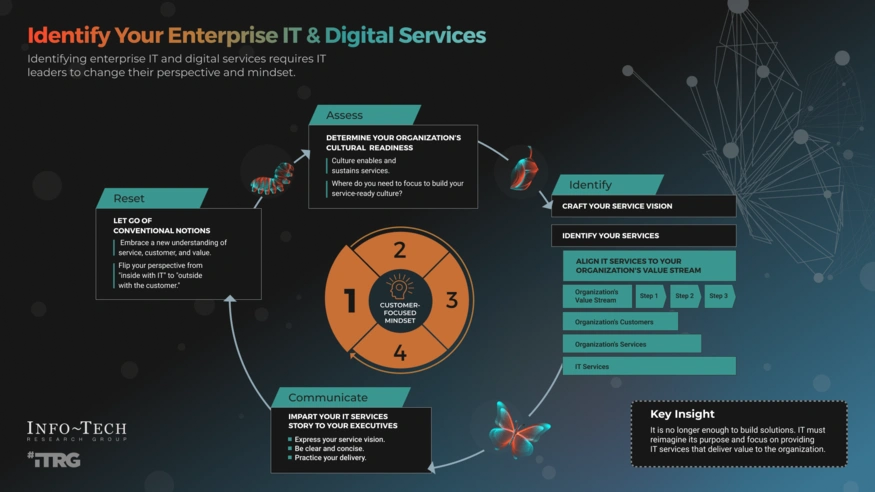
Business IT Solutions vs Managed Services: Which One Does Your Company Need?

Understanding the Difference: IT Solutions vs Managed Services

replace one

Image Source: Info-Tech Research Group

Businesses face two basic concepts as they navigate the digital world: IT solutions and managed services. People often use these terms interchangeably, but they represent different ways to handle technology needs.

Understanding the nuances between IT solutions and managed services is crucial for making informed technology decisions.

To clarify, IT solutions and managed services serve different operational needs.

For many businesses, the decision between IT solutions and managed services hinges on specific requirements.

When evaluating options, it’s essential to weigh the benefits of IT solutions and managed services.

  • In the debate of IT solutions and managed services, one must consider the overall strategic fit with business goals.
  • Understanding IT solutions and managed services can be pivotal for growth in competitive markets.
  • Ultimately, the choice between IT solutions and managed services may affect long-term operational efficiency.
  • Evaluating IT solutions and managed services can provide insight into optimizing resource allocation.
  • IT solutions combine hardware, software, and professional services to solve specific tech challenges. Gartner defines a solution as “an implementation of people, processes, information and technologies in a distinct system to support a set of business or technical capabilities that solve one or more business problems.” These solutions target specific problems like cybersecurity risks, data storage needs, or communication bottlenecks.

    In conclusion, when considering IT solutions and managed services, businesses should prioritize their unique needs.

    Understanding IT solutions and managed services is crucial for businesses looking to optimize their technology strategies.

    When considering IT solutions and managed services, organizations must evaluate their specific needs and objectives.

    By weighing IT solutions and managed services, companies can determine the best approach for their operational efficiency.

    Managed services let companies outsource specific IT functions to a Managed Service Provider (MSP). These providers offer regular support through active management at various locations – their site, data center, or third-party facilities. MSPs take care of service and equipment functionality under a service level agreement (SLA).

    These approaches differ in several key ways:

    • Approach: IT solutions fix problems after they happen, while managed services prevent issues before they affect business operations.
    • Scope: IT solutions focus on urgent problems. Managed services offer complete operational management of networks, servers, and long-term planning.
    • Engagement Model: Companies use IT solutions as needed. Managed service providers blend with your organization as strategic collaborators.
    • Cost Structure: IT solutions come with variable costs and hourly rates. Managed services use fixed monthly fees that make budget planning easier.

    The decision of whether to choose IT solutions vs managed services often depends on the organization’s long-term strategy.

    Many firms find that IT solutions and managed services can impact their cost management strategies significantly.

    To fully grasp IT solutions and managed services, one must analyze the implications of each approach on business operations.

    Ultimately, the choice between IT solutions and managed services will shape the technological landscape of your organization.

    Managed services have grown more proactive by using automation, AI, and machine learning. These tools predict system failures and handle routine tasks automatically. Companies can focus on growth instead of dealing with technical problems.

    Organizations can choose the right approach by understanding these differences and considering their industry size, sector, and business goals.

    Comparing Business Use Cases for IT Solutions and Managed Services

    The right balance of IT solutions vs managed services is vital for achieving sustainable growth.

    Weighing the trade-offs between IT solutions vs managed services is essential for sustainable growth.

  • In discussions about IT solutions vs managed services, clarity is key to making the right choice.
  • replace 1

    Understanding the costs involved in IT solutions vs managed services is essential to making informed decisions.

    Evaluating your options for IT solutions vs managed services will give insight into future technology investments.

    Image Source: Gartner

    When assessing IT solutions vs managed services, consider the flexibility each option provides to your business.

    Companies should assess their fit in the context of IT solutions vs managed services for optimal outcomes.

    Companies must weigh the pros and cons of IT solutions vs managed services in light of their operational needs.

    Both IT solutions vs managed services offer distinct advantages that can align with your business objectives.

    The decision-making process regarding IT solutions vs managed services requires thorough analysis and planning.

    The right technology approach depends on how business scenarios benefit from IT solutions or managed services. Let’s get into the practical applications of each based on cost structure, scope, and business requirements.

    When discussing IT solutions vs managed services, consider the long-term impact on your business operations.

    These approaches differ in their basic cost structures. IT solutions use project-based pricing that depends on scope, complexity, and duration. Managed services work differently with a subscription model. They offer predictable monthly fees from USD 99.00 to USD 250.00 per user per month.

    The numbers tell a clear story about total costs. On-premises solutions need upfront costs of USD 15,200.00 and annual costs of USD 24,500.00. This adds up to USD 140,700.00 over five years. SaaS managed services cost USD 11,880.00 yearly, reaching USD 59,400.00 over five years. This is a big deal as it means that managed services cost less.

    Business relationships work differently too. IT solutions bring targeted expertise to short-term projects with clear endpoints. This makes them perfect for specialized work like website development or cloud migration. Managed services build lasting partnerships and work as an extension of your business with constant oversight.

    Risk management looks different between these options. Project-based solutions fix problems after they happen. Managed services stay ahead with proactive monitoring and maintenance. They often catch issues before they affect operations.

    Your decision should account for flexibility needs. Project-based solutions might work better for organizations with changing IT needs throughout the year. Businesses that need constant technical support would benefit more from managed services’ steady coverage.

    Choosing between IT solutions vs managed services requires a nuanced understanding of your operational landscape.

    Ultimately, the conversation about IT solutions and managed services leads to critical strategic discussions.

    The difference between IT solutions vs managed services is often highlighted in service delivery models.

    Understanding how IT solutions vs managed services fit into your operational strategy is vital.

    Deciding between IT solutions vs managed services can redefine your approach to technology management.

    In summary, businesses must carefully consider IT solutions vs managed services based on their specific needs.

    Your evaluation of IT solutions and managed services will determine the efficiency of your technological frameworks.

    How to Choose the Right Fit for Your Business

    Making a choice between IT solutions and managed services needs a smart review of your organization’s needs, capabilities, and goals. Success depends on a systematic process to review your options.

    Your first step should be a full business capability assessment to spot your current IT strengths and gaps. This capability mapping helps you learn about functions that matter most to your operations and areas where outside support would add the most value. The assessment should measure how each capability supports your business strategy and identify ways to improve.

    Here are the practical criteria you should review:

    1. Business Size and Complexity: Small organizations with basic IT needs might do better with targeted IT solutions. Companies with complex infrastructures get more value from complete managed services.
    2. Budget Structure: Look at project-based costs of IT solutions versus the predictable monthly fees of managed services. A tool distributor saved about $11,000 monthly in lost productivity costs after they switched to managed services.
    3. Response Time Requirements: Think over how fast you need technical problems fixed. When your business loses thousands per hour during downtime like one power plant ($2,000 per hour), 24/7 support from managed services becomes vital.
    4. Service Level Agreements (SLAs): Get into potential providers’ SLAs carefully. Look for clear metrics on uptime guarantees, response times, and resolution timeframes. Stay away from SLAs with vague definitions that providers might use as loopholes through automated responses.
    5. Security and Compliance Needs: Industries with strict regulations often benefit from the complete security approaches of managed services.

    A gap analysis between your current capabilities and future needs can reveal where you might need to invest in capability development or outside expertise.

    Ohio’s Top IT Company, CTMS, is ready to take your call. Reach out to set up a quick chat that helps review which approach lines up best with your specific business needs!

    The right choice comes down to finding a balance between control, expertise, and economical solutions that matches your organization’s unique position and goals.

    Conclusion

    The Strategic Technology Decision

    Understanding the nuances of IT solutions vs managed services can lead to better strategic decisions for your organization.

    FAQ: What are the implications of choosing IT solutions vs managed services for businesses today?

    Understanding the differences between IT solutions vs managed services is crucial in today’s digital landscape.

    In conclusion, the question of IT solutions vs managed services is fundamental to modern business practices.

    This piece explores key differences between IT solutions and managed services. Both approaches meet different business needs despite looking similar on the surface.

    IT solutions excel at tackling specific technical challenges through targeted hardware, software, and professional services. They follow a project-based model that fixes problems after they occur. This approach works best for businesses with specialized short-term needs or those that have IT teams needing extra expertise.

    Managed services offer complete, ongoing IT support through third-party providers. Their preventative approach, fixed monthly costs, and round-the-clock monitoring create mutually beneficial alliances instead of just transactions. This option makes sense especially when you have consistent technical support needs, predictable IT expenses, and proactive risk management requirements.

    Your choice between these approaches depends on several factors. Your business size, budget structure, response time requirements, and security needs all play a vital role in this decision. A full picture of your current capabilities against future needs helps identify where outside support adds the most value.

    Making the right technology choice needs careful evaluation of your organization’s position. Don’t see IT solutions and managed services as competing options. Think over them as complementary approaches that might serve different parts of your business strategy.

    Making the right technology choice needs careful evaluation of your organization’s position. Don’t see IT solutions and managed services as competing options. Think over them as complementary approaches that might serve different parts of your business strategy.

    Want to find out which approach fits your needs best? Contact CTMS today to schedule a consultation that will show you the ideal technology path forward.

    FAQs

    Q1. What’s the main difference between IT solutions and managed services? IT solutions typically address specific, short-term technical challenges through targeted hardware, software, and professional services. Managed services, on the other hand, provide comprehensive, ongoing IT support through third-party providers, offering proactive maintenance and 24/7 monitoring.

    Q2. How do the cost structures of IT solutions and managed services differ? IT solutions usually follow a project-based pricing model with costs depending on scope and complexity. Managed services operate on a subscription model with predictable monthly fees, often ranging from $99 to $250 per user per month.

    Q3. When should a company choose IT solutions over managed services? Companies should opt for IT solutions when they have specialized short-term needs, an existing IT team requiring supplemental expertise, or want to address specific technical challenges without long-term commitment.

    Q4. What are the advantages of using managed services for a business? Managed services offer continuous IT support, proactive monitoring and maintenance, predictable monthly IT expenses, and often prevent issues before they impact operations. They’re particularly beneficial for businesses requiring constant technical support and strict compliance with data security regulations.

    Q5. How can a company like AltaStreet, determine which approach is best for their needs? Companies should conduct a thorough business capability assessment, evaluate their size and complexity, budget structure, response time requirements, and security needs. They should also consider their current IT strengths and gaps, and how each approach aligns with their long-term business objectives.

    Cloud Computing Hosting: The Most Important Insights for CTOs in 2025

    image 2

    Cloud computing hosting has changed the way enterprises work in 2025. Major providers now reach every corner of the globe. AWS runs 36 geographic regions with 114 availability zones. Microsoft Azure manages about 300 data centers in more than 60 locations worldwide. Google Cloud Platform has grown to 40 regions with 121 zones, building a truly global ecosystem. With the rise of cloud computing hosting, businesses can now leverage more efficient and reliable infrastructures through cloud computing hosting.

    Enterprise CTOs are moving to these strong cloud environments for good reasons. Downtime hurts operations, shakes customer trust, and cuts into revenue. The world’s top cloud hosting companies put more money into security than most businesses can afford. They also let companies adjust their resources based on what they need.

    With cloud computing hosting, businesses can leverage scalable resources tailored to their specific needs, ensuring optimal performance and cost efficiency.

    The success stories of companies like Netflix and Coca-Cola highlight the transformative power of cloud computing hosting in modern enterprises.

    These cloud computing hosting solutions enable businesses to maintain their competitive edge through enhanced operational efficiency.

    By adopting cloud computing hosting, enterprises can adapt to market changes swiftly, ensuring they remain relevant and efficient.

    The shift to cloud computing hosting allows enterprises to adapt quickly to market demands, ensuring they remain competitive in a rapidly changing environment.

    The shift towards cloud computing hosting reflects a broader trend of digital transformation across various industries.

    Cloud computing hosting offers businesses the agility to scale resources on demand, aligning IT capabilities with business growth.

    Furthermore, cloud computing hosting empowers companies with advanced data analytics tools, enabling better decision-making and operational insights.

    Such efficiencies can only be achieved with the right approach to cloud computing hosting, tailored to meet specific business challenges.

    Utilizing cloud computing hosting solutions not only enhances performance but also drives innovation across various sectors.

    Choosing the right cloud computing hosting provider is crucial for maximizing these benefits.

    Multi-cloud strategies enhance the effectiveness of cloud computing hosting by allowing businesses to leverage the best of different providers.

    The integration of cloud computing hosting with existing IT infrastructure can greatly enhance productivity.

    As the demand for cloud computing hosting increases, organizations are finding new ways to optimize their workflows and capabilities.

    Through cloud computing hosting, businesses can harness the power of AI and machine learning to enhance customer experiences.

    Cloud computing hosting is essential for modern enterprise applications, providing the backbone for services like real-time data processing and analytics.

    Adopting cloud computing hosting allows enterprises to focus on innovation rather than infrastructure management.

    With cloud computing hosting, organizations can leverage best practices in data management and compliance.

    Transitioning to cloud computing hosting not only optimizes operations but also ensures a sustainable IT strategy.

    As organizations embrace cloud computing hosting, they can reduce their carbon footprint through energy-efficient solutions.

    Cloud computing hosting facilitates collaboration among teams by providing remote access to essential resources.

    The comprehensive nature of cloud computing hosting allows businesses to focus on their core competencies while IT takes care of infrastructure.

    For sensitive data, cloud computing hosting provides not just secure options but also the flexibility required for modern business needs.

    Utilizing cloud computing hosting can significantly improve an organization’s responsiveness to market changes.

    As businesses transition to cloud computing hosting, they can expect enhanced reliability and reduced latency in services.

    Cloud computing hosting allows organizations to experiment with new technologies without large investments in hardware.

    Companies can leverage cloud computing hosting to ensure their IT operations are aligned with business objectives.

    As companies navigate their digital transformation, cloud computing hosting has become indispensable, allowing for seamless scalability and flexibility in operations.

    Adopting cloud computing hosting means embracing a future where agility and speed are paramount.

    Utilizing cloud computing hosting ensures seamless collaboration among teams, driving innovation.

    Compliance with regulations is simplified with cloud computing hosting, ensuring businesses meet necessary standards.

    Organizations can achieve faster time-to-market for their products and services through cloud computing hosting.

    The flexibility of cloud computing hosting allows companies to scale their operations according to demand.

    Multi-cloud strategies are often supported by cloud computing hosting, allowing businesses to diversify their providers while enhancing performance.

    Leveraging cloud computing hosting is now a critical strategy for organizations aiming to enhance their competitive advantage in the digital marketplace.

    The scalable nature of cloud computing hosting supports business growth without the need for extensive hardware investments.

    Moreover, businesses adopting cloud computing hosting solutions often experience improved performance and reduced operational costs.

    Cloud computing hosting enables businesses to remain agile in an ever-changing market landscape.

    With effective resource management in cloud computing hosting, businesses can minimize costs while maximizing performance.

    As evident from Netflix’s success, the strategic use of cloud computing hosting can significantly elevate service delivery.

    Netflix shows what enterprise cloud hosting can do. They moved their streaming service to AWS to handle huge viewer spikes during prime time. Coca-Cola took its IT to the cloud and cut operating costs by 40%. These stories show why cloud computing providers have become key partners for businesses that want to stay ahead.

    SSDs used in cloud computing hosting offer significant performance advantages over traditional storage methods.

    Choosing the right cloud computing hosting solution can significantly impact a company’s operational capabilities.

    The best enterprise cloud providers run backup data centers in multiple regions to keep things reliable. AWS promises “11 9’s” of durability for S3 storage, setting the bar high for others to match. DigitalOcean stands out by keeping things simple and developer-friendly, showing the many choices businesses have today.

    Cloud computing hosting platforms are increasingly incorporating AI and machine learning to provide more personalized experiences.

    Embracing cloud-native architectures through cloud computing hosting enables faster deployment and innovation.

    Optimizing workloads in cloud computing hosting leads to enhanced productivity and reduced downtime.

    Investing in cloud computing hosting solutions enhances organizational efficiency and reduces operational complexities.

    Cloud computing hosting serves as a foundation for businesses looking to leverage emerging technologies for future growth.

    Real-time monitoring systems in cloud computing hosting can identify and address issues before they escalate.

    With cloud computing hosting, enterprises gain access to a rich ecosystem of services that can drive innovation and efficiency.

    This piece will get into what enterprise CTOs might not tell you about cloud computing hosting in 2025. You’ll learn how these platforms can improve your business operations while tackling common challenges and clearing up misconceptions.

    Enterprise Cloud Hosting in 2025: What’s Changed

    With cloud computing hosting, companies can ensure business continuity and disaster recovery with high reliability.

    Transitioning to cloud computing hosting not only saves costs but also optimizes resource utilization.

    Enterprise cloud hosting has changed the digital world for businesses since the early 2020s. Organizations in a variety of industries are moving away from the traditional “lift and shift” approach to adopt sophisticated cloud strategies in 2025.

    The widespread adoption of cloud computing hosting underlines its importance in modern enterprise strategy.

    For sensitive data, cloud computing hosting provides secure options, ensuring compliance and protection.

    Utilizing cloud computing hosting can dramatically enhance business agility and responsiveness.

    Change from Traditional Hosting to Cloud-first Models

    Companies have rapidly moved from traditional on-premises hosting to cloud-first models. Recent industry analysis shows that 82% of workloads now operate in the cloud, compared to just 58% in 2021. Many organizations now spend over 70% of their IT budgets on cloud infrastructure, which marks a complete flip from the on-premises-dominant model of the previous decade.

    My work with clients across multiple sectors has shown this transformation firsthand. The financial benefits have become too good to ignore: cloud computing hosting cuts capital costs while offering unmatched flexibility. Companies can deploy applications in minutes instead of months and gain a competitive edge through faster innovation cycles.

    Companies needed massive hardware investments, physical space, cooling systems, and dedicated IT staff with traditional hosting. Cloud hosting lets businesses skip these upfront costs and pay only for what they use.

    Hybrid and Multi-Cloud Adoption Trends

    Companies no longer put all their eggs in one basket. Our industry research reveals that 77% of enterprises use multiple cloud providers at once. This multi-cloud strategy shows major progress from relying on a single provider.

    Organizations with complex needs prefer the hybrid cloud model that combines private and public cloud resources. This setup helps businesses keep sensitive workloads on private infrastructure while using public cloud resources for less critical operations.

    Multi-cloud strategies offer several vital benefits:

    • Risk mitigation through reduced vendor dependency
    • Cost optimization by selecting the most economical provider for specific workloads
    • Geographical flexibility to meet regional compliance requirements
    • Best-of-breed services from different providers

    Why CTOs Are Prioritizing Cloud-native Architectures

    Cloud-native architectures have become essential in enterprise environments. CTOs are rebuilding applications using cloud-native principles rather than just moving them to the cloud.

    65% of enterprises now use containerized applications with microservices architecture to improve scalability and resilience. Kubernetes leads the pack as the standard orchestration platform that manages these containers in a variety of cloud environments.

    Many organizations first saw cloud migration as a simple infrastructure change. The most successful enterprises now treat it as a complete architectural transformation. Cloud-native applications built with serverless computing components scale automatically to handle varying workloads and deliver steady performance whatever the demand.

    CTOs invest heavily in their team’s new skills. Cloud-native approaches need different expertise than traditional IT. Teams must focus on DevOps practices, automation, and continuous deployment pipelines instead of hardware management and manual setups.

    The results speak for themselves: cloud-native applications deploy 40-60% faster and show substantially improved resilience against failures compared to traditional monolithic applications.

    Key Features That Define Enterprise Cloud Hosting

    image 1

    Image Source: Nlyte

    Enterprise-grade cloud hosting distinguishes itself from simple solutions through several key features. Cloud computing platforms have grown beyond simple infrastructure provision. They now offer sophisticated capabilities that handle complex business needs.

    End-to-End Encryption and Compliance Standards (GDPR, HIPAA)

    A resilient encryption system serves as the foundation of enterprise cloud hosting security. Top-tier cloud computing providers use end-to-end encryption protocols. These protocols protect sensitive information during storage and transmission while meeting regulatory requirements.

    Healthcare organizations must comply with HIPAA rules to protect patient data strictly. Breaking these rules can be expensive. Penalties go up to $50,000 per incident with a yearly cap of $1.5 million for similar violations. Cloud hosting services in healthcare must maintain Business Associate Agreements (BAAs) and use specialized security controls.

    GDPR requires strict data protection measures too. Companies face penalties up to €20 million or 4% of global turnover. Article 34 offers an interesting benefit – organizations don’t need to report breaches if encryption makes the compromised data unreadable to unauthorized users. This makes encryption valuable for compliance.

    Disaster Recovery with Multi-region Redundancy

    Multi-region redundancy plays a crucial role in enterprise cloud hosting. Workloads spread across different geographical regions ensure the business continues even during outages.

    Most companies use the active/passive approach. The main region handles regular traffic while backup regions stand ready as recovery sites. This setup cuts down Recovery Time Objectives (RTO) and Recovery Point Objectives (RPO) better than old backup methods.

    AWS CloudFormation helps deploy infrastructure consistently across regions. Database technologies add more protection. Amazon Aurora global database replicates to backup regions in less than a second. It can promote secondary clusters within a minute during regional failures.

    Auto-scaling and Load Balancing for Peak Traffic

    Auto-scaling adjusts resources based on traffic changes. This feature brings important benefits:

    • Cost efficiency: Resources decrease during quiet periods to save money
    • Improved reliability: Extra capacity kicks in when traffic spikes
    • Seamless operation: Scaling happens without disrupting service

    Horizontal scaling adds or removes instances while apps keep running, unlike vertical scaling which just increases server capacity. This works great for apps with changing workloads or unexpected traffic patterns.

    Cloud computing hosting solutions provide ongoing support and updates, ensuring organizations stay competitive.

    Load balancers work with auto-scaling to spread incoming traffic across servers. This prevents overload on single resources and keeps performance steady even during big traffic swings.

    SSD Storage and CDN Integration for Speed Optimization

    SSDs perform much better than traditional storage options. Measurements show median global Time To First Byte (TTFB) reaches 127 milliseconds with SSDs versus 187 milliseconds for other object storage solutions.

    Cloud storage works better with Content Delivery Networks (CDNs). This combination puts content closer to users and speeds up load times by up to 90%. Many providers now offer “perma-cache” features that store assets next to CDN infrastructure permanently. This ensures perfect cache hits and eliminates requests to origin servers.

    Real-time Monitoring with Predictive Analytics

    AI-driven monitoring represents the latest development in enterprise cloud hosting. Machine learning algorithms analyze big datasets to spot patterns, predict issues, and automate responses.

    Predictive analytics helps forecast future events using historical data for proactive resource management. These systems can spot upcoming traffic spikes, hardware failures, and network problems before they cause trouble. They also optimize resources by studying usage patterns and making adjustments automatically to prevent bottlenecks and waste.

    As businesses evaluate options, cloud computing hosting stands out for its flexibility and scalability.

    Advanced platforms provide instant alerts and dashboards that show the environment’s health clearly. This enables proactive management instead of fixing problems after they happen.

    Top Cloud Computing Hosting Providers Compared

    With cloud computing hosting, enterprises can efficiently manage workloads and optimize performance.

    Adopting cloud computing hosting is crucial for enterprises looking to innovate and scale operations.

    image

    Enterprises benefit from cloud computing hosting through enhanced collaboration and resource sharing.

    Image Source: DEV Community

    Integrating cloud computing hosting enhances operational efficiency and reduces time to market.

    The latest innovations in cloud computing hosting allow businesses to leverage advanced technologies and services.

    With the proper cloud computing hosting, companies can significantly improve their operational resilience.

    Cloud computing providers in 2025 will bring unique benefits that serve different enterprise needs. Each platform has grown to excel in specific market segments with specialized technical capabilities.

    As digital demands grow, cloud computing hosting emerges as a vital strategic asset for businesses.

    Cloud computing hosting not only aids in disaster recovery but also enhances data accessibility for teams.

    Amazon Web Services (AWS): 200+ Services and Global Reach

    AWS runs the largest cloud infrastructure worldwide with 33 regions and 105 Availability Zones. Their exceptional global presence delivers minimal latency to customers anywhere. AWS provides over 200 feature-rich services that cover compute, storage, databases, analytics, networking, and emerging technologies. This complete ecosystem lets enterprises build any workload without technical constraints. AWS’s commitment to durability, with its famous “11 9’s” for S3 storage, sets reliability standards other providers aim to achieve.

    Microsoft Azure: Simplified Microsoft Stack Integration

    Azure shines through its native integration with existing Microsoft technologies. Companies that use Microsoft tools get unified identity management through Azure Active Directory. Azure Integration Services help businesses connect their applications and services both on-premises and in the cloud. This creates consistent and flexible workflows. Many Fortune 500 companies value Azure’s support for multiple programming languages, databases, operating systems, and devices.

    Google Cloud Platform: BigQuery and AI Capabilities

    GCP stands out with advanced data analytics and artificial intelligence tools. BigQuery ML helps users create and run machine learning models with SQL queries instead of complex programming. BigQuery has evolved into an autonomous data-to-AI platform that adds Gemini models for text summarization and sentiment analysis right in the analytics environment. Code assist usage in BigQuery grew 350% over nine months, with a 60% code generation acceptance rate.

    As organizations adopt cloud computing hosting, they gain access to advanced technologies that drive innovation.

    IBM Cloud: Bare Metal and Industry-specific Solutions

    IBM Cloud excels at bare metal servers that deliver dedicated, single-tenancy performance with 10+ years of proven uptime. These servers give complete control without hypervisors – perfect for workloads that need maximum performance. IBM provides powerful configuration options with the latest 4th Gen Intel Xeon or AMD CPUs and Nvidia GPUs. The servers support SAP HANA and SAP NetWeaver workloads, showing IBM’s dedication to enterprise-grade, industry-focused solutions.

    DigitalOcean: Developer-friendly and Affordable

    DigitalOcean serves developers with a straightforward cloud hosting approach. Their platform features:

    • Simple UI and extensive documentation for quick deployment
    • Clear pricing with predictable costs
    • 99.99% uptime SLA across 14 global data centers

    Forrester’s Total Economic Impact study shows organizations using DigitalOcean get benefits worth $2.37 million over three years against costs of $829,000, yielding 186% ROI. This affordability makes DigitalOcean a great fit for startups and growing businesses with basic infrastructure needs.

    How to Choose the Right Cloud Hosting for Your Business

    Cloud hosting solutions need careful consideration of several key factors. Your business requirements should guide the selection process before you look at what providers offer.

    Evaluating Uptime SLAs and Redundancy Options

    Uptime guarantees are the lifeblood of cloud hosting reliability. Provider tiers come with different availability percentages:

    • 99.9% means about 43.8 minutes of downtime monthly
    • 99.99% cuts downtime to roughly 4 minutes monthly
    • 100% SLAs exist but come with specific conditions

    Notwithstanding that, the compensation structure carries more weight than percentages. Cloud providers often give minimal compensation through service credits instead of cash refunds. AWS gives back just 10% of monthly fees when availability drops below 99.95%. UpCloud takes a different approach by offering 50x the cost of unavailable resources.

    Your redundancy options include:

    • Locally Redundant Storage (LRS): 99.9% uptime, but stays in one location
    • Zone Redundant Storage (ZRS): Data copies across availability zones
    • Geo-Redundant Storage (GRS): Cross-regional replication hitting 99.99% uptime

    Integration with Existing Tools (e.g., SAP, Salesforce)

    Your choice of provider should match your current tools. IBM Cloud stands out by offering bare metal servers certified for SAP HANA and NetWeaver workloads. The right cloud provider naturally connects with your databases and business applications to keep operations running smoothly.

    Cost Models: Pay-as-you-go vs Reserved Instances

    Understanding the advantages of cloud computing hosting is essential for businesses looking to thrive in 2025.

    Multi-cloud approaches in cloud computing hosting not only reduce risks but also enhance operational flexibility.

    These features make cloud computing hosting the preferred choice for modern enterprises.

    The benefits of cloud computing hosting can significantly influence a company’s bottom line.

    Pay-as-you-go pricing brings flexibility without upfront commitments—you pay for what you use. This model suits variable workloads or testing environments perfectly.

    Reserved Instances need commitment (usually 1-3 years) but cut costs significantly, up to 72% less than on-demand pricing. A three-year AWS Reserved Instance costs $9,224 compared to $25,228 for equivalent on-demand usage.

    Your workload predictability should drive this decision. Stable usage patterns make Reserved Instances attractive, while irregular needs point toward pay-as-you-go.

    Security Certifications and Data Residency Requirements

    Data residency controls specify your information’s physical location. Google Cloud Security Command Center offers regional data controls that keep data within specified areas. Azure promises not to move customer data outside their chosen geographical boundaries without permission.

    Looking to evaluate your cloud hosting needs? Contact CTMS for a FREE Consultation to find the perfect solution for your enterprise.

    Migration and Implementation Best Practices

    Cloud migration success depends on careful planning and execution. A well-thought-out approach helps you get the most from your new environment with minimal disruption.

    Assessing Current Infrastructure and Workloads

    Your migration starts with a complete assessment of your technology setup. You need to build a detailed inventory of workloads, dependencies, hardware appliances, and supporting services. This assessment should cover source code locations, deployment methods, network restrictions, and licensing requirements. You must also assess which workloads fit cloud deployment—not every application works well in the cloud.

    The assessment should look at your current deployment and operational processes, including artifact generation and runtime configuration injection. A clear picture of these elements helps ensure they work with your chosen cloud platform.

    Phased Migration Strategy with Rollback Plans

    A step-by-step approach reduces risk better than a single “big bang” migration. This approach lets you:

    • Watch each phase closely
    • Make adjustments when challenges pop up
    • Use resources more effectively
    • Learn and improve quickly

    A solid preparation plan is vital to success. You should map out the migration scope, decide the order of moving instances or data, and set clear milestones for each phase. Creating detailed rollback plans helps you handle potential failures or unexpected problems during the process.

    Post-migration Monitoring and Optimization

    Once migration completes, expand your monitoring system to collect performance data that shows how well things work compared to before. Regular checks help spot areas that need tweaking while keeping operations running smoothly. Set up reliable monitoring for system uptime, response times, resource usage, and application error rates.

    The right cloud resource allocation becomes key after migration—give each workload exactly what it needs to avoid waste or shortages. You should also think about managing idle resources and using cost allocation tags to track spending better.

    Training Internal Teams on Cloud Operations

    Your staff needs the right cloud skills through various training options:

    1. Public resources: Hands-on labs and webinars
    2. In-depth courses: On-demand training or classroom instruction
    3. Role-based learning paths: Custom-fit to specific job functions

    Creating organizational change management plans early helps teams embrace and use new tools effectively.

    Want expert help with your cloud migration? Contact CTMS for a FREE Consultation to make your move to the cloud smooth and successful.

    Ultimately, the transition to cloud computing hosting is not just a technical shift; it represents a cultural change within organizations.

    Conclusion

    Cloud Computing Hosting: The Path Forward for Enterprise Success

    This piece explores how cloud computing hosting revolutionizes enterprise operations in 2025. The digital world has changed from basic infrastructure outsourcing to complex ecosystems that optimize business innovation.

    The change to cloud-first models stands as the most important transformation. About 82% of workloads now run in cloud environments. This basic change brings major benefits: lower costs, faster deployment, and flexibility like never before. Cloud strategies that mix hybrid and multi-cloud approaches help companies reduce risks and optimize costs. Companies can also access the best services from different providers.

    The key features that make enterprise-grade cloud hosting stand out are:

    • End-to-end encryption with regulatory compliance
    • Multi-region redundancy to recover from disasters
    • Auto-scaling features that adjust as needs change
    • SSD storage with CDN integration to optimize performance
    • AI-powered monitoring with predictive analytics

    Leading providers like AWS, Azure, Google Cloud, IBM, and DigitalOcean offer different options that match specific business needs. Each brings its strengths – AWS has a detailed service catalog, Azure works well with Microsoft products, and Google excels in AI capabilities.

    You need to look at uptime guarantees, integration options, cost models, and security certifications to pick the right provider. Companies should match these factors to their business goals instead of following general advice.

    Moving to the cloud needs careful planning. Start with a full assessment and move through stages with reliable backup plans. Keep watching and improving after the move to get the most value from your cloud investment.

    Cloud computing brings amazing benefits, but success comes from smart implementation rather than just technology. Companies that think carefully about cloud adoption – with clear goals, good planning, and proper training – gain big competitive advantages.

    With cloud computing hosting, businesses can enhance collaboration, streamline operations, and drive better results.

    It’s clear that cloud computing hosting will continue to shape the future of enterprise operations and strategy.

    Expert help can turn frustration into success for businesses starting their cloud trip. As cloud technologies grow, working with knowledgeable providers becomes more valuable. This helps maximize returns and minimize risks.

    Ready to revolutionize your business with the right cloud hosting solution? Schedule your FREE consultation with CTMS today and learn how our expertise can guide your organization toward cloud success.

    FAQs

    Q1. What are the key advantages of enterprise cloud hosting in 2025? Enterprise cloud hosting offers significant cost reduction, improved scalability, enhanced security measures, and faster deployment of applications. It also provides access to advanced technologies like AI-driven monitoring and predictive analytics, which can optimize resource allocation and prevent issues before they impact operations.

    Q2. How does multi-cloud adoption benefit businesses? Multi-cloud strategies provide several advantages, including risk mitigation through reduced vendor dependency, cost optimization by selecting the most economical provider for specific workloads, geographical flexibility to meet regional compliance requirements, and access to best-of-breed services from different providers.

    Q3. What should companies consider when choosing a cloud hosting provider? When selecting a cloud hosting provider, companies should evaluate uptime SLAs and redundancy options, integration capabilities with existing tools, cost models (pay-as-you-go vs. reserved instances), security certifications, and data residency requirements. It’s crucial to align these factors with specific business objectives.

    Q4. How can organizations ensure a smooth migration to cloud hosting? A successful migration requires a thorough assessment of current infrastructure and workloads, implementation of a phased migration strategy with rollback plans, post-migration monitoring and optimization, and comprehensive training for internal teams on cloud operations. This approach minimizes risks and maximizes the benefits of the new environment.

    Q5. What are some key features of enterprise-grade cloud hosting? Enterprise-grade cloud hosting typically includes end-to-end encryption with compliance standards (like GDPR and HIPAA), disaster recovery with multi-region redundancy, auto-scaling and load balancing for peak traffic, SSD storage with CDN integration for speed optimization, and real-time monitoring with predictive analytics.

    As we explore the future, cloud computing hosting will continue to drive enterprise innovation and efficiency.

    In an era of unprecedented change, organizations leveraging cloud computing hosting will be better positioned to adapt and thrive.

    Ultimately, the strategic implementation of cloud computing hosting is essential for businesses aiming for long-term success.

    With the right approach, cloud computing hosting can transform operations and enhance overall productivity.

    7 Essential Tips for Choosing Computer Technology Solutions: A Business Guide

    Our clients love us! Every single one of them gives Computer Technology Management Systems (CTMS) top marks for service quality, deliverables, and value. We’ve spent over two decades helping businesses with their essential tech needs – from cybersecurity to cloud services and managed IT support.

    At Computer Technology Management Systems, we provide tailored Computer Technology Solutions for every business.

    Our expert team specializes in Computer Technology Solutions that empower businesses to achieve their goals.

    By leveraging advanced Computer Technology Solutions, organizations can streamline processes and improve service delivery.

    Choosing the right Computer Technology Solutions can transform your operational capabilities.

    Some Computer Technology Solutions focus on integrating your existing systems for better performance.

    When considering options, evaluate how each Computer Technology Solutions fits your strategic vision.

    Utilizing comprehensive Computer Technology Solutions can provide competitive advantages in your industry.

    Custom Computer Technology Solutions can be tailored to meet the unique demands of your business sector.

    The right Computer Technology Solutions can streamline workflow and enhance overall productivity.

    Choosing the right Computer Technology Solutions is essential for every business looking to thrive in today’s digital landscape.

    Investing in Computer Technology Solutions can lead to improved operational efficiency and better customer experiences.

    Evaluate how various Computer Technology Solutions can serve your diverse operational needs.

    Strategic Computer Technology Solutions can optimize your business processes for sustainable growth.

    With the right Computer Technology Solutions, businesses can enhance their competitive edge in the market.

    When selecting Computer Technology Solutions, it’s crucial to align them with your specific business needs.

    Understanding various Computer Technology Solutions can greatly impact your decision-making process.

    The tech marketplace has become more complex than ever. Lower costs and smaller options have made technology a commodity, while new startups pop up daily to intensify competition. Your business needs the right tech solutions to stay ahead of the game.

    Finding the perfect tech services partner for your business goals can be tricky. Your organization needs custom solutions that work for you, whether you run a healthcare facility,a manufacturing plant, or a non-profit. Computer Technology Management Systems (CTMS) responds to support requests within an hour – that’s how seriously we take your business needs.

    Many organizations have benefited from comprehensive Computer Technology Solutions that cater to their unique challenges.

    Each component of your Computer Technology Solutions should work seamlessly to maximize productivity.

    This piece lays out a clear path to help you pick computer technology services that add real value to your business. We’ve created a simple roadmap that covers everything from identifying your specific needs to evaluating potential service providers. Our goal? To help you make smart choices that push your business forward.

    Make sure your Computer Technology Solutions enhance overall user satisfaction and operational performance.

    Investing in the right Computer Technology Solutions will save time and resources in the long run.

    Utilizing Computer Technology Solutions effectively can streamline your business processes.

    Understanding Your Business Needs Before Choosing Technology Solutions

    Image

    Image Source: SlideKit

    You need to take a step back and assess your business requirements before investing in any new technology solutions. Research shows that 90% of senior executives fail to meet their strategic goals because of poor implementation [1]. A clear understanding of your needs should come before any technology decisions.

    Start by identifying your organization’s main problems. What challenges affect your productivity? Your systems might have performance bottlenecks, security vulnerabilities, or workflow issues. A documented list of these problems creates better decision-making foundations instead of just following the latest tech trends.

    Comprehensive Computer Technology Solutions can also provide insights through data analytics.

    Your business objectives should match your overall strategy. Business experts say technology decisions must support specific goals such as better customer experience, smoother operations, or enhanced data security. Setting exact metrics will help you track the success of your tech implementation.

    “Technology leaders must align their strategies with overall business objectives in today’s fast-paced business environment,” notes technology research [2]. This arrangement ensures your investments create real value rather than becoming costly distractions.

    A full picture of your current IT infrastructure is vital. This involves:

    • Creating an inventory of existing hardware, software, and network components
    • Assessing your current systems against industry standards
    • Identifying redundancies, inefficiencies, and outdated technologies

    The next step is to analyze gaps between your current and desired future state. This shows what technological improvements you need to reach your business goals. Studies prove that a detailed gap analysis helps organizations spot inefficiencies, reduce risks, and arrange IT strategies with business objectives effectively [3].

    The final step looks at your immediate needs and long-term growth requirements. To stay flexible, check how well potential solutions adapt to increased workloads without affecting performance or security [4]. This balanced approach helps you pick technology that works now and in the future.

    How to Match the Right Computer Technology Services to Your Needs

    Image

    Image Source: Pngtree

    Finding the right computer technology services for your business needs requires a smart approach to system integration. System integration brings your enterprise’s IT systems and applications together so they work as one unified system [5]. Picture it as a puzzle where each piece represents a different part of your organization’s information system.

    Your business requirements come first. The next vital step matches technological solutions that line up perfectly with those needs. This process evaluates how technology features can solve your specific business challenges.

    The integration process brings several key benefits:

    • Simplicity: An integrated infrastructure removes the complexities of different business processes and applications. You get a simple-to-use, unified environment instead [5]
    • Cost efficiency: One platform to manage all your data and applications cuts down installation, maintenance, and management costs [5]
    • Enhanced security: A single system makes it easier to build security tools because you don’t need to protect multiple systems separately [5]
    • Real-time visibility: Up-to-the-minute data analysis helps you make better business decisions [5]
    • Increased productivity: Your team works faster as automation replaces manual data entry [5]

    The choice between custom and off-the-shelf software depends on your needs. Custom software fits your unique requirements perfectly, while off-the-shelf solutions work well for general business use across organizations [6].

    Ultimately, the goal of Computer Technology Solutions is to foster business growth and innovation.

    As you evaluate providers, seek those that specialize in tailored Computer Technology Solutions.

    Your business might need custom software if it has complex operations that require unique functionality [7]. Off-the-shelf options work better if you need quick setup and your needs match standard business practices [8].

    Clear evaluation criteria help match technology to your needs. The criteria should focus on how well potential solutions fix your pain points. The core team from both IT and business should join the decision-making process to ensure technical capabilities support business goals [9].

    Technology should power your business strategy. Every tech decision needs to support specific goals like better customer experience, smoother operations, or stronger data security.

    Evaluating and Selecting the Best Computing Technology Solutions Provider

    Choosing the best computing technology solutions provider needs a careful assessment process based on several key factors. You should look into the provider’s financial stability and reputation by researching annual reports, financial statements, and the business and IT industry press’s opinions [10]. A trustworthy vendor will readily provide customer references that back up their claims.

    Your potential providers must show deep skills and experience beyond simple system maintenance. They should prove their certified expertise in managed services, traditional IT, and strategic outsourcing [10]. This complete knowledge will give a solid foundation to support an integrated multisourcing strategy that matches your needs.

    Service delivery consistency ranks high among evaluation criteria. Ask providers to share their policy documentation and explain how they use repeatable methods across locations [10]. A security-rich, web-based portal that unites related services into one dashboard shows their dedication to service visibility.

    These key factors deserve your attention:

    • Technology Approach: Check if the provider uses sophisticated technologies like advanced analytics to prevent incidents instead of just fixing problems [10]
    • Industry Standards: Make sure they follow ITIL (IT Infrastructure Library) best practices for problem management, incident response, and change management [10]
    • Performance-Based SLAs: Focus on what providers deliver rather than how they perform the service, with contracts that include financial penalties for missed service levels [10]

    Security must be your priority when picking a provider. Get into their cybersecurity framework, encryption protocols, and disaster recovery plans [11]. On top of that, check how well they support multivendor, multicloud environments – a must-have for today’s hybrid infrastructures [10].

    Experience with your industry’s specific challenges matters more than certifications alone [11]. The right provider combines technical expertise with industry knowledge to create computer technology solutions that work.

    Conclusion

    This piece walks you through the key steps to select computer technology solutions that line up with your business objectives. Your organization’s specific needs are the foundations of successful technology implementation. You must assess pain points, define clear objectives, and evaluate your current infrastructure before making any purchasing decisions.

    The next crucial step in your experience involves matching your business requirements with available technology solutions. A proper system integration gives your organization major advantages. You’ll see efficient operations, better security, real-time data visibility, and improved productivity. The right technology provider brings both technical excellence and industry knowledge to your business.

    Technology keeps evolving quickly, which creates new challenges and opportunities for businesses of all sizes in Ohio. Studies show that companies matching their technology choices with business objectives grow 43% faster than their competitors. Your organization needs technology solutions that tackle your specific challenges and set you up for future success.

    As technology evolves, your Computer Technology Solutions must adapt to new trends and demands.

    Engaging with the latest Computer Technology Solutions will ensure your business remains competitive.

    Thoroughly researching Computer Technology Solutions will empower your decision-making.

    Prioritize your business needs when exploring different Computer Technology Solutions.

    Choosing the right Computer Technology Solutions will facilitate seamless integration and communication.

    Expert professionals can make a big difference in your selection process. CTMS IT (Book your Consultation by Clicking Me…it’s Fun & FREE!) is your Go to Company for all of your IT needs! We’ve earned perfect 5-out-of-5 client satisfaction ratings. Our deep expertise in cybersecurity, cloud services, and managed IT support helps us deliver solutions that bring real business results.

    The implementation of Computer Technology Solutions should be strategic and thoughtful.

    Focusing on your unique challenges will lead to the most effective Computer Technology Solutions.

    Note that technology decisions work best as part of your overall business strategy. They should address your unique requirements. A well-laid-out approach – from understanding needs to evaluating providers – helps you make confident, informed decisions. These choices will improve your organization’s efficiency, security, and competitive edge.

    FAQs

    Q1. How do I assess my business’s technology needs before choosing solutions? Start by identifying your organization’s pain points and defining clear business objectives. Conduct a thorough assessment of your current IT infrastructure, perform a gap analysis, and consider both immediate needs and long-term growth requirements.

    Q2. What are the benefits of system integration in computer technology solutions? System integration offers several advantages, including simplicity of use, cost efficiency, enhanced security, real-time data visibility, and increased productivity. It connects various IT systems and applications to work cohesively in a unified manner.

    Q3. Should I choose custom or off-the-shelf software for my business? The choice depends on your specific needs. Custom software is ideal for businesses with highly complex and unique operations, while off-the-shelf solutions are better suited for quick implementation and standard business practices.

    Q4. What factors should I consider when evaluating technology solution providers? Key factors include the provider’s financial stability, reputation, certified expertise, consistency in service delivery, technology approach, adherence to industry standards, performance-based SLAs, security measures, and practical experience in your specific industry.

    Q5. How important is aligning technology solutions with business objectives? Aligning technology solutions with business objectives is crucial. Companies that strategically align their technology choices with business goals experience significantly higher growth rates than their competitors, making it essential for long-term success.

    References

    [1] – https://online.hbs.edu/blog/post/business-goals-and-objectives
    [2] – https://polcode.com/resources/blog/aligning-technology-strategy-with-business-objectives-a-guide-for-tech-leaders-in-balancing-stakeholder-requirements/
    [3] – https://www.systems-x.com/blog/how-to-perform-it-gap-analysis
    [4] – https://www.sugarcrm.com/blog/security-scalability-it-department/
    [5] – https://www.cleo.com/blog/knowledge-base-it-system-integration
    [6] – https://www.sgstechnologies.net/blog/Choosing-between-Custom-Software-and-Ready-Made-Software
    [7] – https://www.fingent.com/blog/off-shelf-vs-custom-software-making-right-choice-business/
    [8] – https://qat.com/off-the-shelf-vs-custom-software/
    [9] – https://www.cio.com/article/194067/7-ways-to-effectively-ensure-it-business-alignment.html
    [10] – https://www.ibm.com/industries/in-en/pdf/downloads/80012880usen-02_80012880USEN.pdf
    [11] – https://itsm.tools/9-steps-for-selecting-the-right-it-service-provider/

    Why Ohio IT Companies Are Your Best Choice for Business Growth in 2025

    Ohio IT companies have become technology powerhouses, with 113 specialized service providers operating statewide. These Ohio IT companies excel at mobile app development, cloud computing, cybersecurity, and AI implementation—key elements that stimulate business growth in the digital world. Ohio IT companies are positioned to lead in technological advancements.

    Ohio’s top IT companies have earned perfect 5.0 client ratings based on customer reviews. Their hourly rates span from $25 to $199, making quality tech services accessible to businesses of all sizes. Ohio-based Veeam showcases the state’s tech prowess by serving more than 400,000 customers globally, including 82% of Fortune 500 companies.

    Choosing the right Ohio IT companies can make a significant difference in your business operations and success. The expertise of Ohio IT companies often translates into faster issue resolution and tailored solutions designed specifically for local businesses.

    Ohio IT companies not only support the local economy but also foster innovation that can benefit businesses across various sectors. By partnering with Ohio IT companies, you gain access to a wealth of resources and expertise.

    Ohio IT companies understand the unique challenges faced by businesses in the Buckeye State, making them ideal partners for navigating today’s tech landscape.

    Ohio IT companies are at the forefront of developing solutions that address these challenges, ensuring your business can thrive in a competitive environment.

    The reputation of Ohio IT companies is built on their commitment to excellence and client satisfaction. These companies are dedicated to meeting and exceeding the expectations of their clients.

    Each of the top Ohio IT companies brings unique skills and solutions, making it essential to carefully evaluate your options to find the best fit for your needs.

    Engaging with Ohio IT companies means gaining a partner invested in your success, offering insights and strategies tailored to your specific market.

    The right technology partner plays a vital role in your business success. Local providers, including managed IT services in Columbus Ohio, bring unique value through their deep understanding of regional business needs. This piece shows why Ohio’s tech companies stand ready to support your business growth in 2025. You’ll learn how they stack up against national competitors and the specific benefits their complete service offerings bring to the table.

    The Common IT Challenges Businesses Face Today

    The business world today faces complex IT challenges in the digital world. Small businesses and large enterprises alike deal with technological hurdles that can substantially affect their operations, growth, and security. Ohio tech companies create new solutions every day, and understanding these common challenges helps build effective solutions for sustainable business growth.

    Security risks and data breaches

    Data security stands as a crucial priority for businesses everywhere, given the alarming increase in cyber threats. IBM research reveals the global average cost of a data breach has hit $4.88 million. Businesses in highly regulated industries like healthcare face even steeper costs—$9.77 million, almost double the overall average.

    Ohio businesses struggle with security vulnerabilities much like their national counterparts. Stolen or compromised credentials and phishing make up 16% of data breaches each. On top of that, cloud misconfigurations lead to 12% of breaches, while known but unpatched vulnerabilities cause 6%.

    Data breaches bring financial consequences beyond immediate recovery costs. Businesses typically pay:

    • $1.63 million in detection and containment expenses
    • $1.47 million in lost business and revenue
    • $1.35 million in post-breach response costs
    • $430,000 in notification expenses

    Quick action becomes essential after a breach. Your team needs to secure operations, fix vulnerabilities and create a response team. You might need to notify law enforcement and affected individuals. More than that, compromised Social Security numbers require contacting major credit bureaus to protect affected customers.

    Prominent IT companies in Ohio treat cybersecurity as a fundamental business requirement. These tech partners can reduce your risk exposure through proactive monitoring, regular security assessments, and custom protection strategies.

    Scaling technology with business growth

    Your technology infrastructure must grow as your business expands. Notwithstanding that, this growth creates challenges that can slow progress without proper attention.

    Slow computer performance due to outdated hardware, insufficient memory, or software problems ranks among the most common issues. These performance bottlenecks can hurt your organization’s productivity. Network connectivity issues can also disrupt critical business operations as companies add more devices, locations, or users.

    Research shows that poor capacity planning leads many businesses to struggle with performance during growth periods. Companies without proper planning often face:

    • Bandwidth management problems that create slow connections and bottlenecks
    • Higher latency affecting voice calls and real-time data processing
    • Problems integrating new solutions with legacy systems
    • Security vulnerabilities in complex networks

    Budget limits often restrict IT infrastructure scaling. About 42% of IT leaders say their budgets stay flat despite growing needs. This forces tough choices about technology investments.

    The bright side? Managed IT services in Columbus Ohio and throughout the state offer adaptable solutions built for growing businesses. Ohio’s top IT companies provide cloud-based services, virtualization, and automation tools that expand with your business without huge upfront costs.

    Working with Ohio tech companies gives you access to strategic IT planning expertise. These partners help develop technology roadmaps that anticipate future needs and prevent costly disruptions instead of just reacting to problems.

    Utilizing Ohio IT companies can not only streamline your operations but also enhance your competitive edge in the market.

    The strategic advantages offered by Ohio IT companies are invaluable as your business aims for growth and sustainability.

    In a rapidly evolving technological landscape, Ohio IT companies are essential allies in ensuring your business remains adaptable and resilient.

    Ohio IT companies play a crucial role in helping businesses leverage technology effectively, thereby driving forward their growth strategies.

    Working with Ohio IT companies ensures you’re not just keeping up with the competition but setting the pace in your industry.

    Ohio IT companies offer a level of local support that is often unmatched, providing peace of mind when it comes to your technology needs.

    Ohio IT companies’ rapid response times can significantly mitigate operational disruptions, helping businesses maintain continuity.

    To name just one example, cloud solutions let your business adjust resources based on need, with pay-as-you-go pricing. Regular technology assessments help spot potential bottlenecks before they affect operations. Your technology can scale smoothly with business growth through proactive maintenance and strategic upgrades.

    This local expertise is particularly beneficial when dealing with state-specific regulations and market conditions.

    Your technology strategy will be enhanced by the insights and support provided by Ohio IT companies, tailored to your unique business needs.

    To conclude, solving these common IT challenges needs both technical expertise and strategic vision. Ohio IT companies offer complete solutions tailored to your specific business needs and growth goals.

    Collaborating with Ohio IT companies means being part of a thriving tech community that fosters innovation and growth.

    When you choose to work with Ohio IT companies, you’re choosing to invest in your company’s future success and sustainability.

    By integrating services provided by Ohio IT companies, businesses can optimize their operations and drive significant growth.

    Ohio IT companies bring a wealth of knowledge and experience that can empower your business to innovate and streamline processes.

    With the expertise of Ohio IT companies at your disposal, your business will be well-prepared to face future challenges and opportunities head-on.

    Ohio IT companies are dedicated to not only providing solutions but also collaborating with you to achieve your business objectives.

    As Ohio IT companies continue to grow, so does the potential for businesses to leverage cutting-edge technology in their operations.

    Why Local Matters: The Power of Ohio Based Companies

    A local technology partner brings advantages beyond technical expertise. Ohio based companies provide benefits that national or offshore providers can’t match. My experience with businesses across the Buckeye State shows how close proximity builds stronger partnerships and better business outcomes.

    Faster support and customized service

    In conclusion, partnering with Ohio IT companies means aligning yourself with innovation, support, and made-for-you solutions.

    By collaborating with Ohio IT companies, you will ensure your business is part of a thriving technological ecosystem aimed at success.

    Technical issues can cost you money and time. Ohio IT companies respond faster than distant providers. Here’s why they have the speed advantage:

    On-site support at crucial moments. Remote solutions don’t fix every technical problem. Local providers send technicians to your location, usually the same day. Non-local companies outsource on-site support, which creates inconsistent service quality and communication gaps.

    As you consider your options, keep in mind the advantages of working with Ohio IT companies for your unique needs and growth aspirations.

    Ohio IT companies are a vital part of your growth strategy, helping you navigate the complexities of modern technology.

    In choosing Ohio IT companies, you invest in strategic partnerships that will pay dividends for your business in the long run.

    Let Ohio IT companies guide you through the complexities of the technological landscape, ensuring you remain competitive and efficient.

    Live assistance in your time zone. Your IT partner in the same time zone eliminates scheduling problems and delays. A Cleveland-based provider states, “With experts nearby, you know they are on the same schedule as you and will even understand specific local realities that are true for you”. Problems get fixed right away, not when someone wakes up halfway around the world.

    When you consider the future, think of the pivotal role that Ohio IT companies will play in your business journey.

    Personal relationships that count. Ohio tech companies connect deeply with clients through meetings and face-to-face interactions. You get a business partnership instead of a client-provider relationship. Their personal attention creates solutions that match your business goals rather than generic approaches.

    Quick local support means less downtime. A partner who responds fast keeps your operations running smoothly during technical problems.

    Understanding Ohio’s business landscape

    By leveraging the skills of Ohio IT companies, you can transform challenges into opportunities and ensure sustainable growth.

    With each partnership, Ohio IT companies contribute to a robust support system for businesses navigating the tech landscape.

    Investing in Ohio IT companies is investing in the future of your business, one that promises innovation, efficiency, and growth.

    Ohio IT companies are here to help you every step of the way, ensuring your technology strategies align with your business goals.

    When it comes to your business’s technological needs, Ohio IT companies are the partners you can rely on for success.

    Ohio based companies know the regional business environment better than outside providers.

    Regional expertise counts. Local IT companies understand Ohio businesses’ challenges, from industry rules to economic trends. They know how business works differently across the state, whether in Cleveland’s manufacturing, Columbus’s insurance, or Cincinnati’s consumer goods markets.

    Strategic location benefits. Ohio’s central location gives access to 60% of the U.S. and Canadian populations within a day’s drive. Top companies in Ohio use this geographic advantage to serve clients throughout the Midwest and beyond.

    Budget-friendly solutions for local needs. Ohio’s business climate offers great cost benefits. Software engineers cost 40% less than in California. Ohio tech companies pass these savings to you while keeping service quality high.

    Talent that gets your world. Ohio adds 6,200 tech graduates to the workforce each year. This talent pool combines technical skills with local knowledge to create solutions that work for Ohio businesses instead of generic Silicon Valley approaches.

    EasyIT in Columbus explains: “By having a tenured team located locally here in Columbus, Ohio, EasyIT is able to provide faster response times and a live person every time you need computer support”. Their local presence means better service and business results.

    The biggest IT companies in Ohio know technology must work within your business context. An IT partner who understands the local scene arranges solutions that fit your regional challenges and opportunities.

    Technical skills matter when picking an IT partner. The value of local presence shouldn’t be overlooked. Ohio based companies blend technical expertise with regional understanding to help your business grow in 2025 and beyond.

    Top IT Companies in Ohio: Who’s Setting the Standard?

    The technology landscape in Ohio reveals a vibrant ecosystem filled with expertise and breakthroughs. The Buckeye State has grown into a center of IT excellence, attracting businesses of all sizes. We’ve watched these organizations raise quality standards while keeping that special personal touch unique to Ohio-based companies.

    Biggest IT companies in Ohio to watch

    Ohio’s technology sector keeps growing rapidly, led by several remarkable companies. Dublin-based Cardinal Health employs over 50,000 people worldwide, making it one of the state’s largest IT employers. Their healthcare-focused technology solutions show how Ohio companies shine in specialized industry applications.

    Westlake’s Hyland Software has become a revolutionary force in content services and intelligent automation. Their OnBase platform now serves over 19,000 organizations worldwide.

    McKesson’s $1.4 billion acquisition of CoverMyMeds proves Ohio companies can create innovative healthcare technology solutions. Their prescription authorization platform handles millions of daily transactions to streamline healthcare operations nationwide.

    The size of a company isn’t the only factor to think about when choosing an IT partner. Many mid-sized Ohio tech firms deliver exceptional service with personal attention that bigger organizations can’t match. To cite an instance, CTMS provides enterprise-grade IT solutions while maintaining responsive, client-focused service that national providers find hard to deliver.

    What makes these companies stand out:

    • Deep industry expertise in healthcare, manufacturing, and financial services
    • Steadfast dedication to breakthroughs and technology advancement
    • Strong understanding of regional business needs
    • Knowing how to provide tailored service as they grow

    Top innovators among Ohio tech companies

    Breakthroughs run through Ohio’s technology landscape. Columbus-based Root Insurance has revolutionized the insurance industry with their mobile-first approach and AI-driven underwriting. Their technology assesses driving behavior through smartphone sensors to create fairer pricing models.

    Cincinnati’s Lisnr has developed innovative ultrasonic data transmission technology that lets devices communicate through sound. This breakthrough applies to retail, authentication, and contactless payments—showing Ohio’s impact on innovative technology development.

    Columbus-based Hightower has created advanced threat detection systems in the cybersecurity space to protect businesses from sophisticated attacks. Their machine learning algorithms adapt to emerging threats continuously, offering proactive security measures.

    Many smaller Ohio tech companies create breakthroughs in different sectors:

    • Smart manufacturing solutions that optimize production processes
    • Healthcare technology improving patient outcomes and reducing costs
    • Fintech applications making financial services available
    • Cloud infrastructure optimized for specific industry requirements

    Ohio innovators distinguish themselves with their practical approach. They solve real business problems with measurable results instead of pursuing breakthroughs just for show. This pragmatic philosophy matches Ohio’s business culture—substance matters more than flash.

    CTMS has seen how these breakthroughs help clients directly. Businesses get access to innovative solutions tailored to their needs by forming mutually beneficial alliances with forward-thinking Ohio tech companies. Ohio’s technology ecosystem offers exceptional options for advanced cybersecurity, cloud infrastructure, or custom software development.

    These companies represent just a small part of the talent and innovation across the state. These Ohio-based leaders deserve attention for their proven excellence and breakthroughs as you think about technology partners to stimulate your business growth in 2025.

    Ohio’s top IT companies stand out because they combine technical expertise, innovation potential, and dedication to client success. This powerful combination builds technology partnerships that drive meaningful business results rather than just implementing latest trends.

    How Managed IT Services in Columbus and Beyond Drive Success

    Technology management shouldn’t feel like another full-time job while you run your business. Companies across Ohio now find that managed IT services combine expertise, efficiency, and economic benefits in ways that internal solutions can’t match.

    Managed IT services Columbus Ohio: What sets them apart

    Columbus’s managed IT landscape provides distinct benefits that help businesses thrive throughout central Ohio. These services take a proactive approach to technology management, unlike traditional break-fix models. Managed service providers (MSPs) take charge of your IT infrastructure’s monitoring, management, and maintenance. Your business can then concentrate on core operations.

    Local MSPs stand out because of their quick response to client needs. Technical problems get solved rapidly—critical issues often see resolution within minutes. A Columbus-based company reports their 15-minute response time for urgent matters significantly reduces costly downtime. Quick responses have become essential for business success.

    Columbus IT providers excel at delivering:

    • Detailed coverage – These services protect end-to-end, from router and firewall management to cloud solutions and cybersecurity
    • 24/7 monitoring and support – Continuous system oversight catches and fixes issues before they affect operations
    • Strategic IT planning – Virtual CIO services help line up technology investments with business goals

    Local providers build lasting partnerships through tailored service. A satisfied client shares, “NetOps manages all aspects of our IT environment… Anyone in our company can contact NetOps to reach a trustworthy technician who will provide professional support to bring any issue we may have to a resolution, 24/7”.

    Cost savings and efficiency gains explained

    Managed IT services’ financial benefits go way beyond simple cost reduction. These services turn unpredictable IT expenses into stable monthly costs. Businesses can plan better financially and avoid surprise repair bills.

    Substantial savings accumulate over time. Working with a managed service provider eliminates the big expense of hiring and training internal IT staff. Industry research shows this outsourcing approach typically cuts overall IT costs through fixed monthly fees.

    The return on investment multiplies through efficiency gains. Professional services automation optimizes operations and cuts down manual tasks for smoother IT management. Proactive monitoring stops problems before they cause expensive downtime—a crucial advantage in today’s business world.

    Service scalability adds more value. Your IT needs change as your business grows. Columbus MSPs adapt their services easily to support expanding requirements, whether you need more users, better infrastructure, or a bigger network. Your technology grows with your business without major capital investments.

    Managed IT services let your internal teams focus on activities that generate revenue. Staff members can concentrate on core business functions that boost growth and profitability when technology problems don’t distract them.

    These services provide immediate cost benefits and strategic advantages for the long term. Expert IT professionals guide your business to make use of technology as a competitive edge rather than seeing it as just an operational requirement.

    The Future of Business Growth: Partnering with Ohio Tech Companies

    Technology keeps evolving faster as we approach 2025. This creates new chances for business growth. Smart companies team up with innovative tech providers who understand tomorrow’s digital world.

    Emerging technologies shaping 2025

    Business leaders see several game-changing technologies that will redefine company operations and competition. Gartner’s analysis shows three major themes driving technology in 2025: AI imperatives, new computing frontiers, and human-machine synergy.

    Agentic AI emerges as a key technology for businesses. Unlike current passive AI tools, agentic AI makes decisions on its own and works with customers proactively. This creates a virtual workforce. Your business can deliver individual-specific experiences and optimize operations with this technology.

    Some other important technologies to watch include:

    • Post-quantum cryptography – Essential for protecting sensitive data from future quantum computing threats
    • Spatial computing – Digitally enhancing the physical world through immersive experiences
    • Energy-efficient computing – Reducing carbon footprints through optimized architecture and renewable energy

    Deloitte’s analysis matches these predictions. They note that “AI is the common thread of nearly every trend” and will soon become “part of the substructure of everything we do”. Ohio businesses see this as both a challenge and an opportunity.

    With the guidance of Ohio IT companies, you can position your business to seize opportunities and thrive in a competitive landscape.

    How Ohio companies are leading the charge

    Ohio tech companies develop and deploy these emerging technologies actively. The state’s $67.4 million investment supports technology entrepreneurs and startup companies. This shows Ohio’s dedication to innovation.

    “Here in Ohio, we’re investing in opportunities that will keep us on the cutting edge of technology and innovation,” said Governor Mike DeWine. “This funding helps ensure that Ohio will remain the most creative and entrepreneurial state in the Midwest”.

    Results show already. JobsOhio Growth Capital Fund has become “the preferred strategic partner for early-stage innovators in healthcare and enterprise tech”. Growing companies get capital and “unparalleled access to the Ohio tech ecosystem” through this fund.

    TechGROWTH Ohio shows this approach well. They focus “exclusively on early-stage tech companies with high growth potential” and provide “intensive technical assistance, talent recruitment and development, and seed-stage and co-investment opportunities”.

    The Ohio Innovation and Technology Association (OITA) helps speed up technology adoption across the state. OITA president Nick York highlights Ohio’s advantages: “We have world-class academic institutions and communities that attract smart, talented, industrious people who want to build and grow businesses”.

    Your business gains several competitive advantages by partnering with an Ohio tech company:

    1. Access to cutting-edge innovation – Companies like AssetWatch, with their $38 million funding for predictive maintenance solutions, develop technologies that boost operational efficiency
    2. Industry-specific expertise – Ohio’s tech ecosystem has specialists in healthcare (Redi Health), manufacturing (Power to Hydrogen), and financial technology (HubiFi)
    3. Economical implementation – Ohio tech solutions offer better value without quality compromise, as software engineers cost 40% less than their California counterparts

    CTMS provides the perfect mix of innovative technology and practical implementation for growth-focused businesses. We know that emerging technologies add value only when they solve your specific business challenges. Our approach combines innovative solutions with practical deployment strategies. This ensures you get real benefits from your technology investments.

    Companies that successfully add these emerging technologies into their operations will thrive in 2025. You can maximize these innovations and reduce technological risks by partnering with forward-thinking Ohio tech companies.

    Real-World Wins: Businesses Growing with Ohio IT Support

    Image Source: Digital Leadership

    Real success stories prove the value of Ohio IT companies better than theories and predictions. Let’s get into how local businesses grew remarkably through strategic technology collaborations.

    Success story: From startup to scale-up

    Automotive Events, Inc. shows how Ohio IT support can stimulate rapid business expansion. This global event management agency doubled in size within just one year. They needed coordinated technical support right away and teamed up with an Ohio-based IT company—a choice that reshaped the scene of their operations.

    The results speak for themselves:

    • 50% cost savings compared to their previous “break/fix” pricing model
    • $3,000 monthly reduction in phone expenses
    • Detailed data protection with secure offsite backup and rapid recovery options

    The partnership created an integrated information ecosystem that helped them share data effectively. Automotive Events managed to keep their momentum and scaled their technology infrastructure as their business grew.

    CTMS has helped many Ohio businesses achieve these kinds of changes. The right IT partner can quickly turn technology from a bottleneck into a growth accelerator.

    Success story: Digital transformation in manufacturing

    Manufacturing companies face unique technology challenges, as shown by Ohio’s Digital Transformation for Manufacturers program. This program helps small and mid-sized manufacturers make use of information to improve their performance and stay competitive.

    A-Brite Plating Company’s story stands out. The company needed to rebuild its IT infrastructure after a devastating fire. Their partnership with an Ohio IT provider brought impressive results:

    • Thousands in savings on hardware, software, and implementation costs
    • Simple, reliable technology access for employees across the organization
    • Technology investments that lined up with business goals

    A-Brite received services that turned out to be a big deal as it means that they were ready for sustainable growth.

    The Digital Transformation for Manufacturers Assessment (DTMA) helps manufacturing teams calculate their current digital state. Teams can focus on weak spots that limit performance and create better improvement plans. This teamwork builds foundations for continuous improvement and boosts digital capabilities.

    Ohio manufacturers need digital transformation not just to adopt new technologies but to improve their key performance indicators and achieve operational excellence. CTMS understands your industry’s unique challenges and can help you achieve similar results.

    Your success story could be next. Visit https://www.ctmsit.com/ to find how our custom IT solutions can stimulate your business growth in 2025.

    How to Choose the Best IT Partner in Ohio for Your Needs

    The success of your business depends on reliable IT infrastructure. You need to carefully pick the right technology partner. Finding an IT service provider in Ohio requires more than a quick decision. Hundreds of options exist, but which partner will truly understand what you need?

    Checklist for assessing IT service providers

    This essential checklist will guide your decision when looking at potential IT partners:

    Availability and Response Time: Your provider must be ready 24/7/365. Technology doesn’t follow a 9-to-5 schedule, so neither should your IT support. Look for guaranteed response times that take just minutes for critical issues.

    Technical Expertise: Check their technical certifications and strategic collaborations with technology vendors. These credentials show their dedication to industry standards and new technologies.

    Proactive Approach: The best providers focus on preventative maintenance instead of just fixing problems after they happen. This approach reduces downtime and helps avoid pricey emergency repairs.

    Security Capabilities: Modern threats make robust security measures non-negotiable. Ask about their security testing protocols, monitoring capabilities, and disaster recovery planning.

    Local Presence: Companies offering on-site support should be your priority. Many issues can be fixed remotely, but some situations need boots on the ground. Ohio-based companies become especially valuable here.

    Transparent Pricing: Clear pricing without hidden fees matters. You should know exactly what services your agreement covers and what might cost extra.

    Why CTMS stands out among top it companies in ohio

    CTMS has built its reputation through honest work, expertise, and individual-specific experiences. Many IT companies in Ohio offer generic solutions, but we start by understanding your specific business challenges.

    Our team brings specialized knowledge from over a decade of serving various industries—healthcare facilities, legal firms, and government agencies. We provide detailed services including network security with round-the-clock threat monitoring, cloud migration help, and virtual CIO resources.

    Our problem-solving approach makes us different. We don’t push unnecessary technology. Instead, we create solutions that line up with your business goals and budget limits. Our clients consistently praise our quick support and preventative maintenance as key advantages in Ohio’s busy IT landscape.

    The right IT partner needs both technical expertise and cultural fit. The best provider becomes your trusted advisor who helps your business use technology for growth while eliminating everyday IT headaches.

    Next Steps: Growing Your Business with Ohio’s Best IT Experts

    Your path to IT excellence starts with a technology partner who knows your business challenges inside out. CTMS has created an optimized process that helps Ohio businesses move from tech headaches to growth and success.

    How to get started with CTMS

    Your technology partnership with CTMS starts with three easy steps:

    1. Original Consultation: We begin with a complete discussion about your current IT infrastructure, business goals, and pain points. This helps us understand your situation before we suggest any solutions.

    2. Custom Assessment: We will evaluate your existing systems to get a full picture of gaps and opportunities. This gives us clear insights into your digital world.

    3. Strategic Recommendation: You’ll receive a custom technology roadmap that lines up with your business goals. The plan shows priorities, timelines, and budget needs.

    You stay in control throughout the journey. We believe you should know the “why” behind each recommendation we make.

    Book your free consultation today

    Want to see the CTMS difference? You can schedule your free consultation in minutes:

    Online: Visit our website or just click this link to schedule a consultation now. Phone: Call us directly at (888) 848-2867 to speak with a technology advisor Email: Send us a message at info@ctmsit.com for a quick response

    You’ll get instant confirmation and a short questionnaire after booking. This helps us prepare for a productive discussion focused on your needs.

    Tech challenges shouldn’t hold back your growth. We rank among Ohio’s leading IT companies and provide the expertise your business needs to succeed in today’s competitive market.

    Start your journey toward tech-driven success today. Your business deserves Ohio’s finest IT experts working with you to reach your goals.

    Conclusion

    Conclusion: Powering Your Business Growth with Ohio IT Excellence

    This piece has shown why Ohio IT companies are your ideal technology partners for 2025 and beyond. The unique blend of local expertise, personalized service, and state-of-the-art technology allows Ohio-based providers to deliver better value than national alternatives.

    The right technology partnership turns business challenges into growth opportunities. The benefits of working with local providers go nowhere near geographic proximity—though same-day, on-site support remains valuable. Ohio tech companies understand regional business dynamics and offer affordable solutions with specialized industry knowledge that distant providers cannot match.

    By 2025, technologies like agentic AI, spatial computing, and advanced cybersecurity solutions will alter the map of business operations. Ohio’s vibrant technology ecosystem stands at the vanguard of these advances while keeping the practical, results-focused approach that Ohio businesses value.

    Companies like Automotive Events and A-Brite Plating showcase how strategic IT collaborations create measurable business outcomes—from cost savings to streamlined processes. These ground examples prove that technology becomes a powerful growth catalyst when arranged with business objectives.

    Your IT partner selection should focus on availability, technical expertise, proactive approach, security capabilities, local presence, and pricing transparency. CTMS IT found at: ctmsit.com is the Go to Provider for all things IT in the Great State of Ohio! Our team offers complete solutions tailored to your business needs, whether you need managed services, cloud solutions, or cybersecurity protection.

    Ready to experience the CTMS difference? Take the first step toward technology-driven growth by scheduling your free consultation. Your business deserves Ohio’s finest IT expertise to guide your technology strategy for 2025 and beyond.

    FAQs

    Q1. What advantages do Ohio IT companies offer over national providers? Ohio IT companies provide faster on-site support, deeper understanding of local business needs, and more personalized service. They offer cost-effective solutions tailored to regional challenges while maintaining high-quality technical expertise.

    Q2. How can managed IT services in Ohio help my business grow? Managed IT services in Ohio can drive business growth by providing proactive monitoring, strategic technology planning, and cost-effective solutions. They transform unpredictable IT expenses into stable monthly costs, allowing you to focus on core business activities while ensuring your technology scales with your growth.

    Q3. What emerging technologies should businesses be aware of for 2025? Key emerging technologies for 2025 include agentic AI for autonomous decision-making, post-quantum cryptography for enhanced data protection, spatial computing for immersive experiences, and energy-efficient computing to reduce carbon footprints. These technologies are expected to significantly impact business operations and competitiveness.

    Q4. How do I choose the best IT partner in Ohio for my business? When selecting an IT partner in Ohio, consider factors such as 24/7 availability, response times, technical expertise, proactive approach to maintenance, robust security capabilities, local presence for on-site support, and transparent pricing. Look for a provider that aligns with your specific business needs and objectives.

    Q5. What steps can I take to start working with an Ohio IT company? To begin working with an Ohio IT company, start by scheduling an initial consultation to discuss your current IT infrastructure and business goals. This is typically followed by a custom assessment of your systems and a strategic recommendation tailored to your needs. Many companies offer free consultations to help you get started.

    Unlock business potential by discovering the transformative and powerful benefits of serverless computing for businesses!